Database Update Information
The database is updated periodically to stay in sync with leading online marketplaces such as bricklink.com, brickowl.com and rebrickable.com, ensuring that all new items are included and references to these marketplaces are accurate.
Existing items are occasionally updated; for example, their inventory is revised to accurately reflect an item’s color. We aim to keep you informed to prevent situations in which you add a minifigure in an older app version, only to realize later when selling that the item’s hair color has changed. This ensures that your figures are always assembled correctly.
Should there be updates to your entries, a notice will appear on the “Collection” screen.
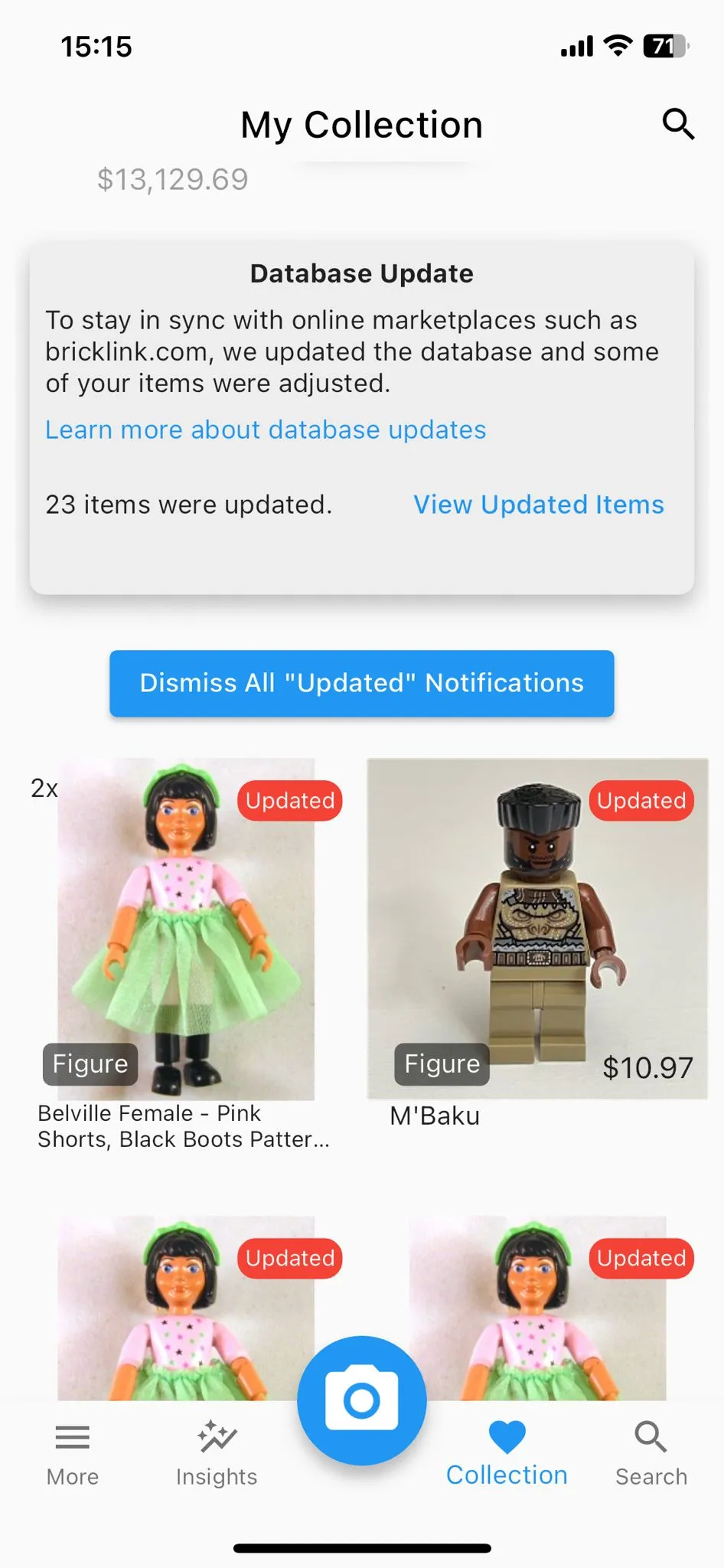
In this specific example, the color of an inventory item has changed.
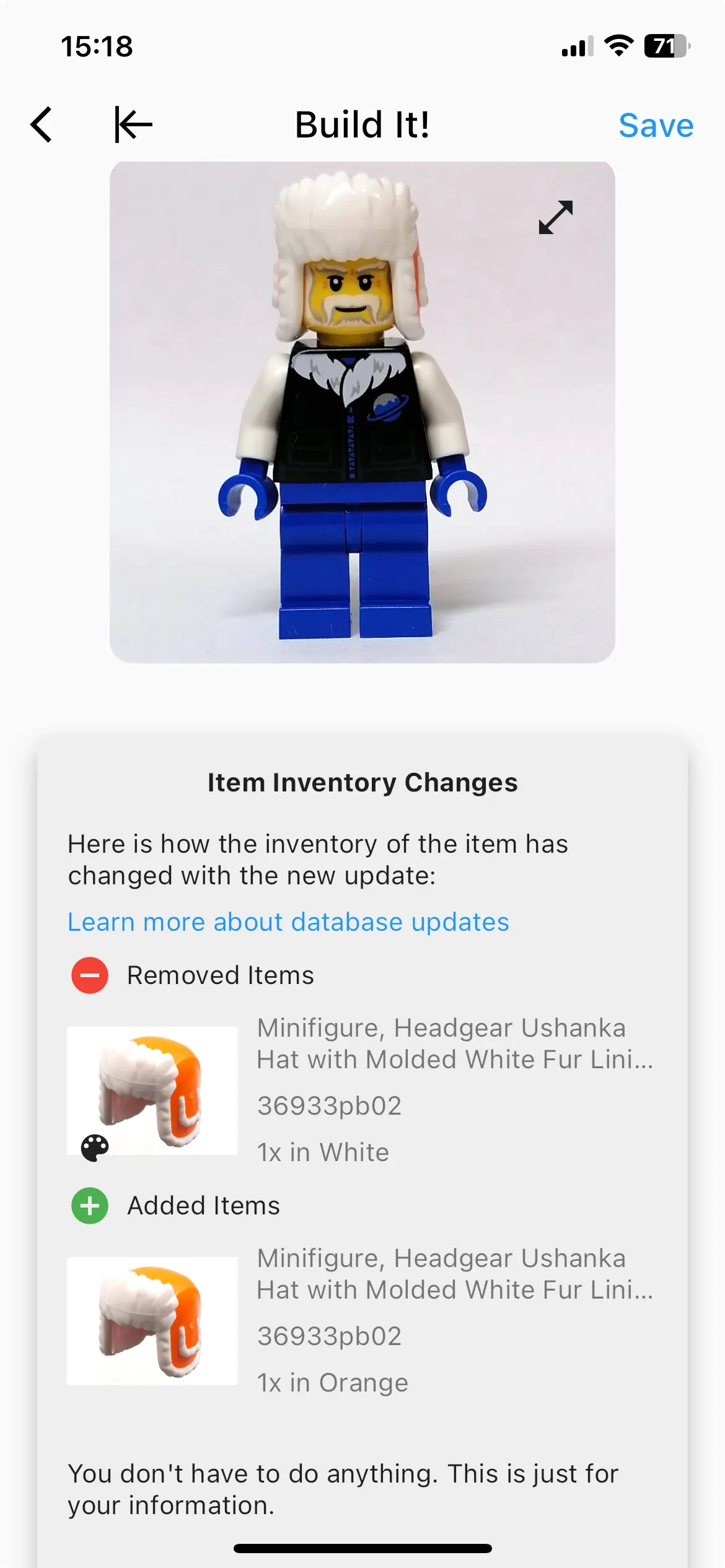
Usually, you can just verify that everything appears as it should and then dismiss the notice to avoid seeing it again.
On very rare occasions (only 8 items out of more than 110,000 in 2023), some items may be removed from the database. It’s unlikely to impact you, but you’ll be informed through the database update notice.
Currently (as of January 2024), this update notice appears for completed figures, incomplete figures, separate sets, and separate parts. It does not appear for items labeled “Assembly & X Parts” or “Torso & X Parts” on the collection screen. This is because, in these cases, it is unclear which figure you were attempting to build, making it difficult to properly notify you.
Sometimes, items in the BrickLink catalog are labeled as “Marked for Deletion.” Before the item is officially deleted, its inventory is usually removed.
Be aware that items added in a new app version are not visible in older versions. If you’re using two phones with the same account, make sure to update both.
I hope you find this helpful. For any feedback, please feel free to email me at [email protected].
Jakob from BrickMonkey