App Updates
Release notes for major updates.
March 28, 2026 – Version 1.9.85
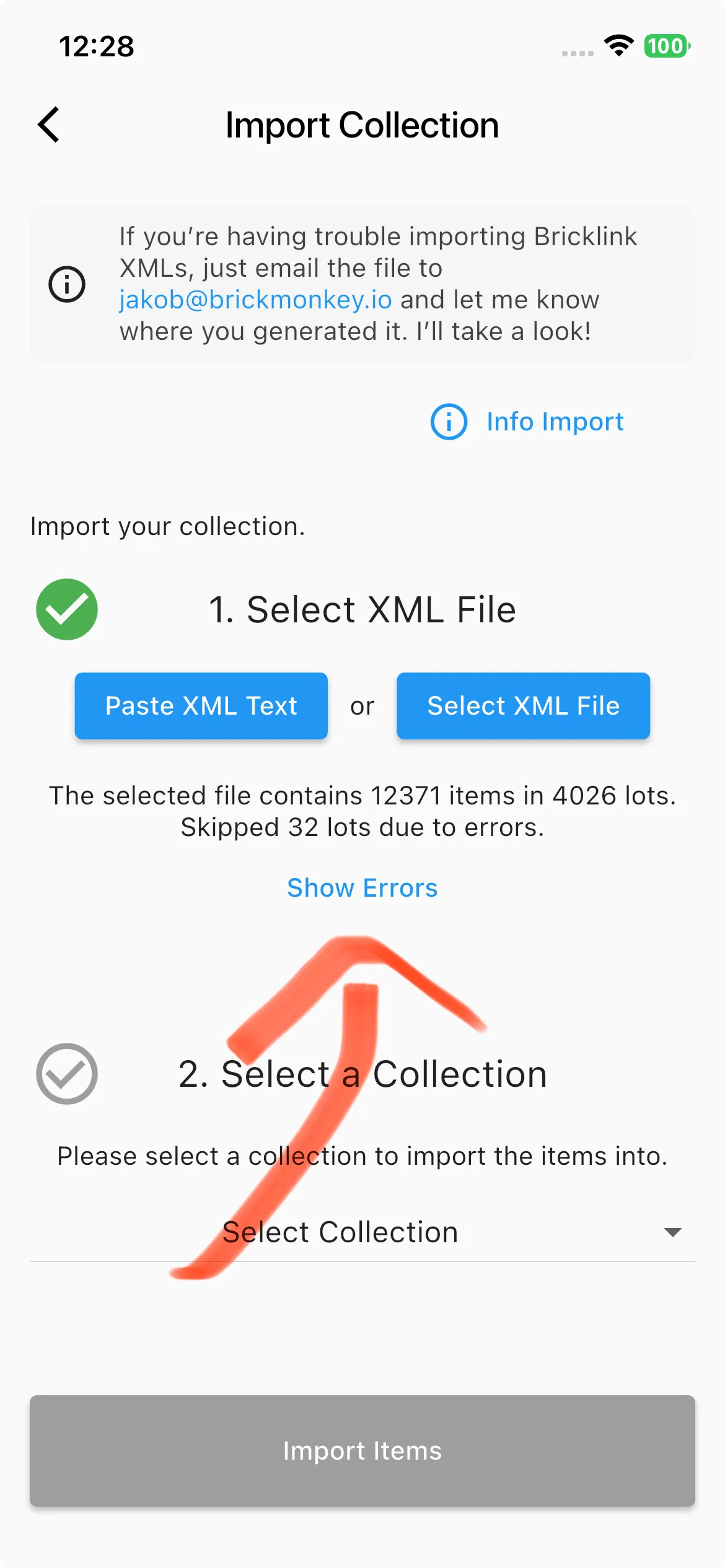
When you import an XML file, you will now clearly see which entries require manual review.
New version
January 13, 2026 – Version 1.9.75
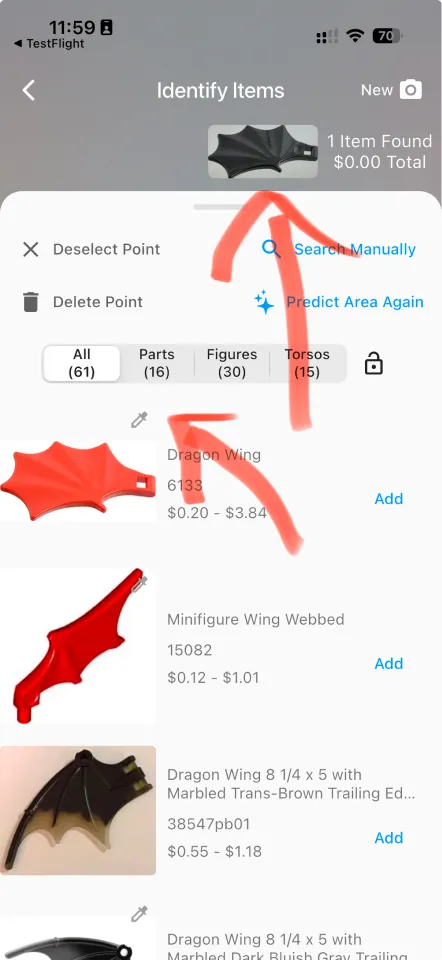
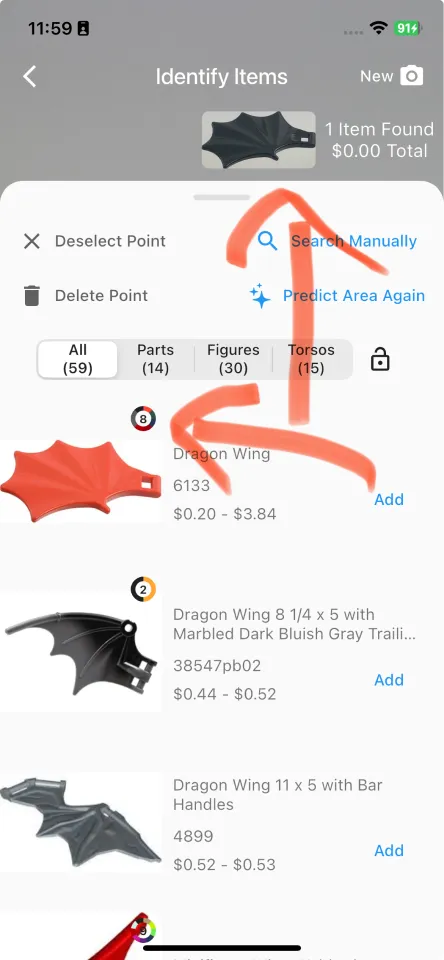
You can now easily see which colors an item is available in.
In the example image, I took an image of an item and it was correctly identified. However, the image recognition currently does not identify colors. So it currently shows any image of the part. This confused some users because they thought the part was not identified correctly since it shows a different color. There was an icon to indicate that the part exists in different colors, but this was not clear and intuitive to some users. With this update, it should now be easy to see that the item comes in different colors at a glance.
Old version
New version
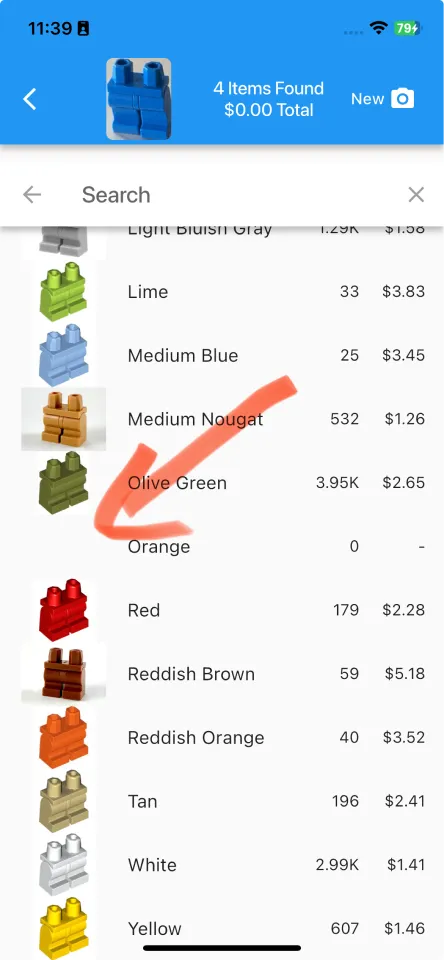
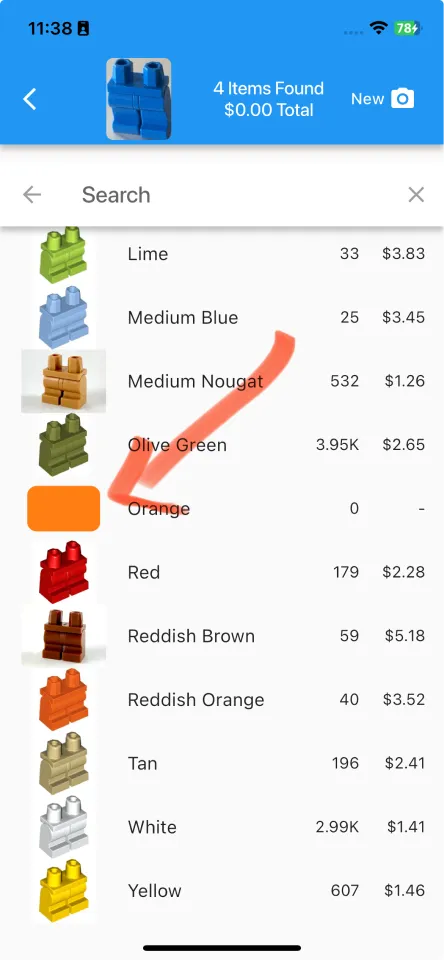
We improved the color picker.
- If no image is available, a color is now shown instead.
- You can also sort by color hue instead of color name, so similar colors like different types of red appear next to each other.
Old version
New version
November 26, 2025 – up to Version 1.9.72
Here are the main improvements from the past few updates:
- You may have already seen this: The database updates automatically right inside the app, and it only takes a moment. This happens automatically when an update is available, and you do not need to do anything.
- New items appear much faster now since we no longer have to release a full app update and wait for the app review process.
- [iOS] You can now use the “swipe to go back” gesture on the bottom sheet in the “Identify Items” screen after taking an image. (Android users already had a “system” swipe back or a dedicated back button.)
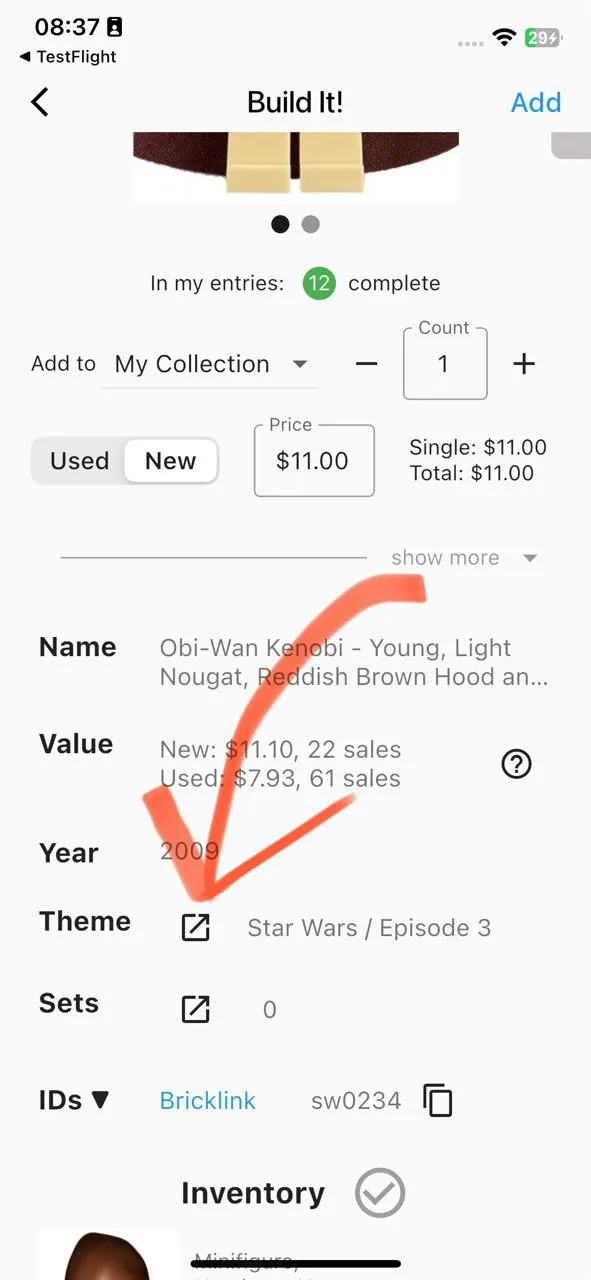
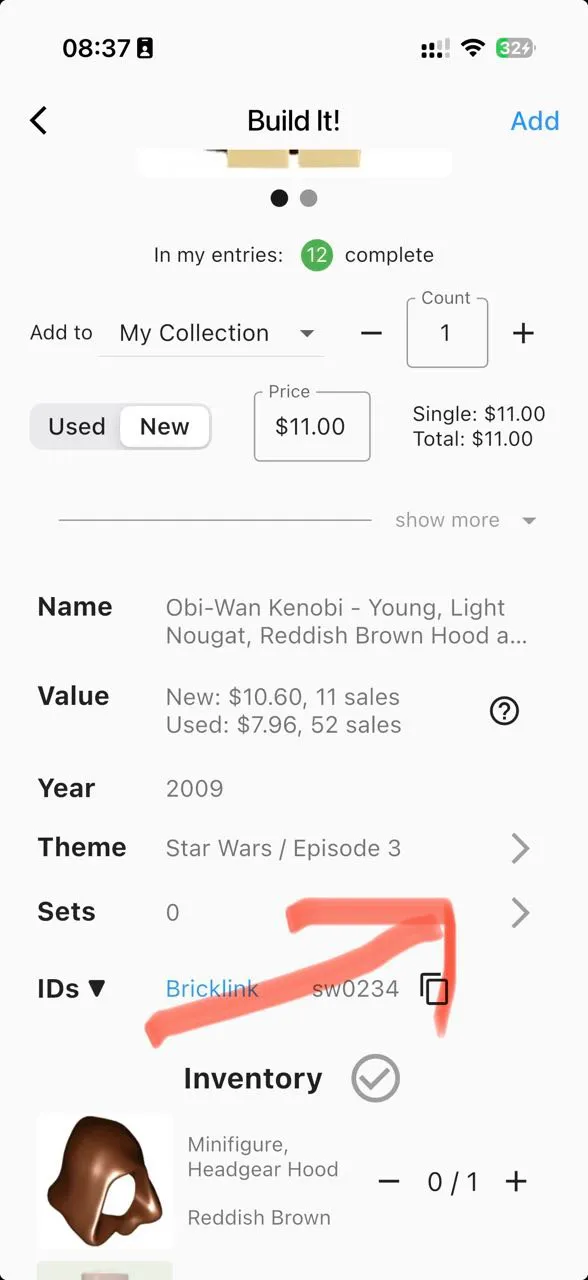
Switched the old icons to simple chevrons since some people thought the old icons would open a browser.
Old version
New version
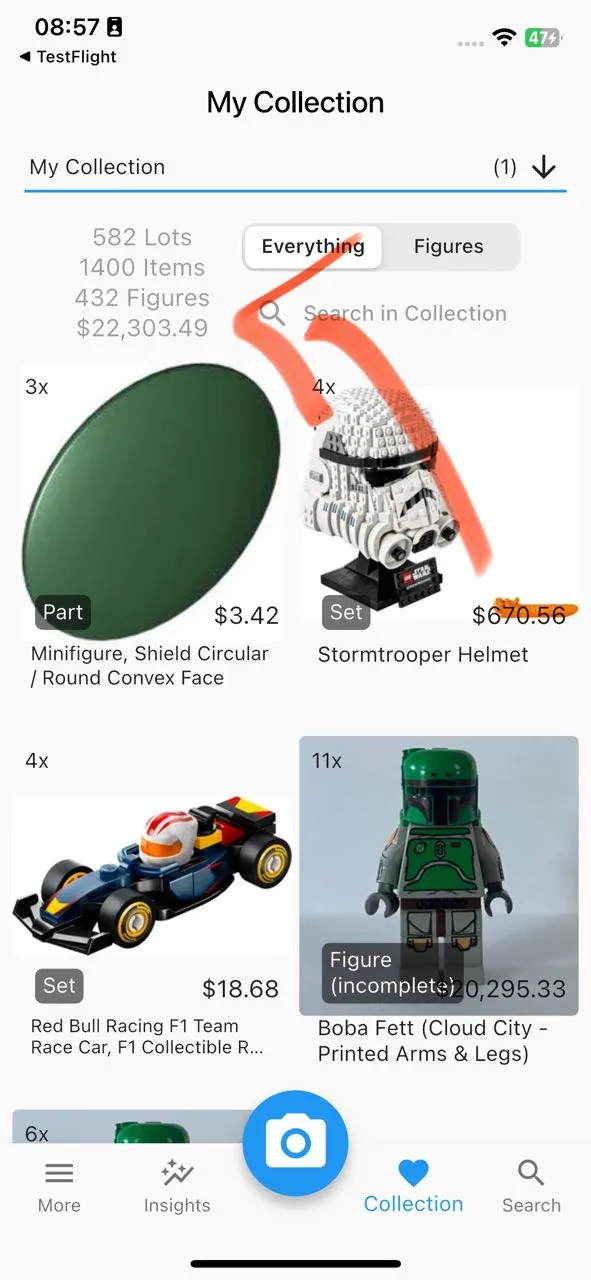
The main collection stats got a cleaner layout so everything is easier to see.
Old version
New version
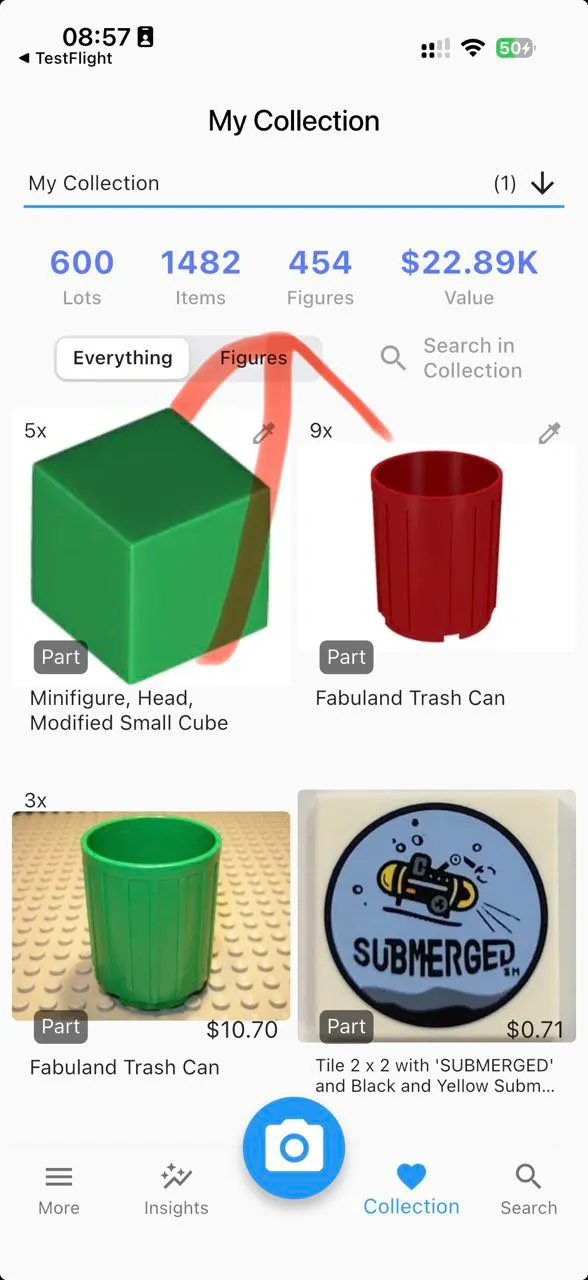
- After taking an image, the bottom sheet will open up automatically for the item in the center. So you don’t have to swipe up manually. Also, the animations on that screen should be a whole lot smoother now.
October 23, 2025 – Version 1.9.59
- Fixed an issue on iOS introduced in version 1.9.58 that prevented users from sharing exported collections.
October 5, 2025 – Version 1.9.54
- October 2025 Database Update
September 5, 2025 – Version 1.9.54
- September 2025 Database Update
- New feature: Show if an item is marked for deletion on bricklink.com and display additional information.
August 5, 2025 – Version 1.9.50
- August 2025 Database Update
- Added more color options beyond just “known colors.”
- Small images in lists load faster and feel smoother, even with a slow internet connection.
- Fixed a bug where some items showed a question mark image until you tapped them.
July 27, 2025 – Version 1.9.49
- More currency options are now available.
Smaller changes
- Fixed a rare issue that caused incorrect item counts in collections.
- Fixed a rare bug that made syncing to the online database take several tries when users had thousands of items.
July 15, 2025 – Version 1.9.48
Multiple Smaller Changes
- Add a shimmering effect to show that images are loading.
- Make sure images with a low resolution still fill all available space.
- Only show the “X” button in the search bar if there is text to clear.
July 9, 2025 – Version 1.9.47
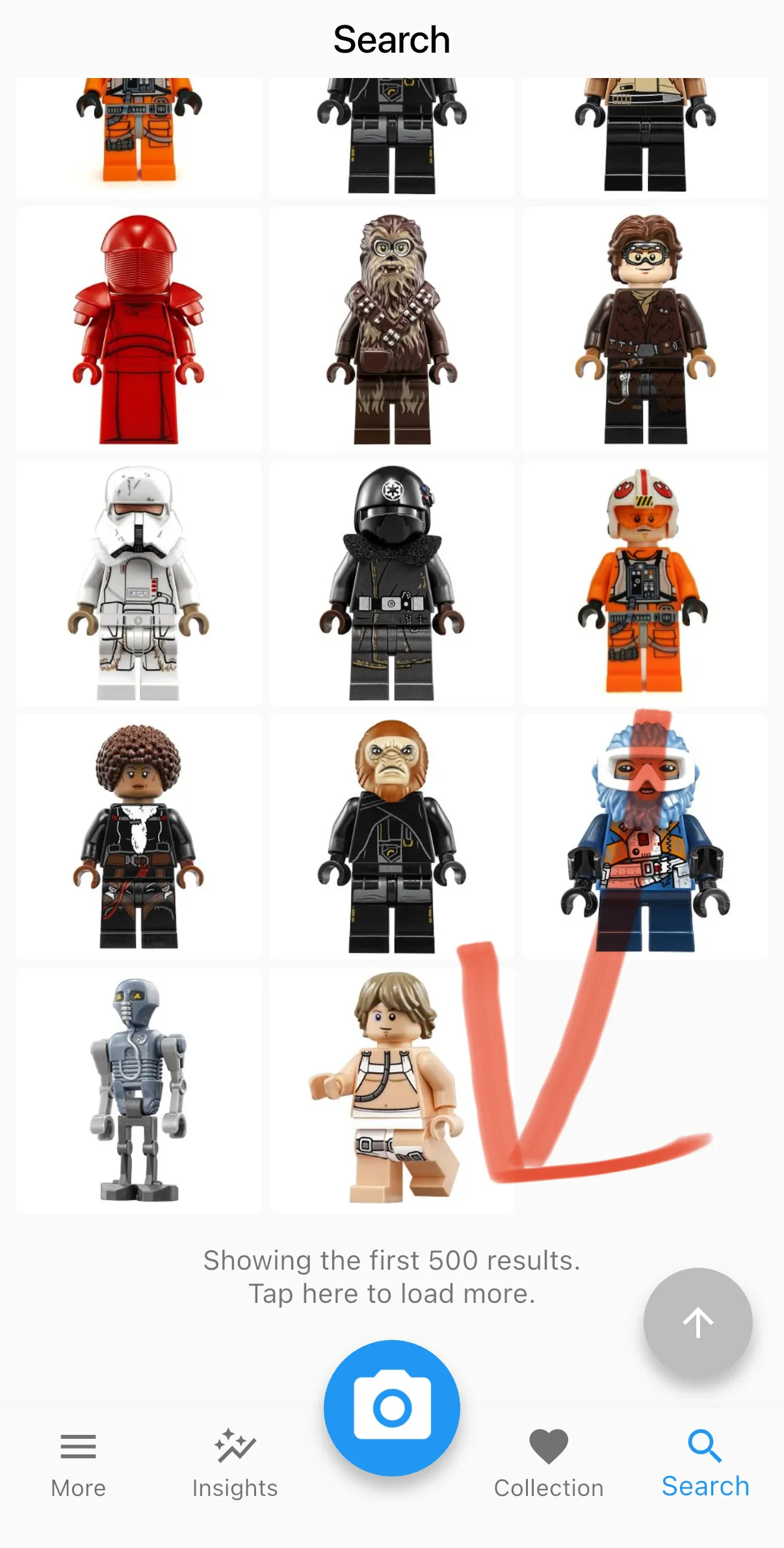
You can now load more than 500 results on the search screen.
New version
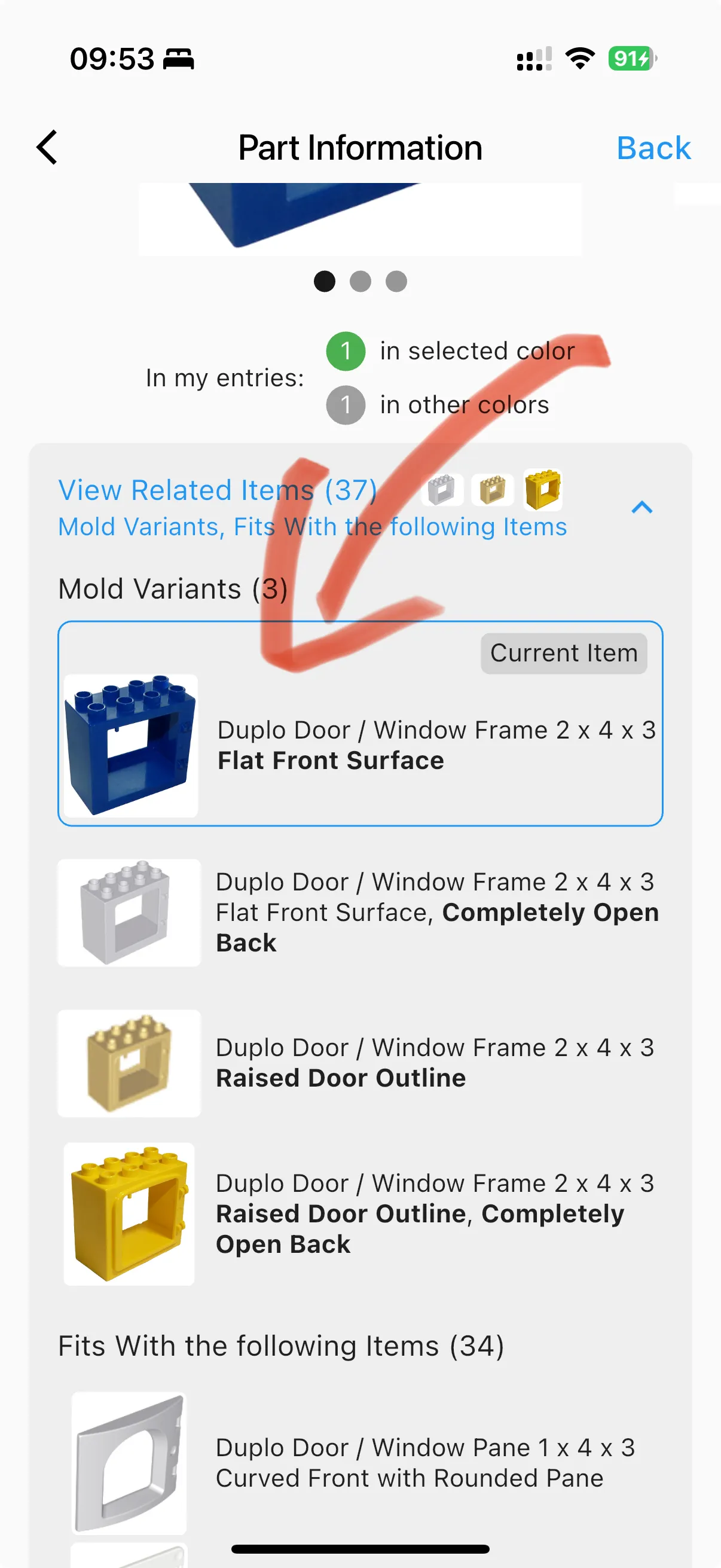
We improved the “Related Items” section by adding the current item name to make it easier for you to compare differences.
New version
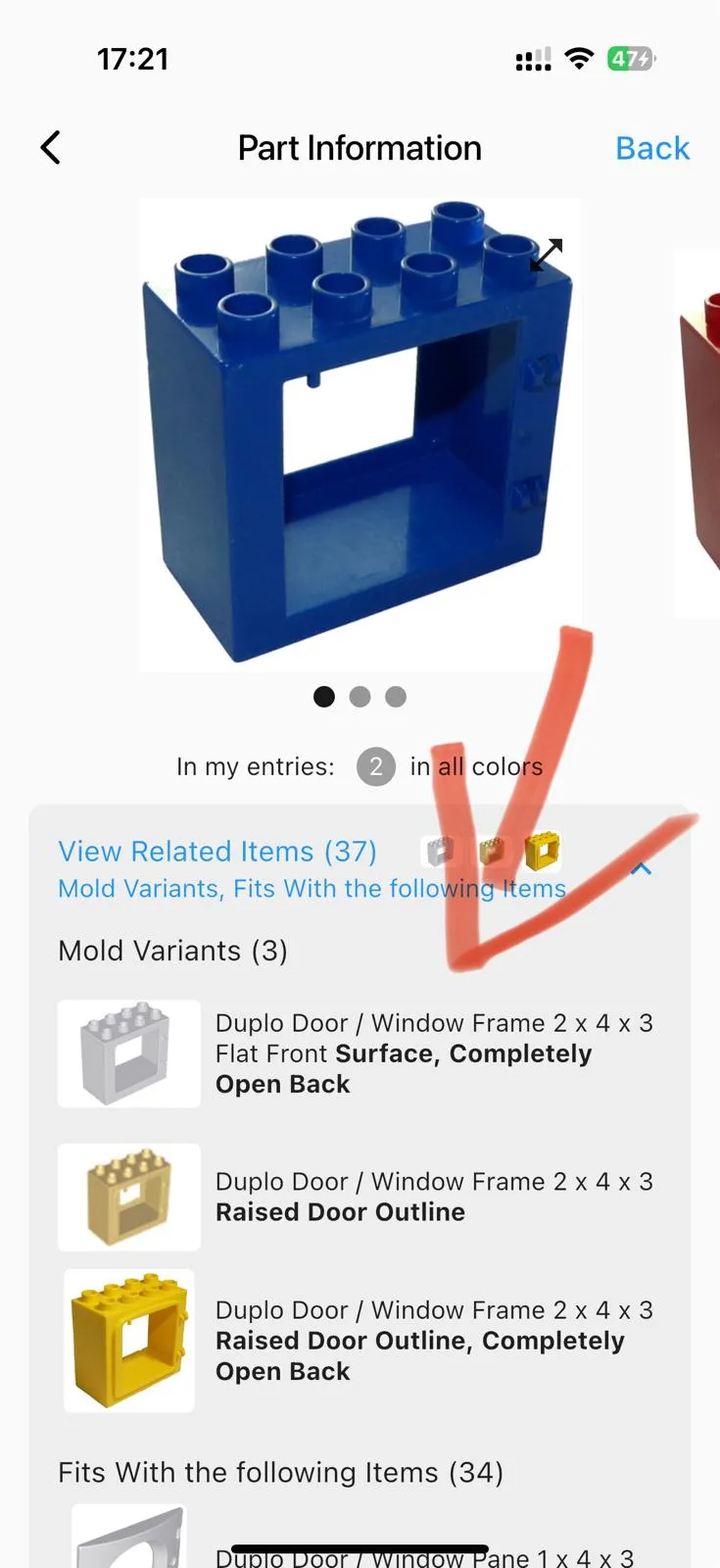
- We now show the “Related Items” section for torsos too. They were the only item type missing before.
- Bolding in “Related Items” now works correctly, even around commas and punctuation.
- We removed extra back buttons on some screens to make navigation cleaner.
- [iOS] You can now use “swipe to go back” on item screens after taking a photo for easier navigation.
July 5, 2025 – Version 1.9.46
- July 2025 Database Update
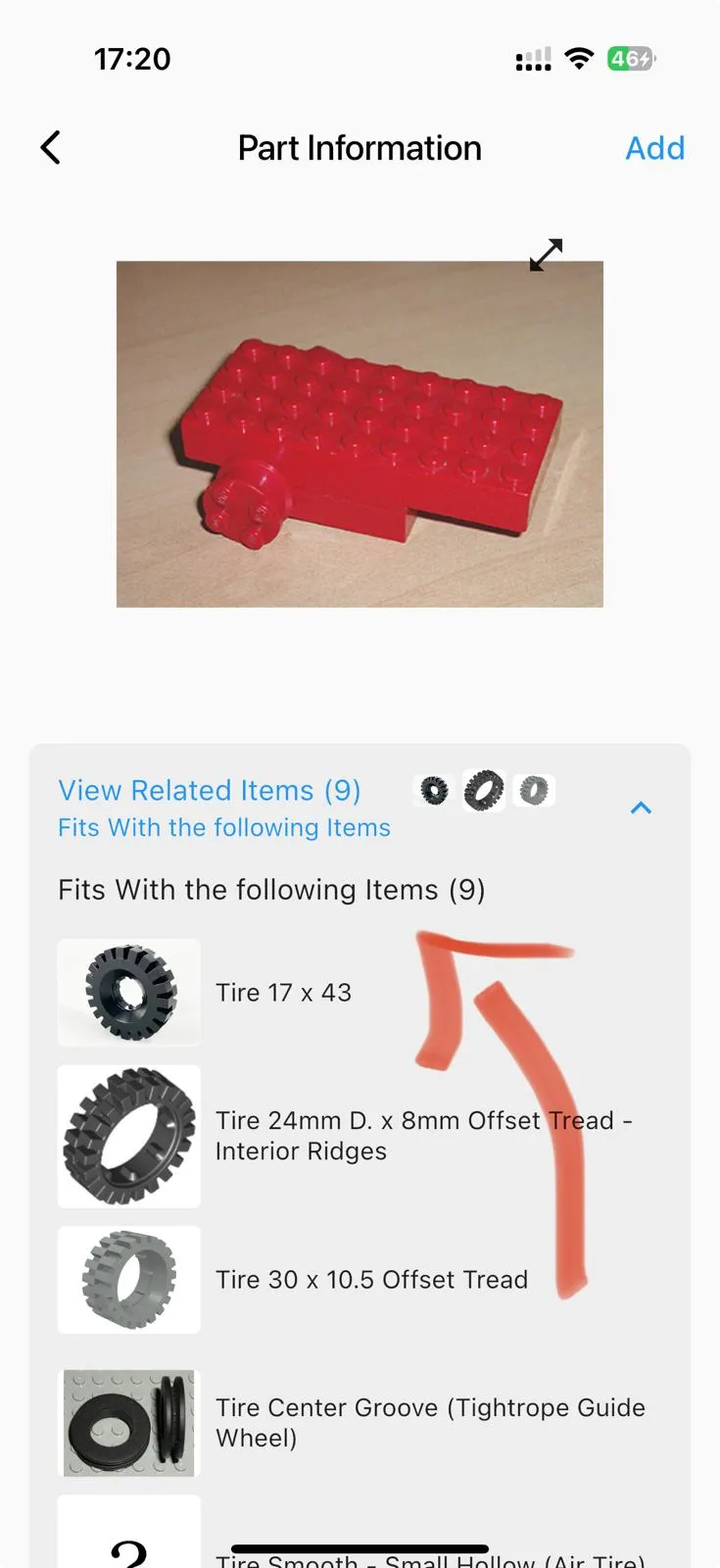
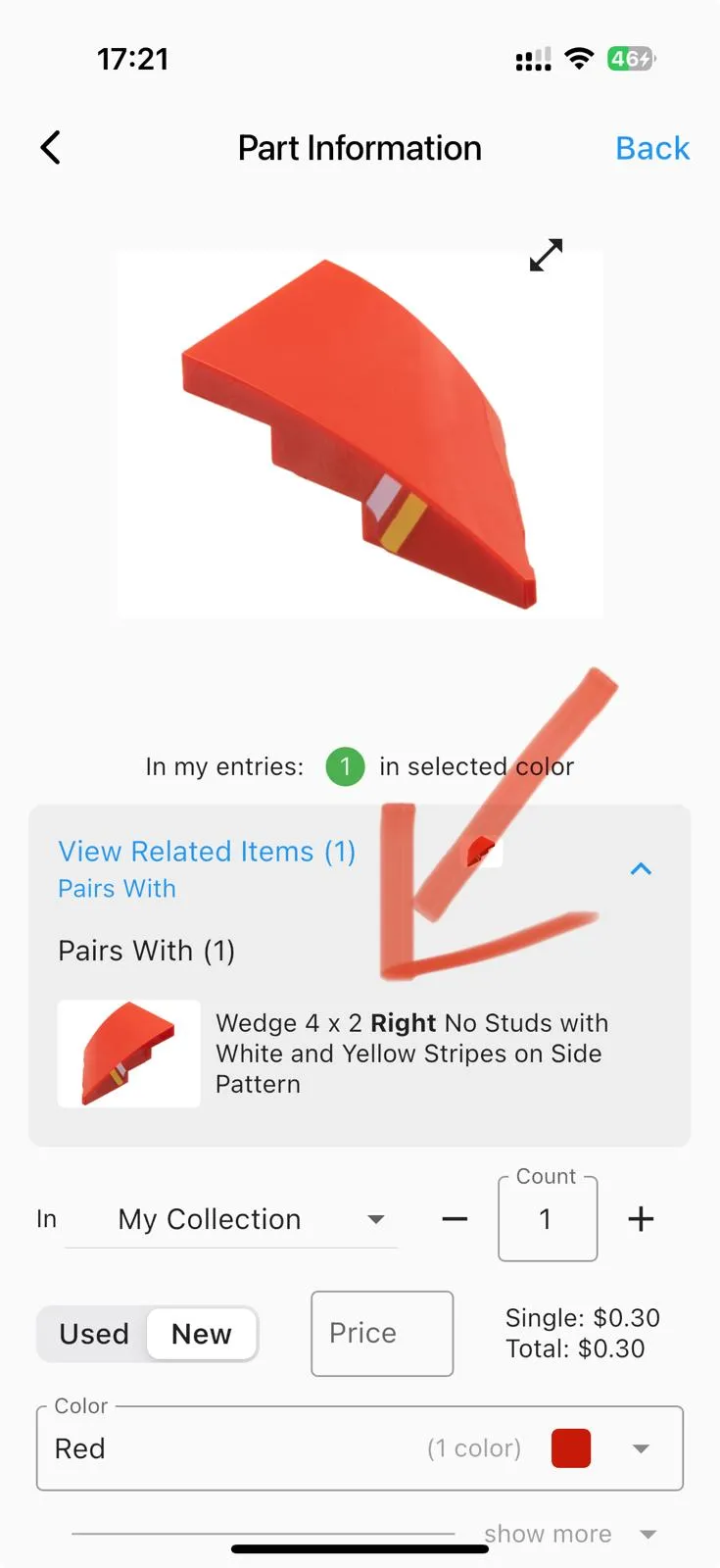
Show “Related Items,” which makes it a lot easier to find matching items, similar items, and so on.
- For some parts, Minifigs, and sets, you will see this feature.
- It shows “Mold Variants” and “Similar Items,” with the differences bolded so you can spot them quickly. This makes it easier to compare items that look almost the same.
- You will also see “Pairs With” and “Fits With” so you can quickly find the mirrored item and the tires that match your wheel rim, for example.
New version
New version
New version
June 5, 2025 – Version 1.9.44
- June 2025 Database Update
May 2, 2025 – Version 1.9.42
- May 2025 Database Update
- BrickLink recently changed some Minifigure IDs. They’re now updated in this version, and the links are working again!
April 3, 2025 – Version 1.9.38
- April 2025 Database Update
March 5, 2025 – Version 1.9.35
- March 2025 Database Update
- You can now zoom into images more easily.
- The app icon now looks right on Android phones that use round icons.
February 3, 2025 – Version 1.9.30
- February 2025 Database Update
- Fully switched to the new icon 🎉 I’ll miss the old monkey icon, but this one does a much better job of representing what the app is all about.
- Fixed an issue on iPhone Pro models where images darkened when fully zoomed in.
- Fixed an issue with in-app notifications where the “X” icon couldn’t be tapped to close them.
January 8, 2025 – Version 1.9.21
January 2025 Database Update #2
- BrickLink updated the IDs for several items, like changing 3626cpb1904 to 3626pb1904. This update makes sure that all links in the app function properly and that your collection exports are accurate.
January 3, 2025 – Version 1.9.19
- January 2025 Database Update
December 4, 2024 – Version 1.9.16
- December 2024 Database Update
- Fixed an issue where recent iPhone Pros couldn’t focus on close objects.
November 30, 2024 – Version 1.9.14
You can now easily import your collection from many different platforms.
- You can now easily import items from BrickLink, BrickStore, Rebrickable, and Brickset.
- There’s no need to create a file anymore. You can simply paste the data into a text field.
- I’ll explain more in our import collection guide.
You can now quickly see if a part comes in multiple colors without tapping into it.
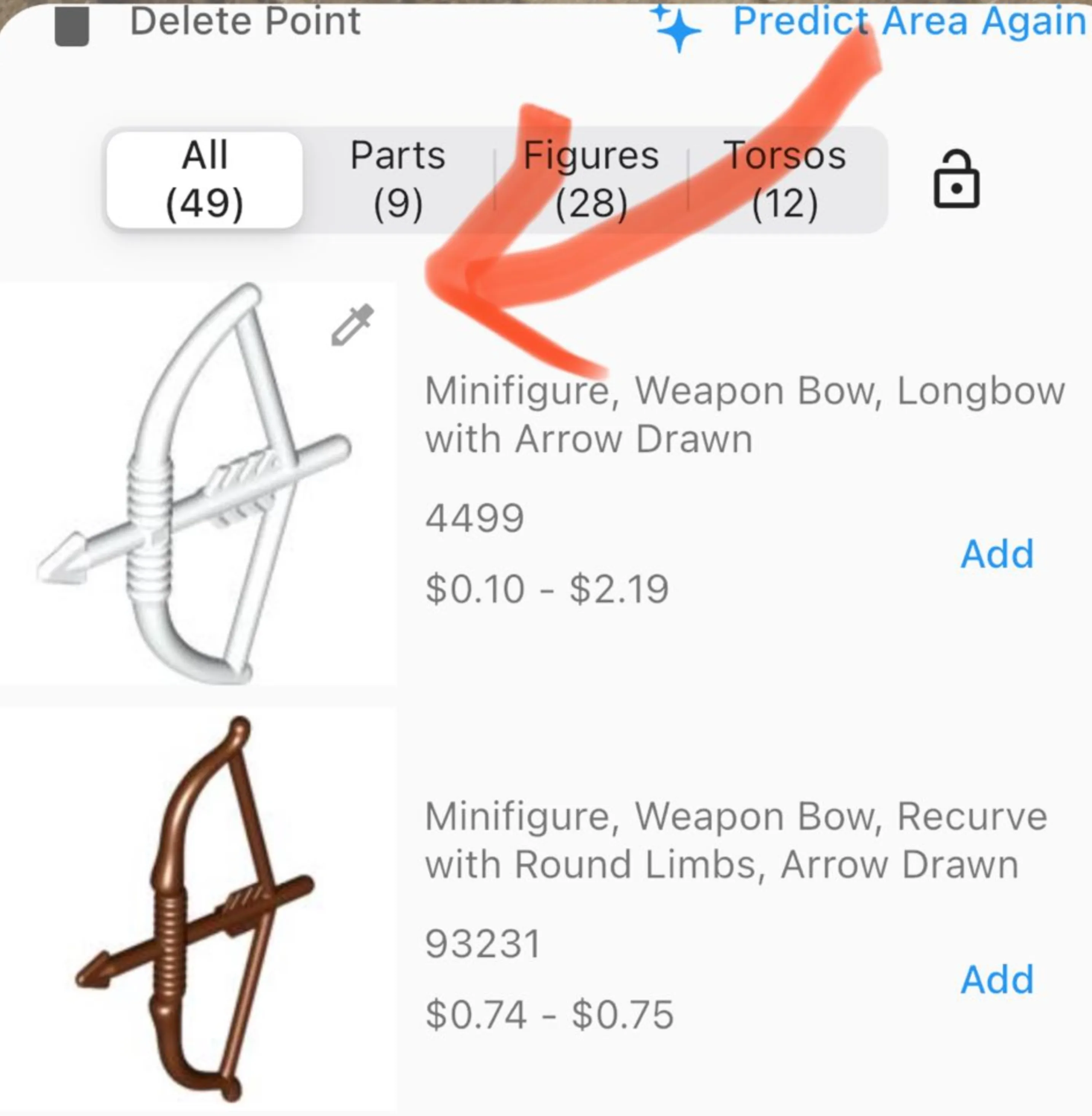
Now you don’t need to tap into a part to see if it also exists in colors other than the one in the first image. We added an indicator on the item identification screen and in the search screen.
New version
Let’s say you took a picture of a black bow. Now you know you don’t need to tap into the bottom item because it’s brown and doesn’t have the indicator.
November 24, 2024 – Version 1.9.12
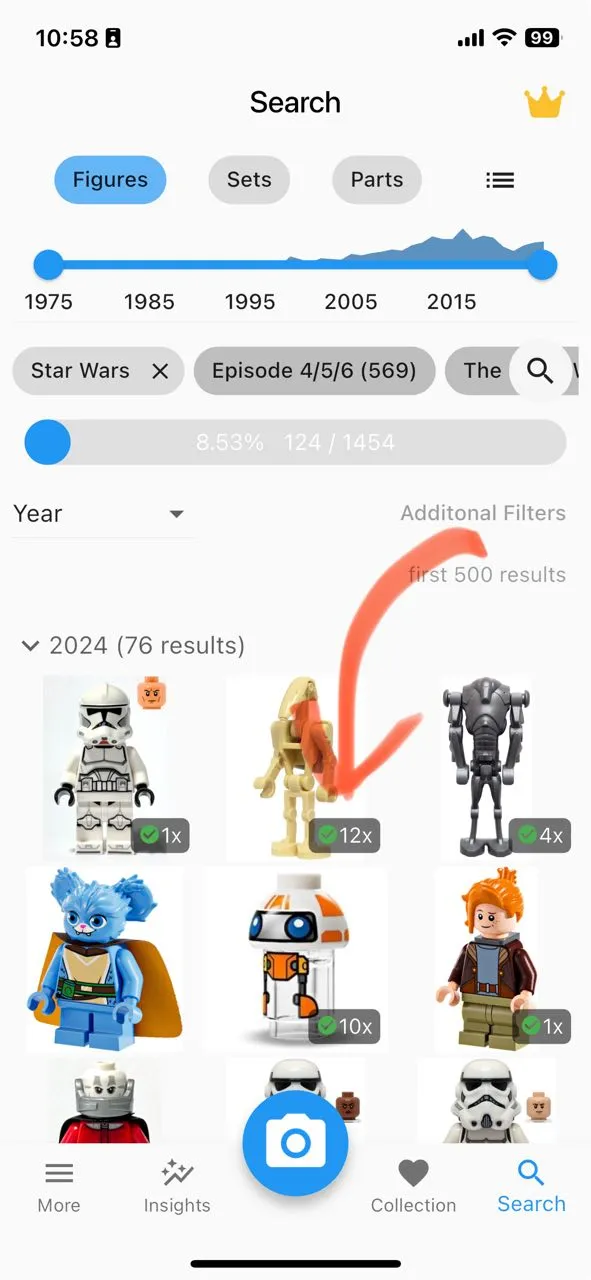
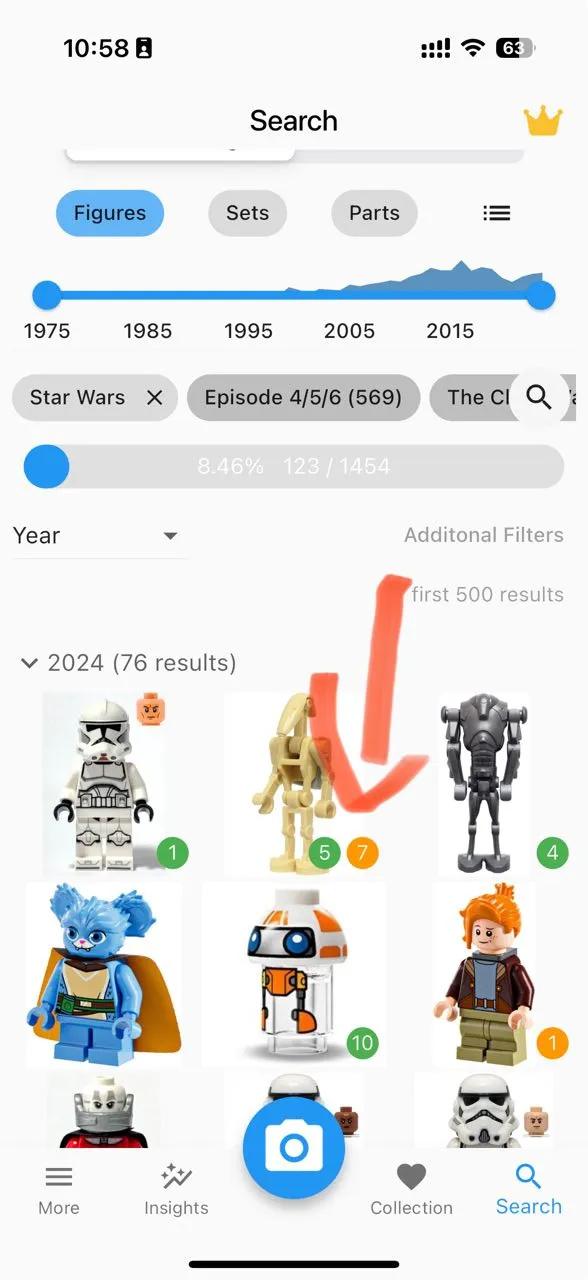
You can now see how many completed and incomplete items you have in your collection, instead of just the total count. This gives you a better overview of your collection.
Old version
New version
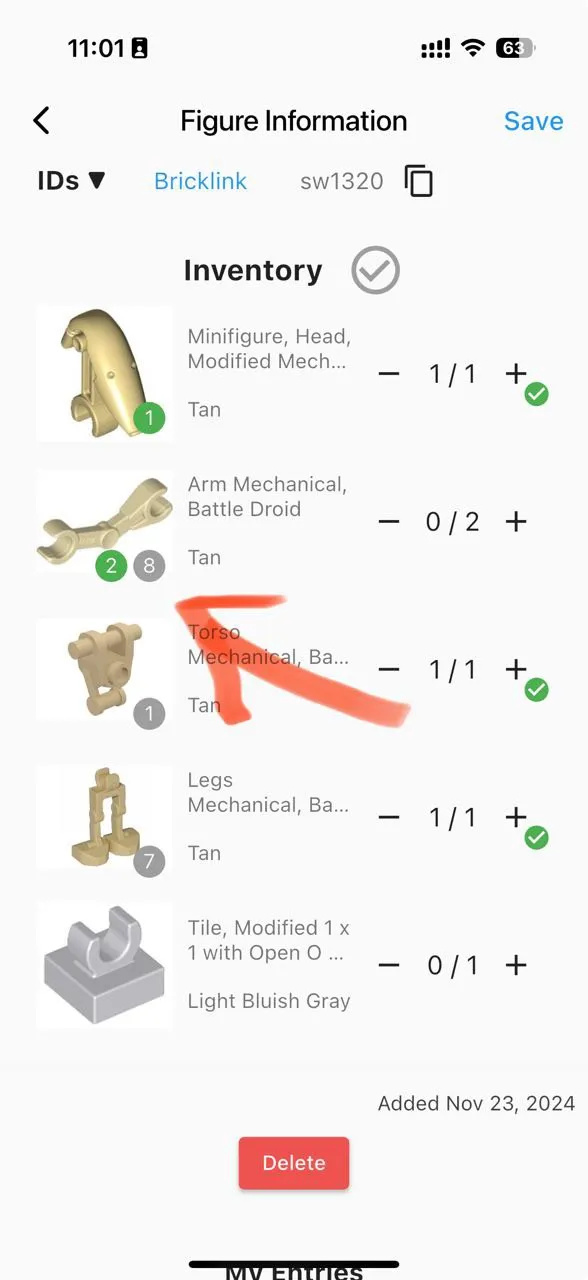
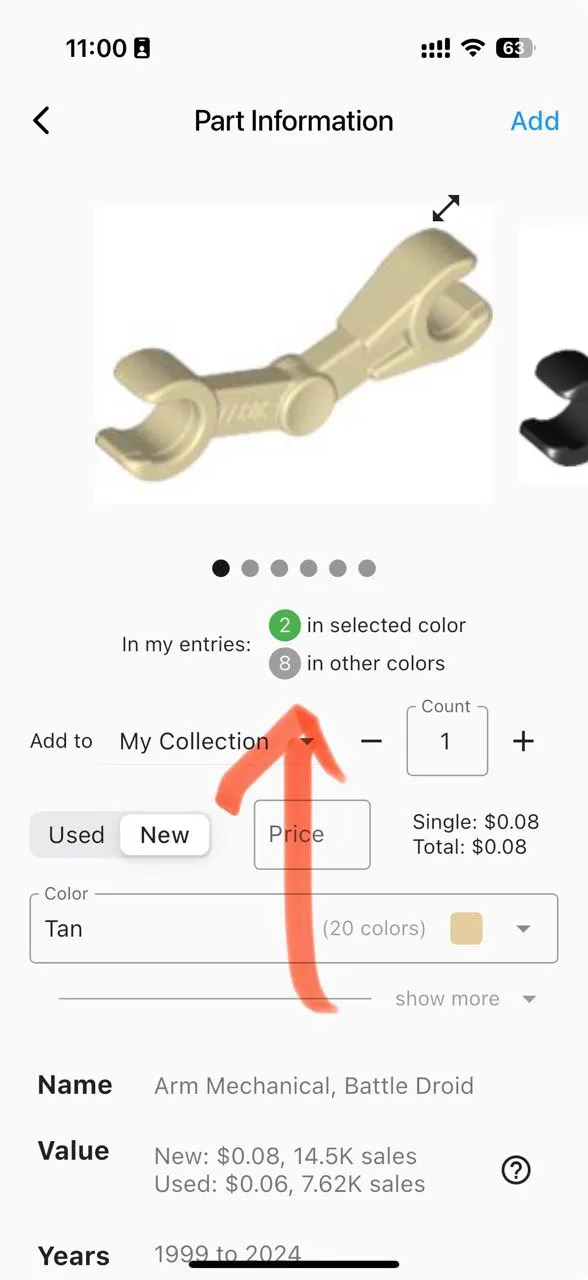
You can now not only see how many times you own a part in a specific color but also how many times you own it in other colors.
Old version
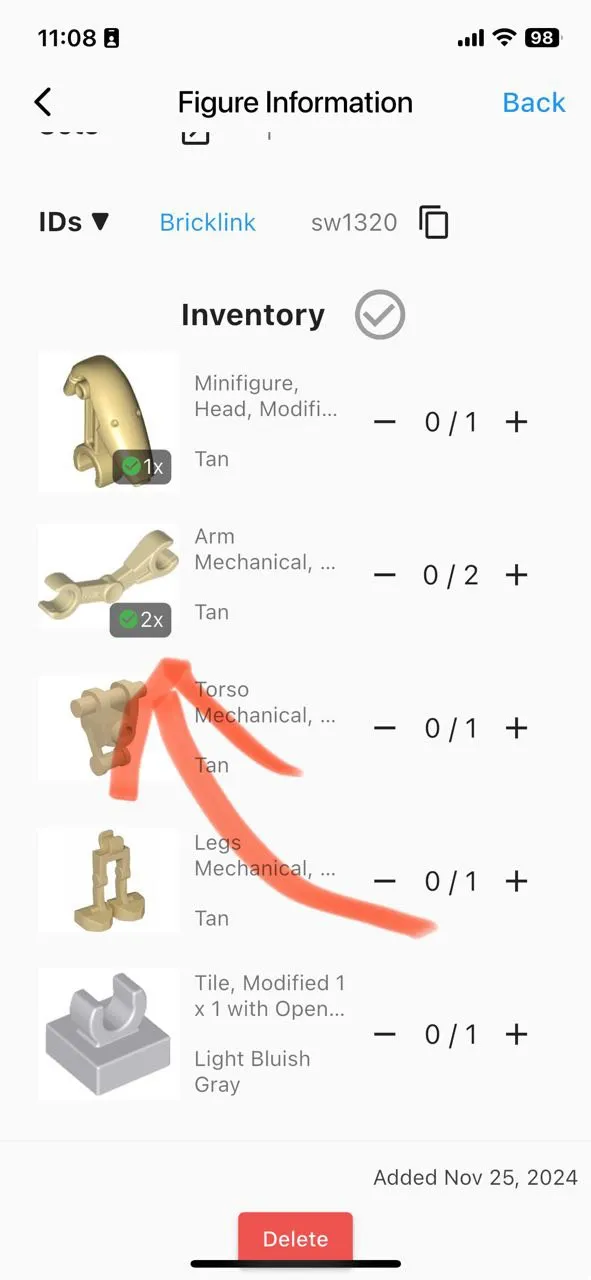
New version
You can now view an overview of your entries directly on the item screen. This lets you instantly see if you already own the item. Simply scroll down to interact with your existing entries.
New version
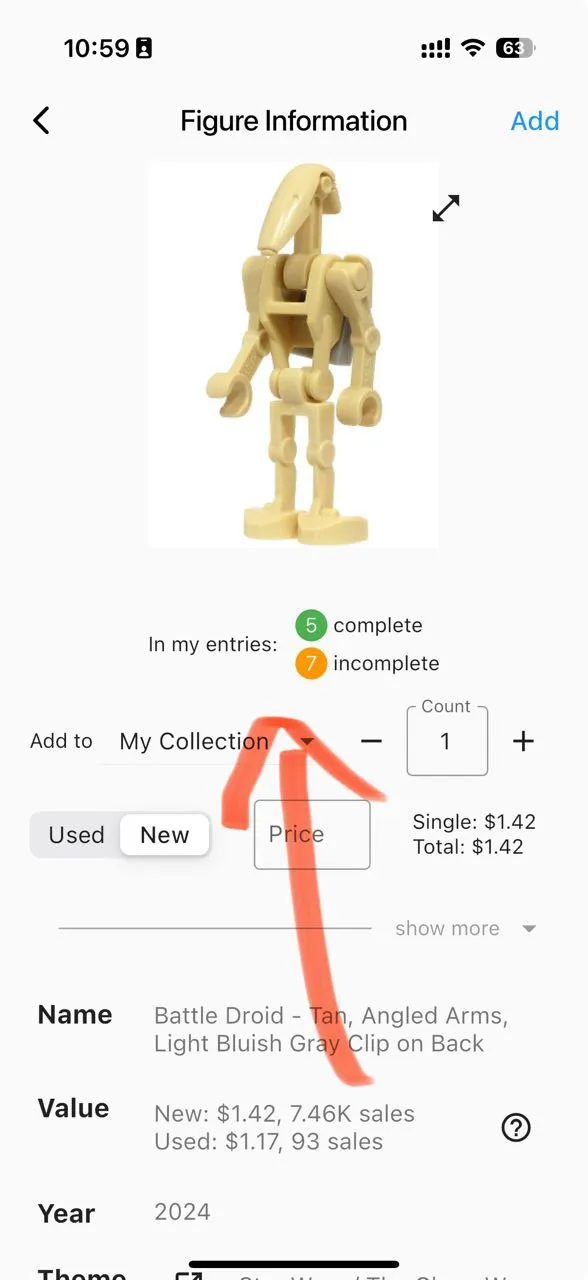
New version
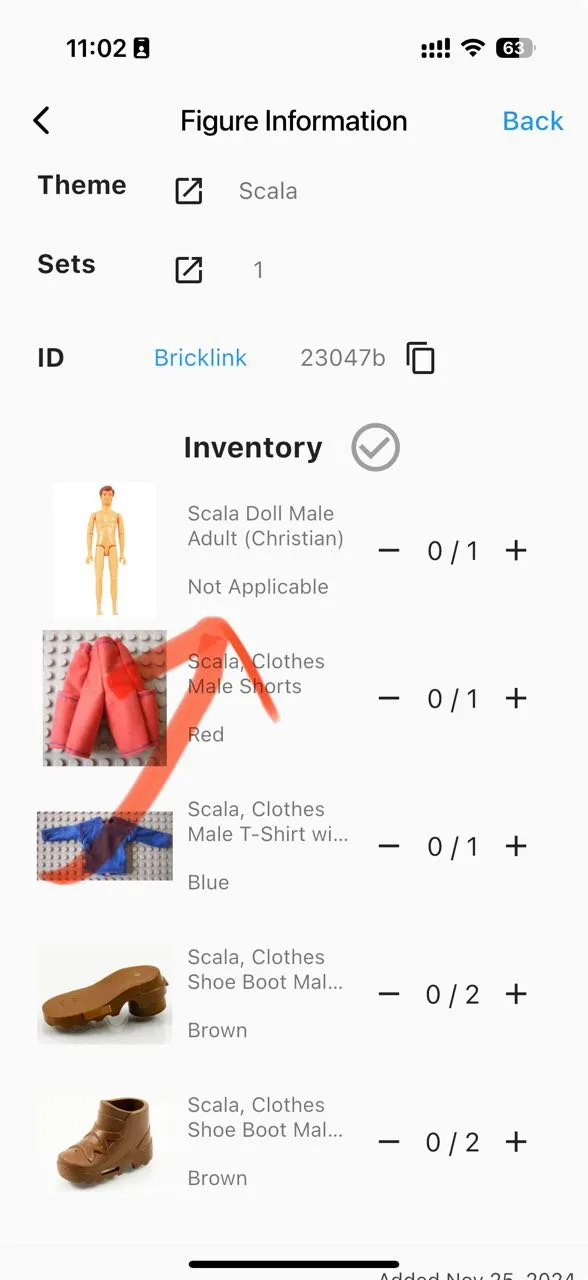
Fixed an issue where only parts were shown in the Minifigure inventory instead of all items. Exporting your collection and parting out entries now work correctly.
Old version
Only parts are shown.
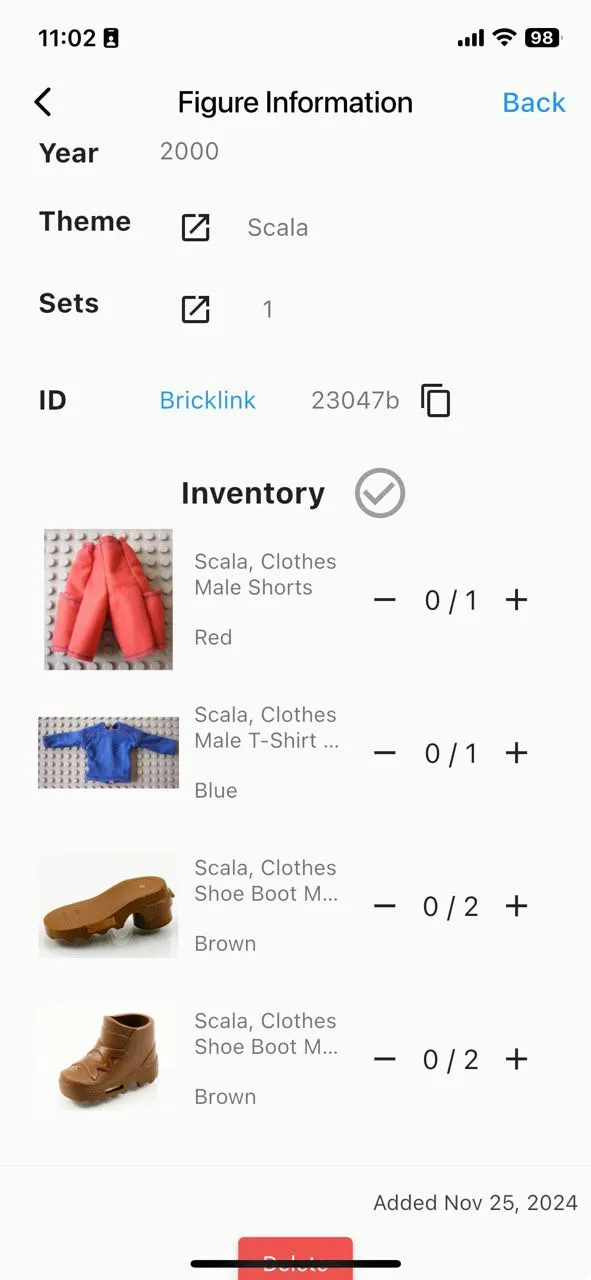
New version
You can now see everything. The first entry is classified as a Minifigure.
- Fixed an issue where Minifigures without items—either because they consist of only one part or because they aren’t inventoried yet—were incorrectly shown as “incomplete.”
- Fixed an issue with the total value of your collection. Torso assemblies and incomplete entries no longer count toward the total value unless you manually set a price.
November 16, 2024 – Version 1.9.11
Improved the “Unique Figures per Theme” chart
- Changed to a new color scheme, making it easier to read and more visually appealing.
- Subthemes now use the same color as the main theme. The larger a subtheme, the more intense the color.
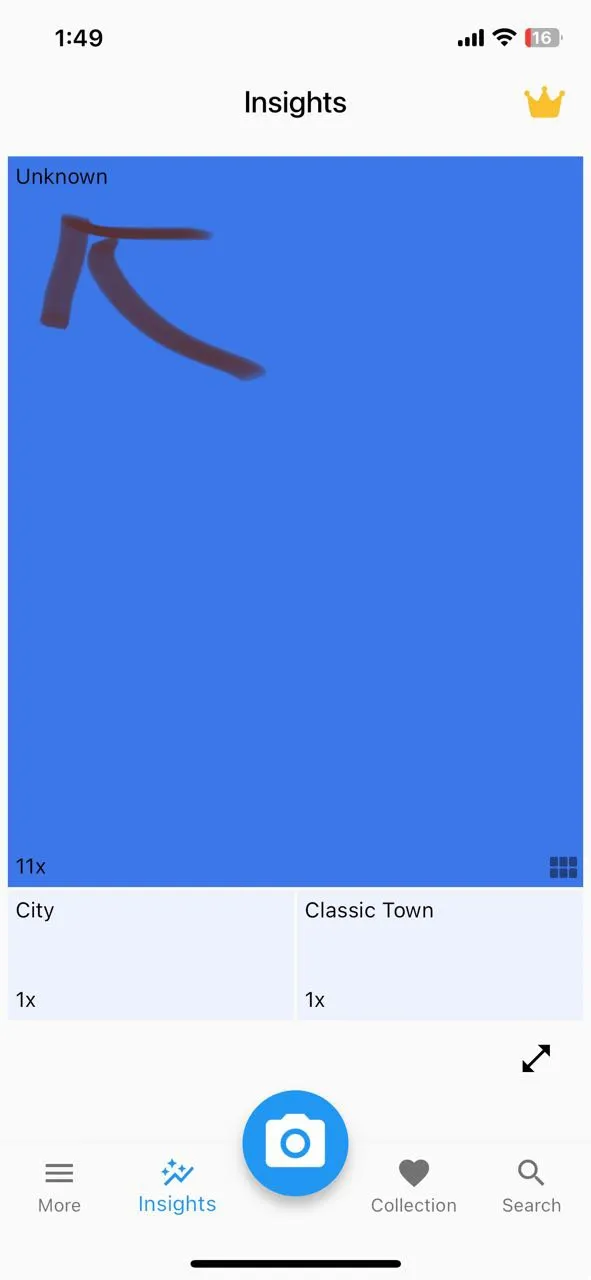
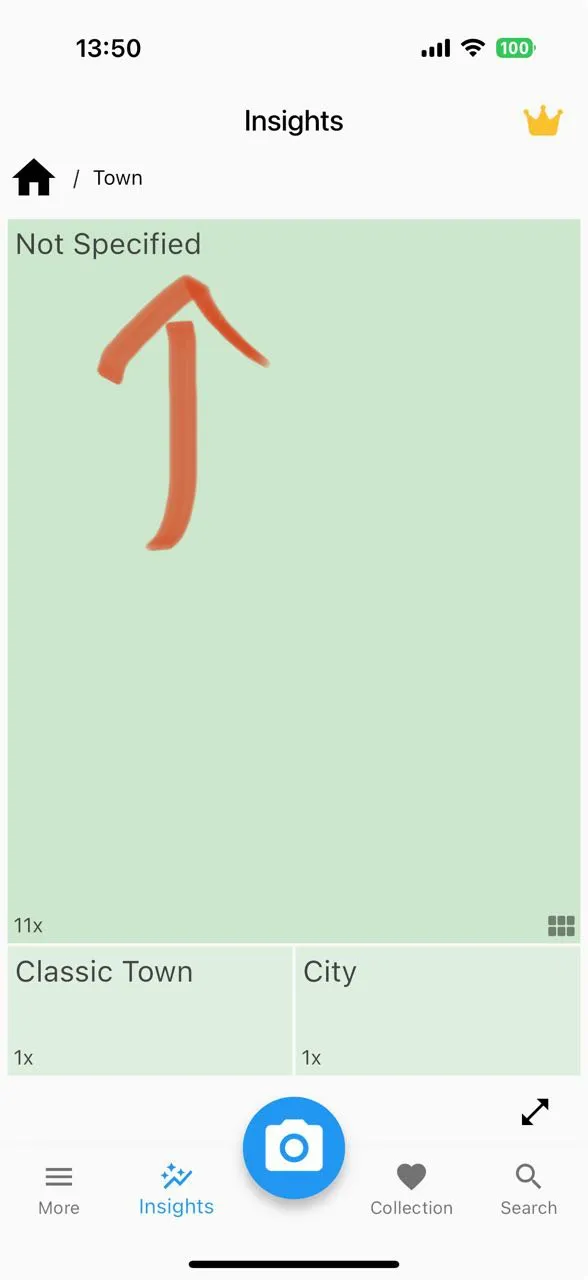
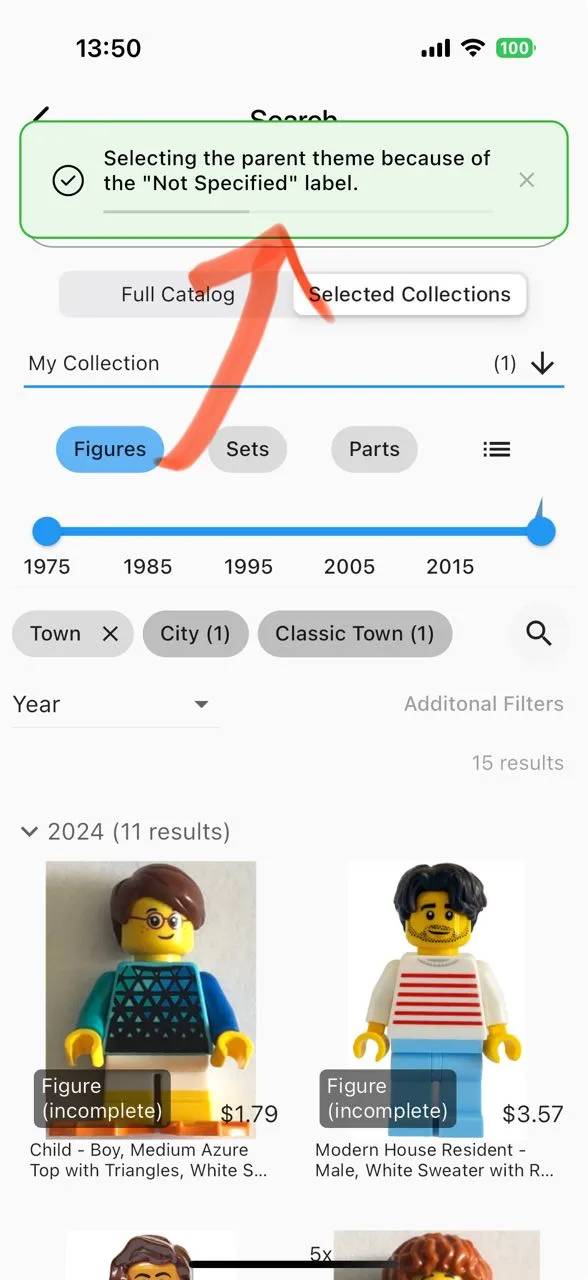
- Use “Not Specified” instead of “Unknown” in the theme overview chart and show a helpful banner when you navigate to it.
Some Minifigures have both a theme and a subtheme, like “Town / City.” Others only have a theme, such as “Town.” In the past, we labeled subthemes as “Unknown” on the chart, which caused confusion since it only meant the subtheme wasn’t specified. To make this clearer, we renamed it to “Not Specified” and now you’ll also see a helpful banner when you tap this field.
Old version
New version
New version
Additional Improvements to the “Insights” Screen
- Clarified chart titles for better understanding.
- Each chart has a handy explanation under the info button.
Multiple Smaller Changes
- Fixed an issue with Minifigure counts in the “Search” screen’s progress bar.
- Fixed an issue that caused the screen to scroll back up when changing the count of an item in the Minifigure inventory.
- The “Select Photo from Gallery” button now alerts the user if the app doesn’t have permission and guides them to the settings instead of failing silently.
November 4, 2024 – Version 1.9.9
- November 2024 Database Update
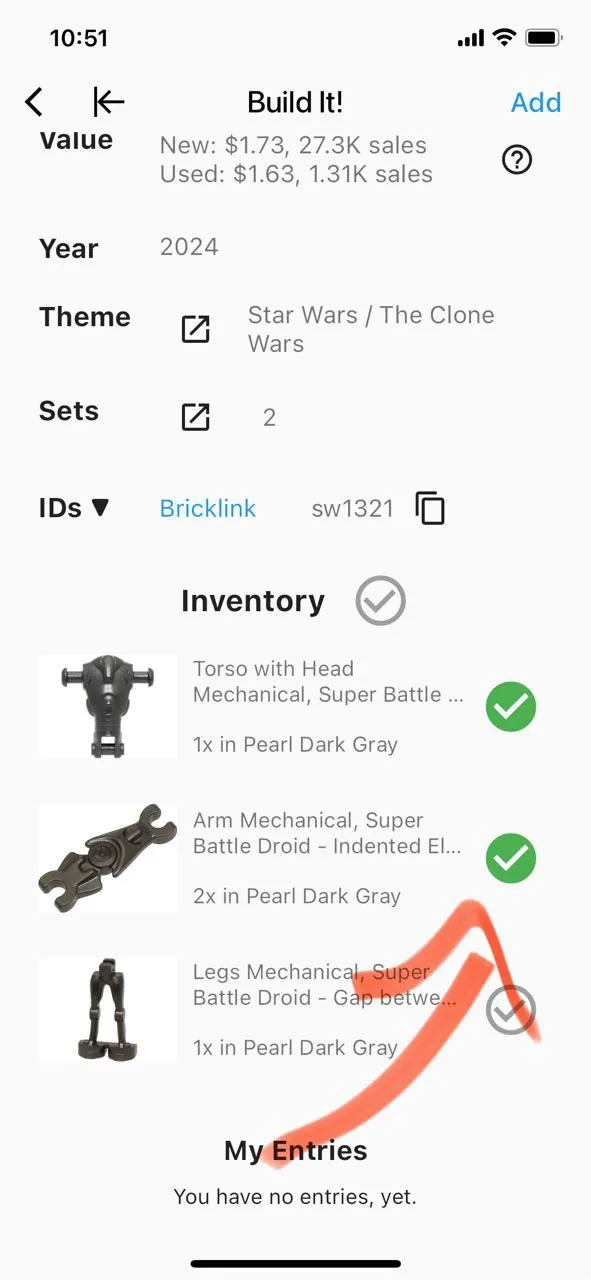
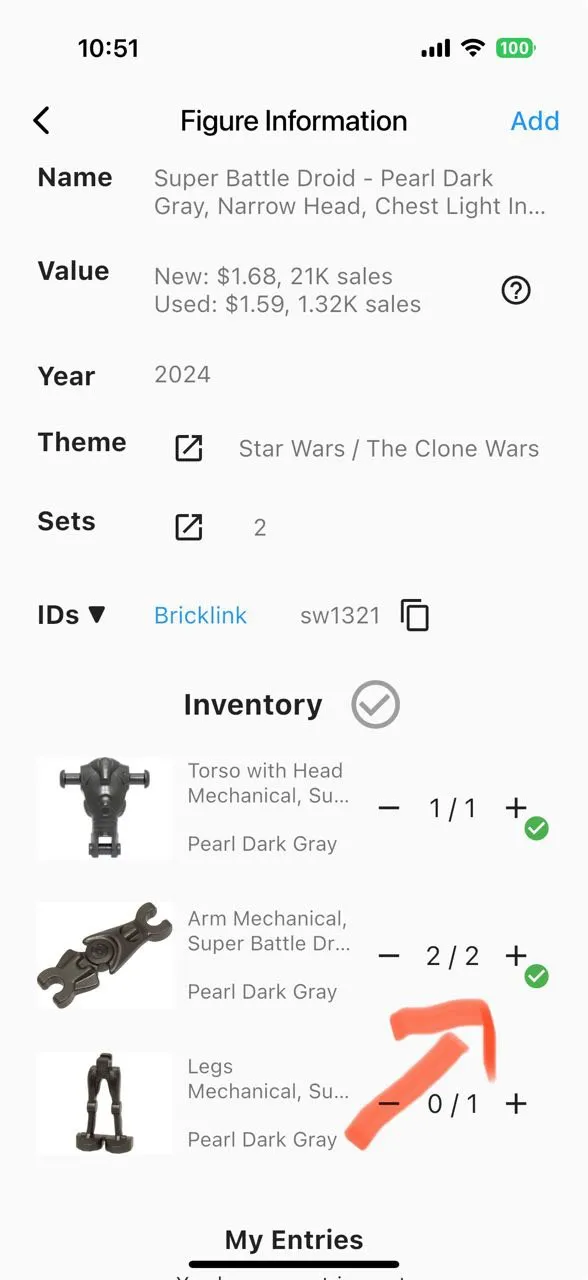
Added ability to specify the exact number of parts in an entry.
- Regarding the database update: we automatically migrated all your existing entries and assumed a count of one for each selected part to make sure that we don’t add additional items out of thin air to your collections.
- With this change, you can now enter the exact number of parts in each entry. This helps with parting out, exporting, and, in future updates, will show you which Minifigures and sets you can assemble from the parts you have.
Old version
New version
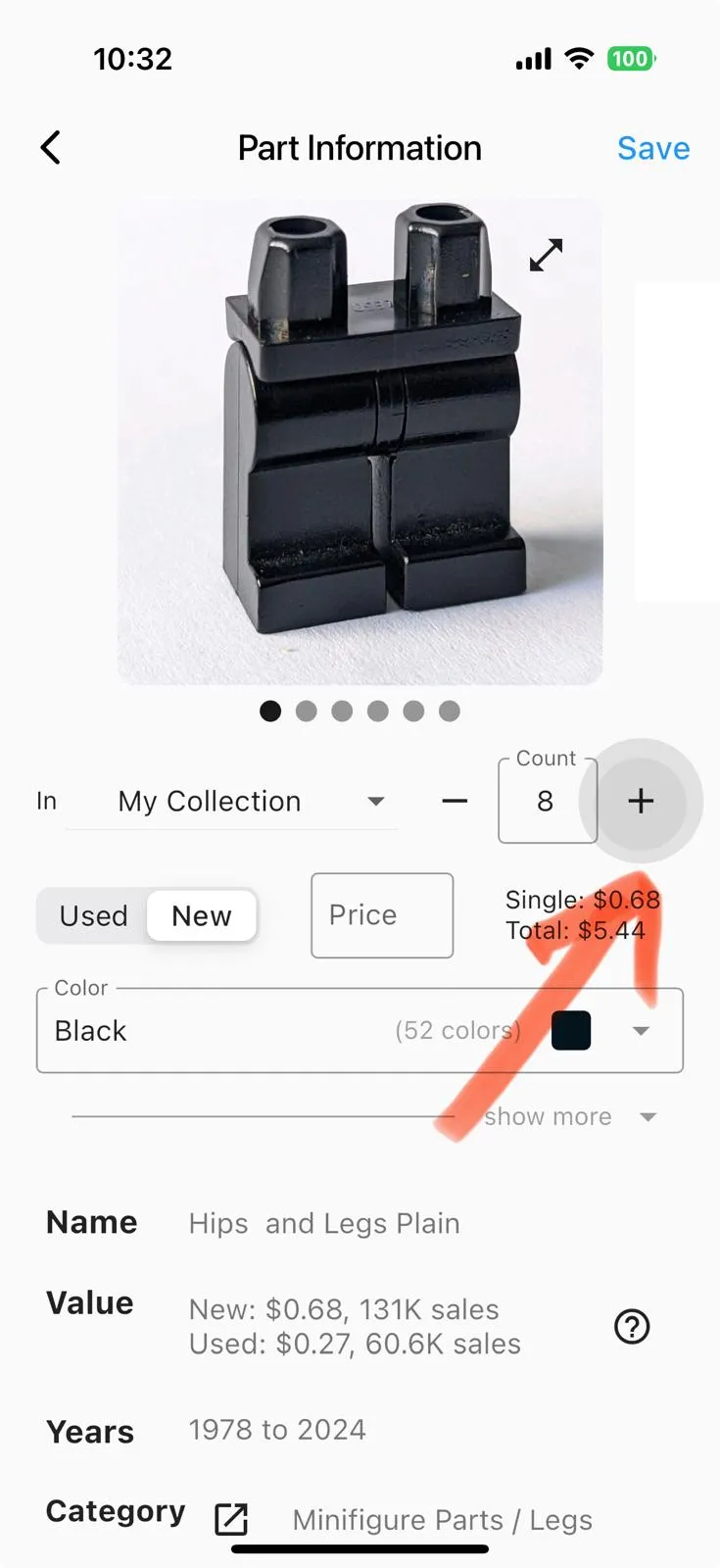
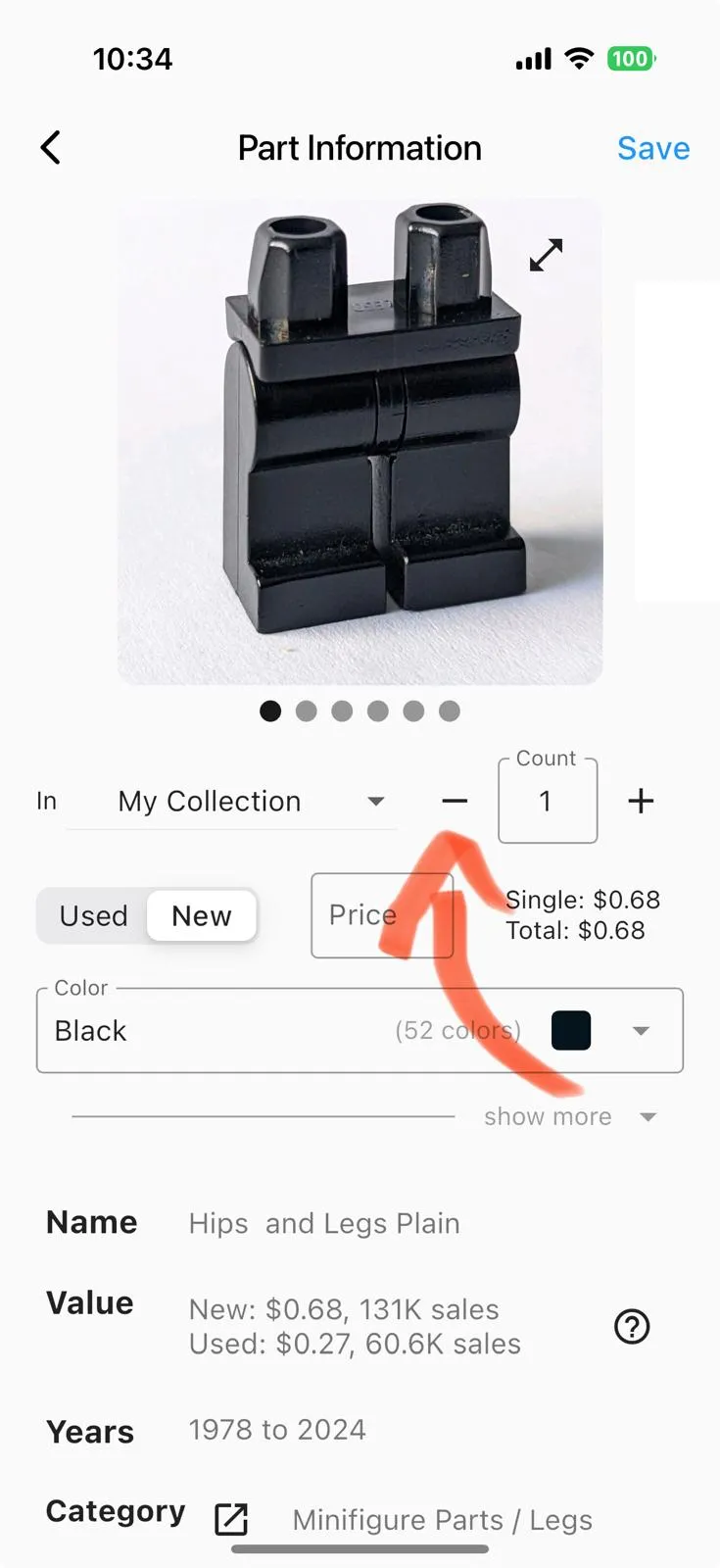
Improved the “Count” field for each item.
New version
hold + or - to adjust quantities
New version
tap “-” to delete an item if only one is left
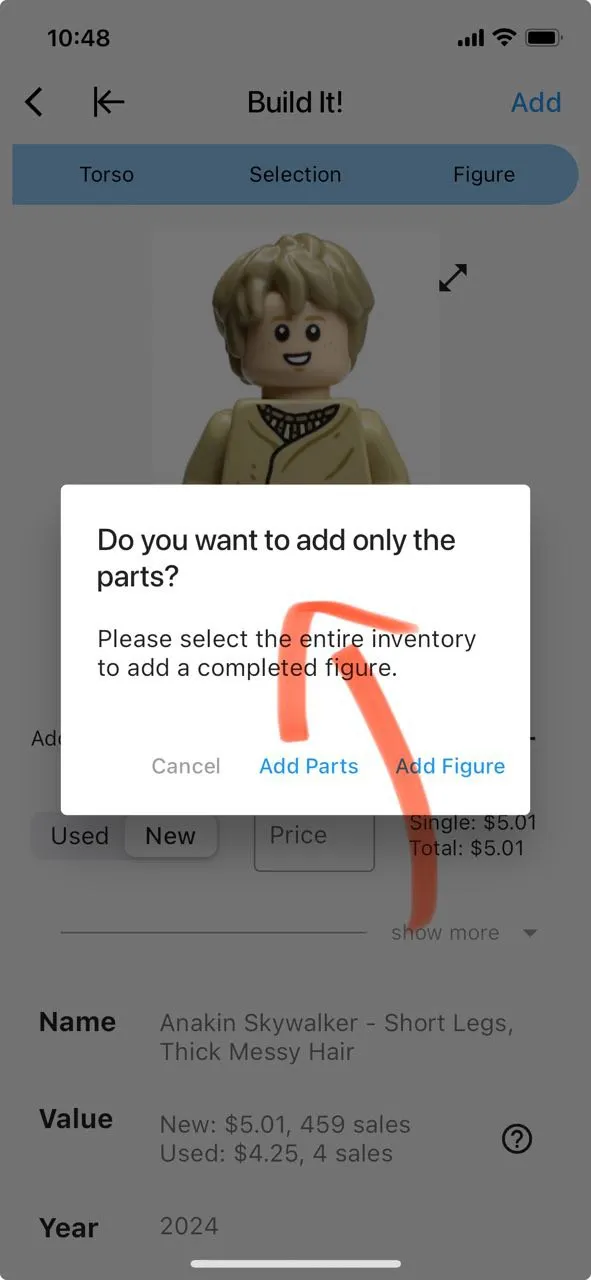
You can now add “incomplete Minifigures.” This means there’s no “Do you want to add only the parts?” dialog anymore when tapping “Add.” This avoids confusion, and the app will automatically handle it correctly.
Old version
You can now see which figures are no longer possible on the ‘Build It’ screen.
Old version
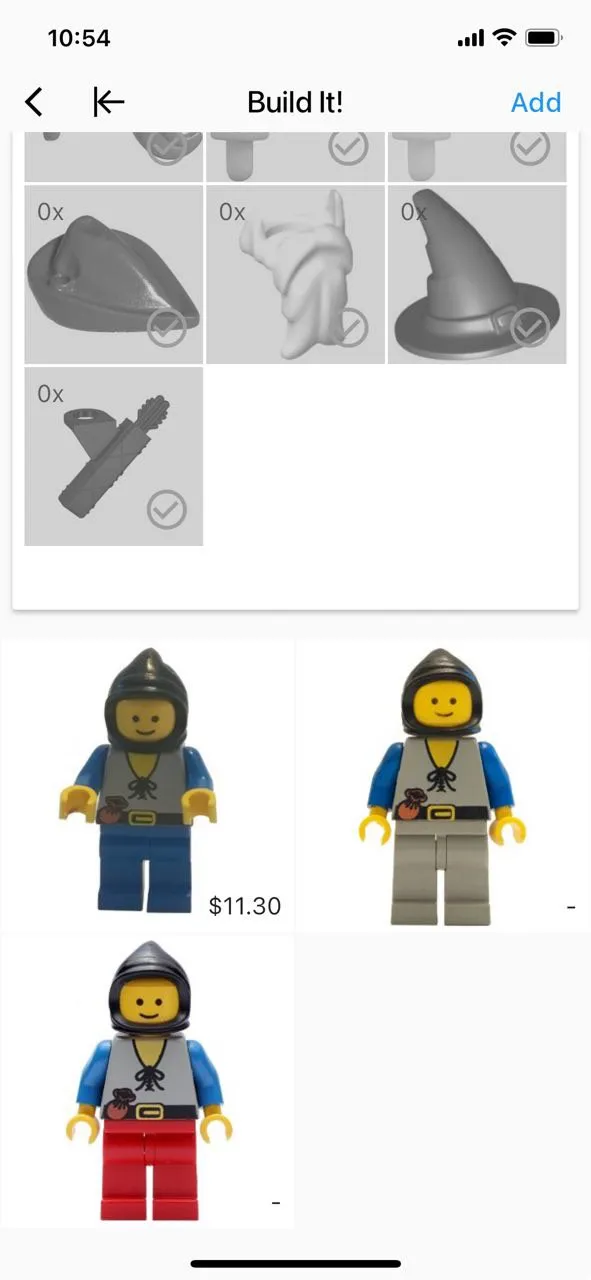
New version
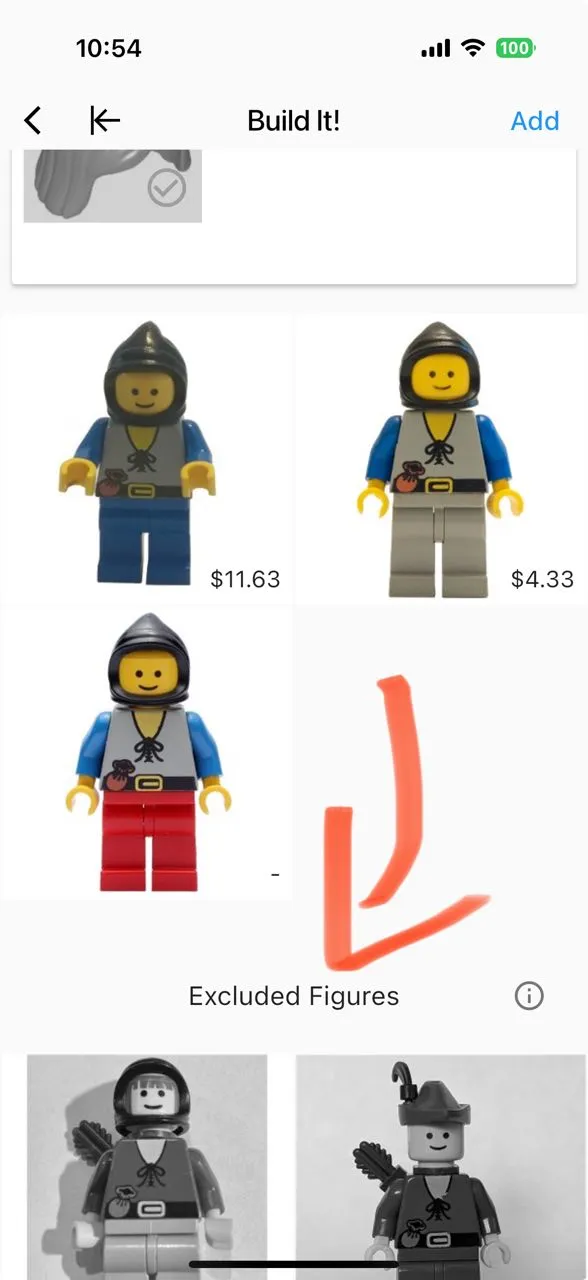
- FIX: It is now possible to select an empty 973 torso (no prints) on the screen after taking an image.
- FIX Android: Tapping “Add” or “Back” in the “Build It” screen now correctly takes you back.
October 3, 2024 – Version 1.9.7
- October 2024 Database Update
September 3, 2024 – Version 1.9.6
- September 2024 Database Update
August 16, 2024 – Version 1.9.5
Mid-August 2024 Database Update
- BrickLink updated the IDs for several Minifigures, like changing sh124 to sh0124. This update makes sure that all links in the app function properly and that your collection exports are accurate.
August 5, 2024 – Version 1.9.4
- August 2024 Database Update
July 3, 2024 – Version 1.9.2
- July 2024 Database Update
Smaller Changes
- Fixed an issue where names with rare characters like “ were not displaying correctly.
- Fixed an issue where item images did not appear on the overview screens.
June 29, 2024 – Version 1.9.1
You can now take a new image with a single tap!
No more clicking “back,” confirming it, and reopening the camera.
This feature was highly requested in the survey and received 24 upvotes in the forum.
New version
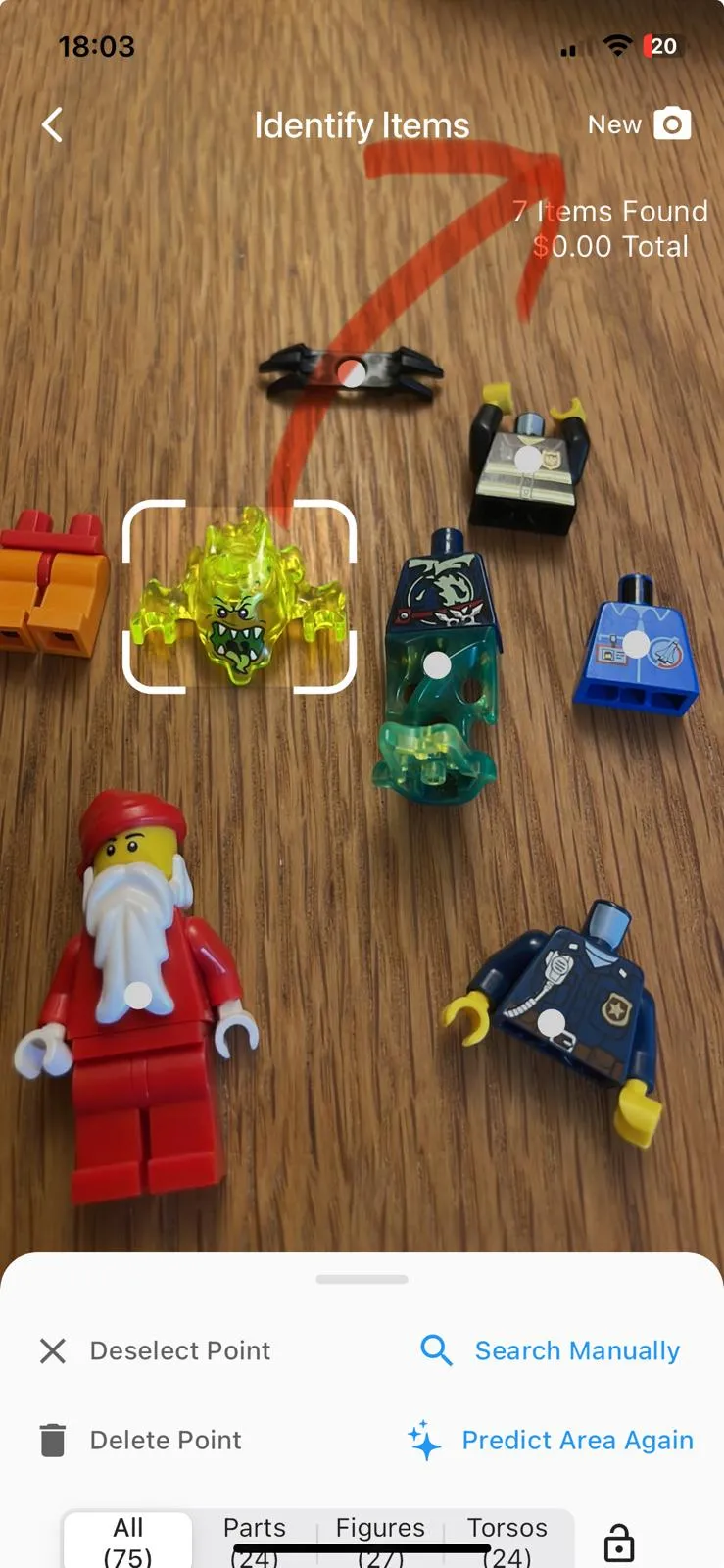
New version
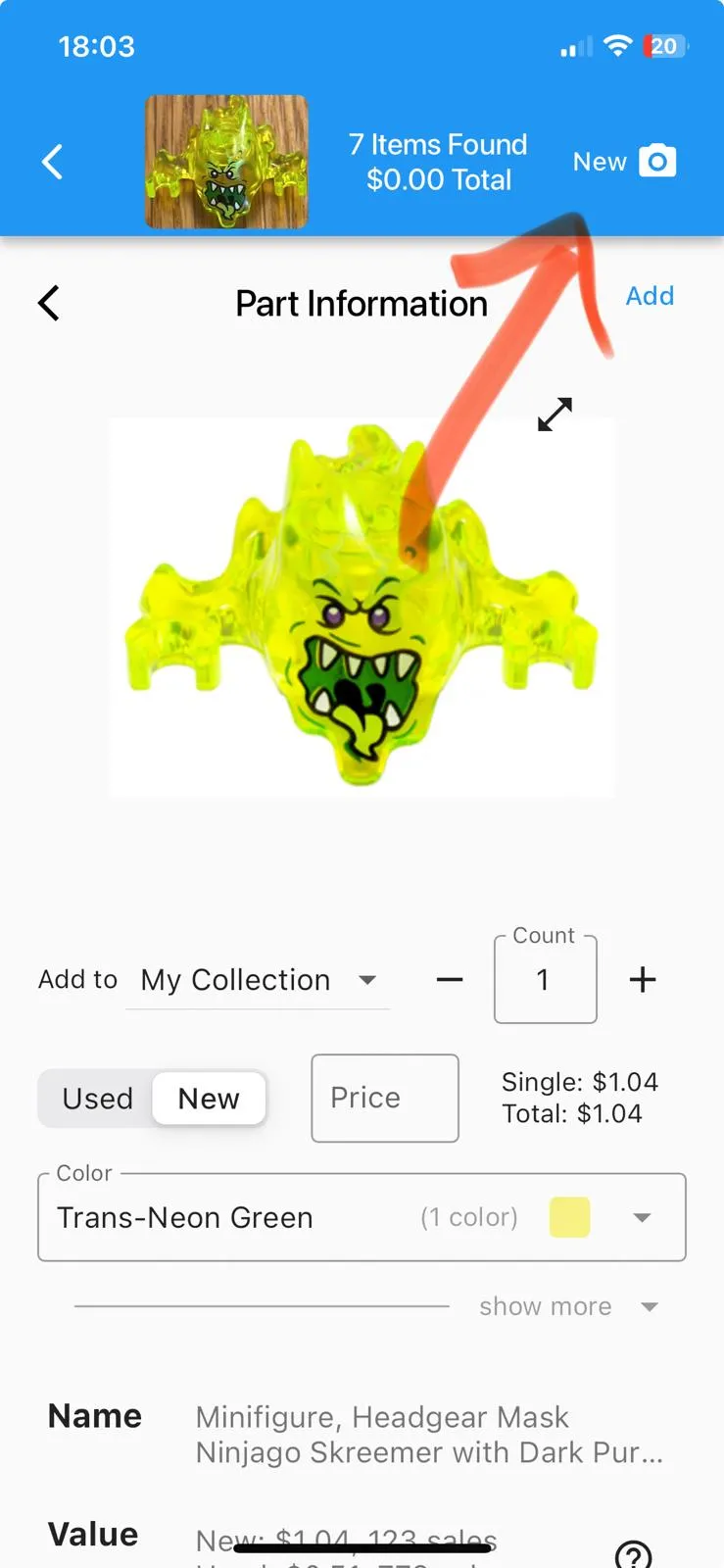
Multiple Smaller Changes
- Items with no sales now display “0 sales” instead of “- sales” for better clarity.
- The initial image for new users no longer counts towards the free usage limit.
June 25, 2024 – Version 1.9.0
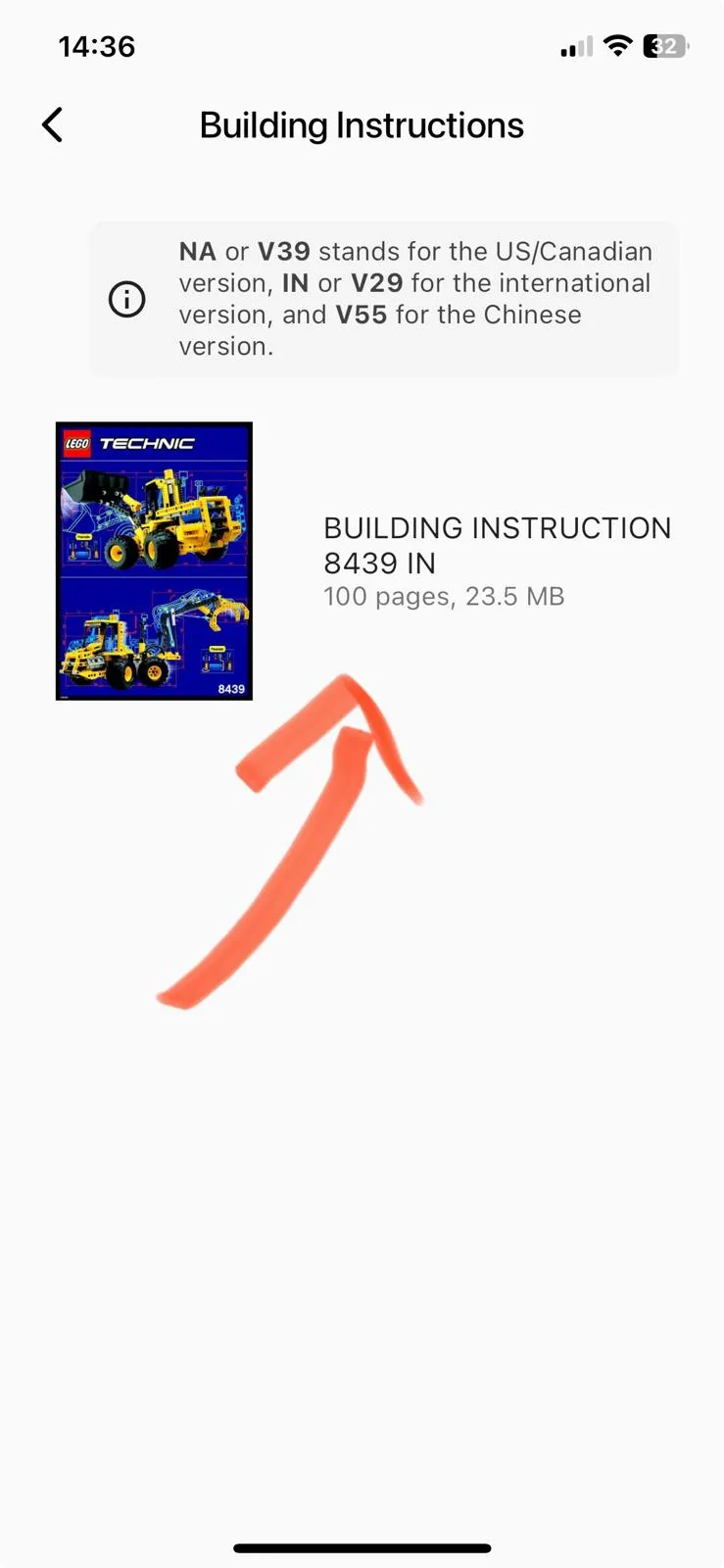
You can now view building instructions 🎉
New version
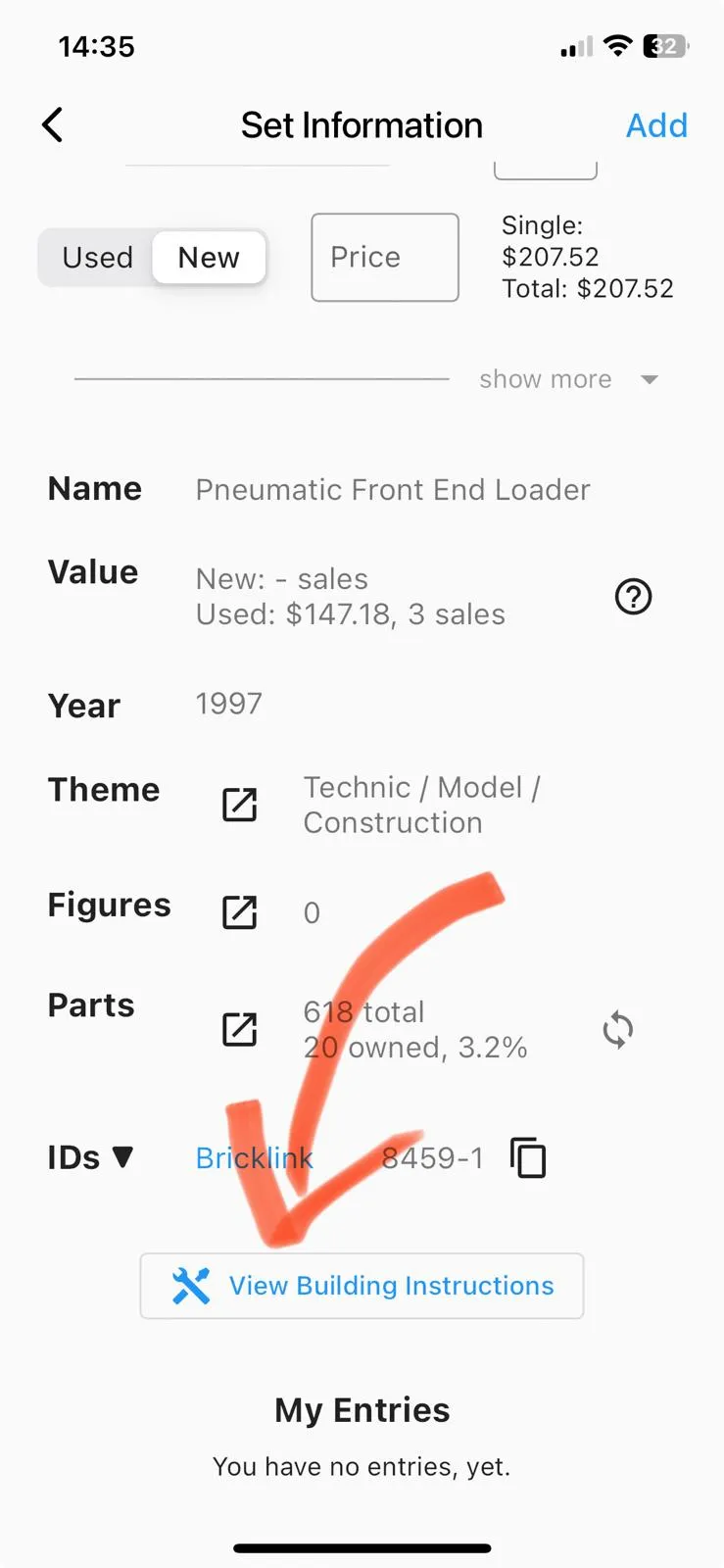
New version
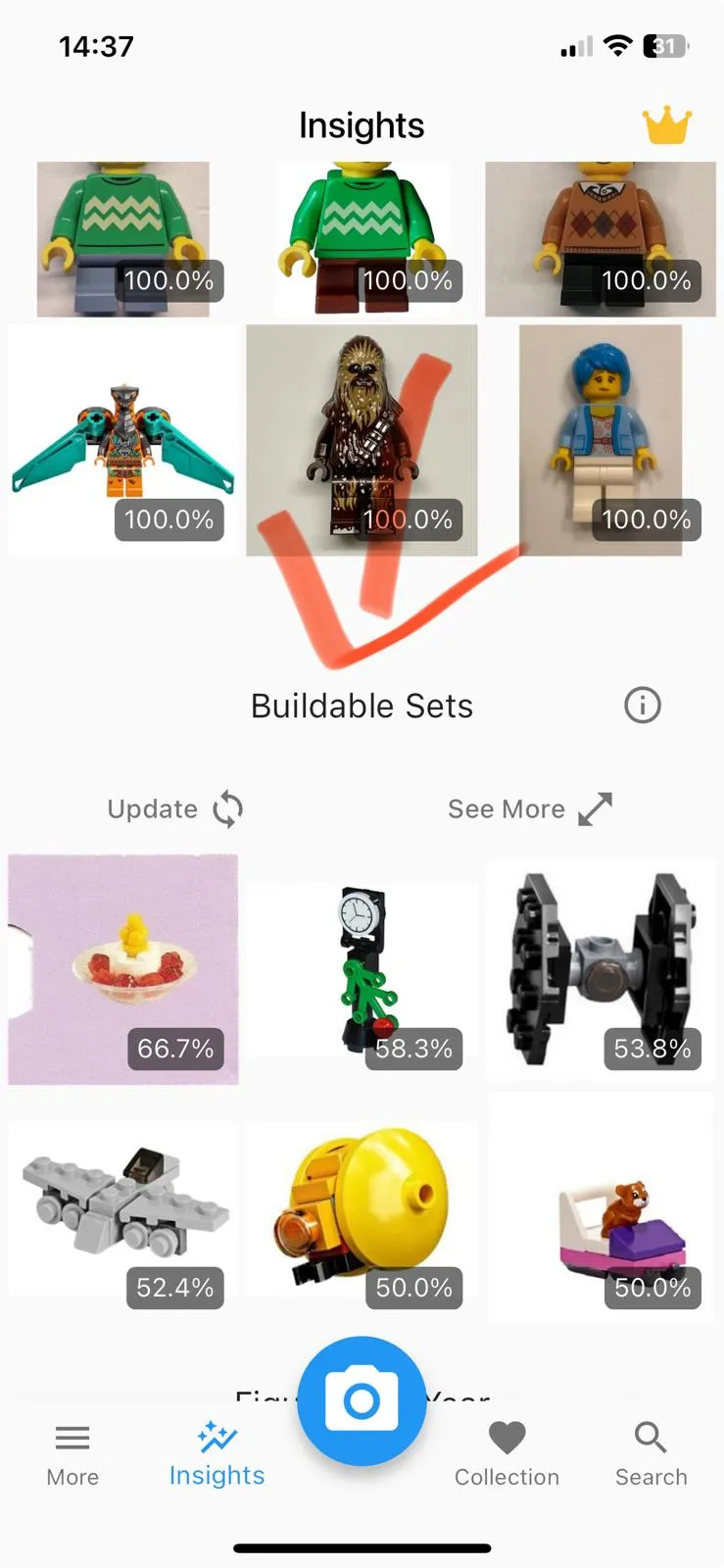
You can now see which sets you can build 🥳
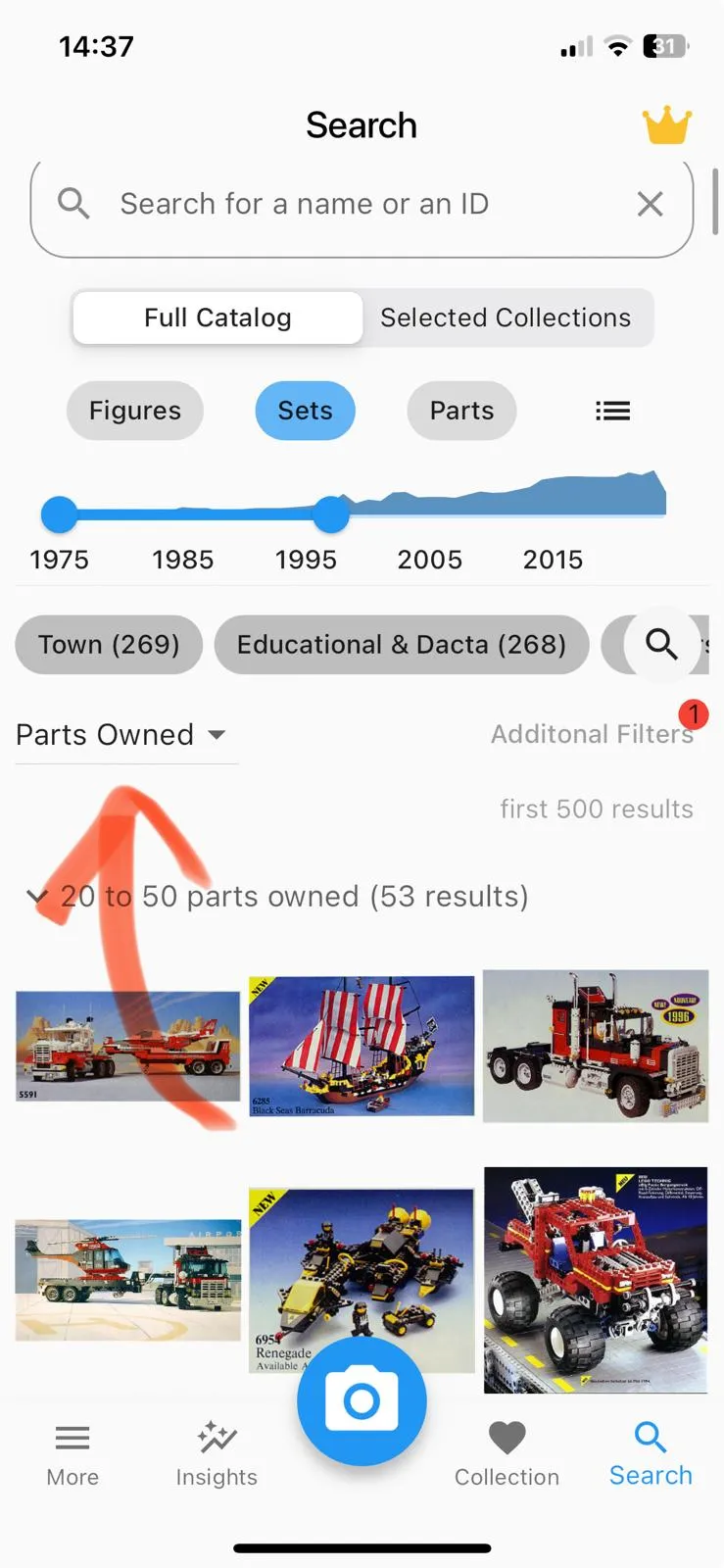
You can sort and filter according to how many parts you own.
New version
New version
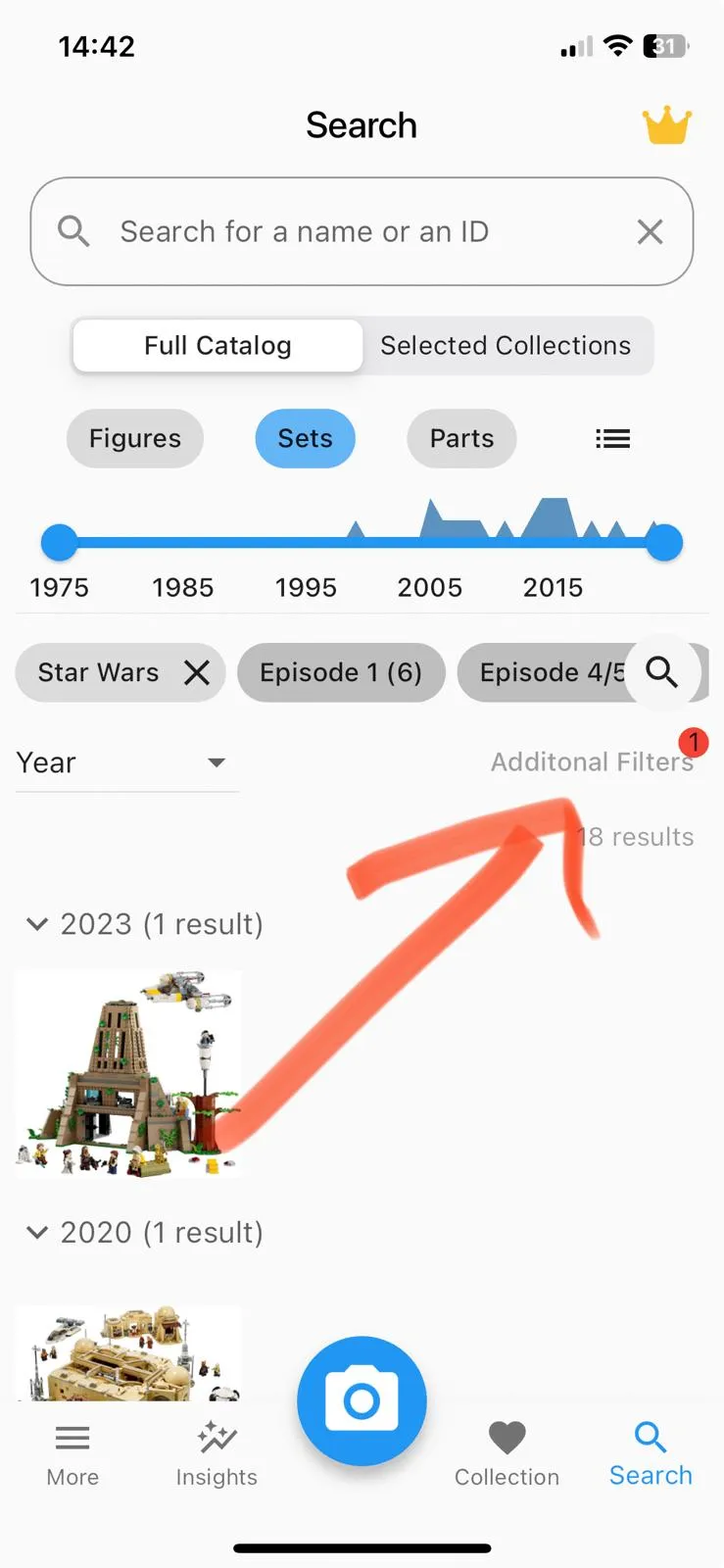
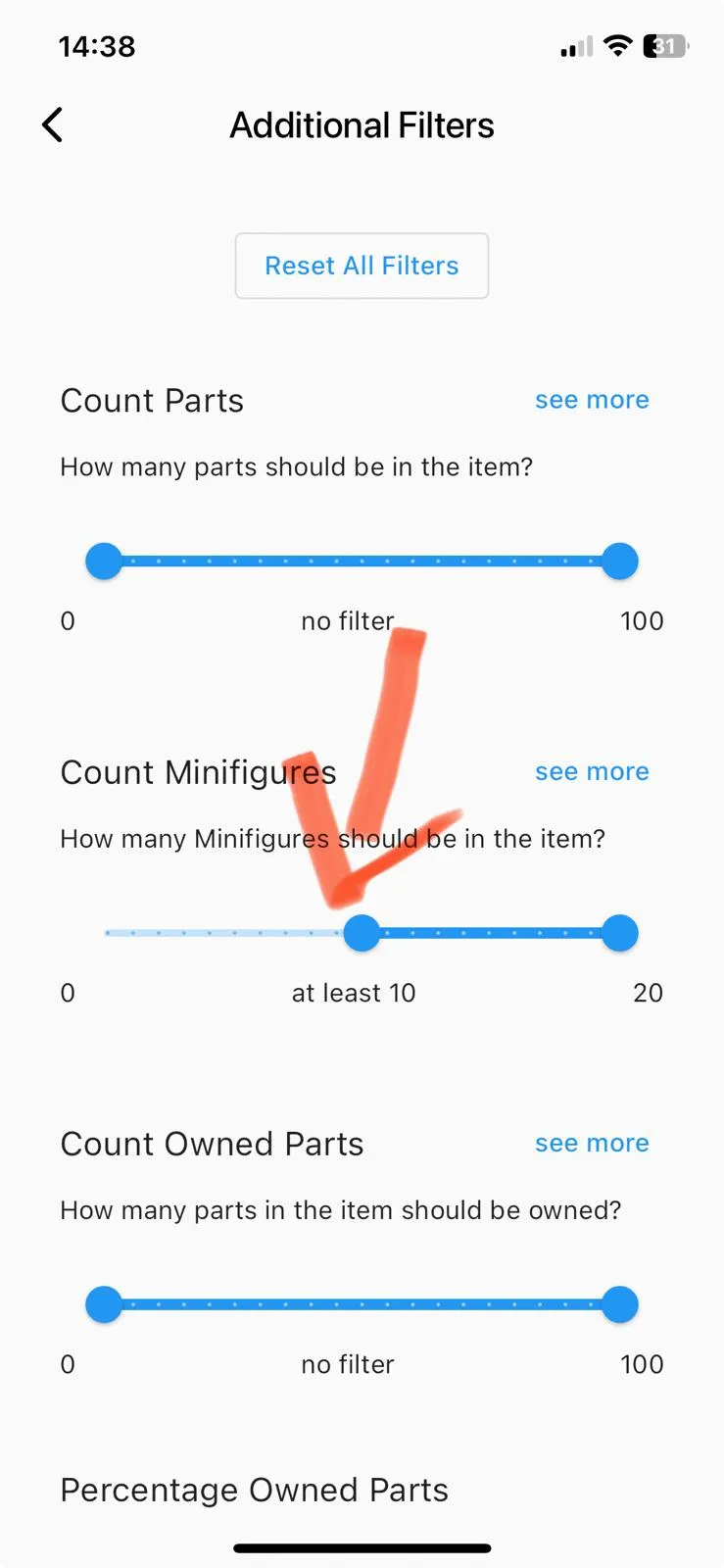
You can now use additional filters in the search screen.
- For example, you can search for the following: “Show me all Star Wars sets containing at least 10 Minifigures”.
New version
New version
Multiple Smaller Changes
- Fixed an issue for some iOS users where the keyboard would show up automatically on the search screen.
- Fixed an issue where searching for a part in a specific color and then switching to showing minifigures made the app assume that you’d search for a minifigure with that color.
- Improved the “updating indicator” on drag down to show success or error clearly.
- Added an advanced setting that lets you select the minimum number of parts for buildable sets.
June 8, 2024 – Version 1.8.9
- If a part has only one known color, it will be selected automatically. [addressing 21 upvotes in the forum]
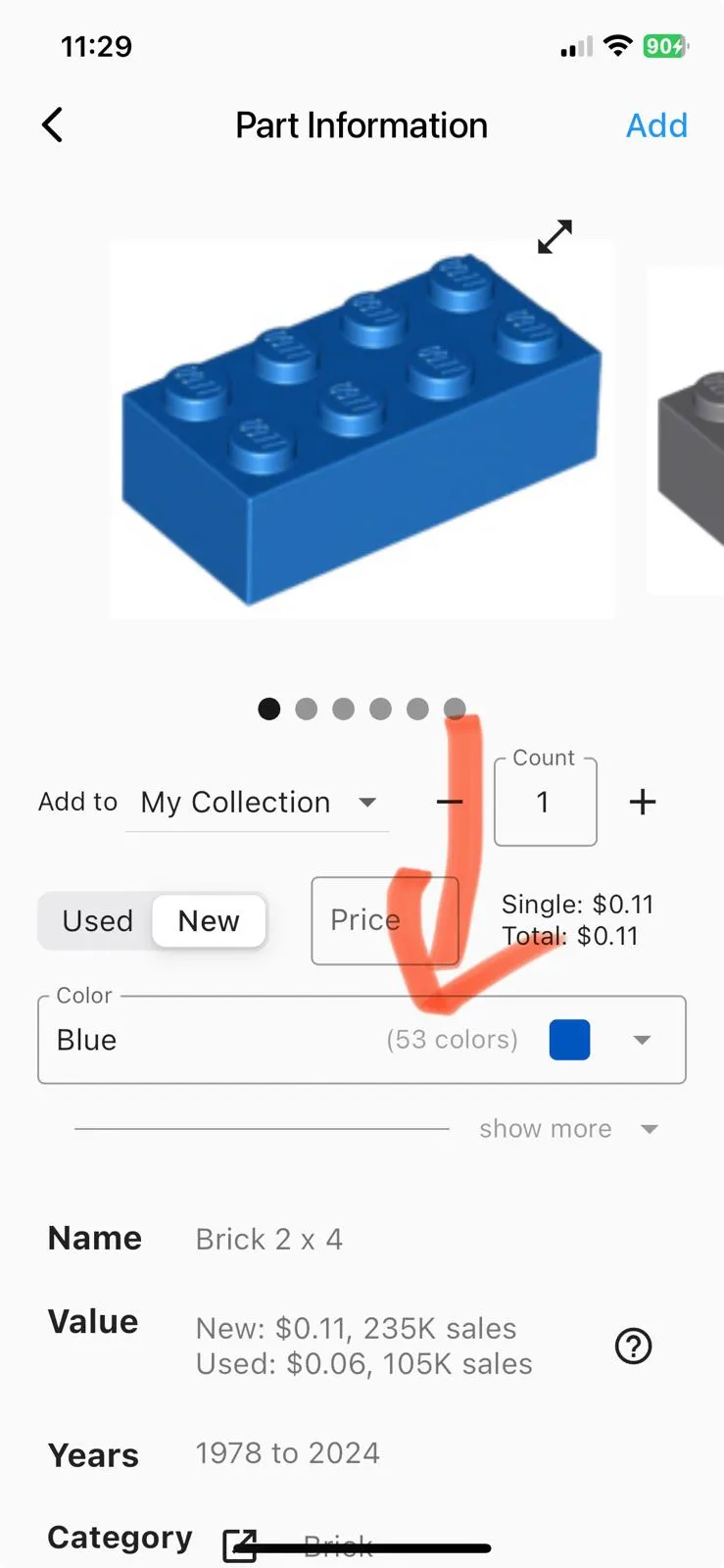
Display the total number of known colors on the Part Information screen.
New version
June 7, 2024 – Version 1.8.8
- CSV export now includes item name, location, theme name, and other details. [addressing 18 upvotes in the forum]
- Keep collection selected across app restarts. [addressing 5 upvotes in the forum]
Multiple Smaller Changes
- Fixed Android camera issues where images or item boxes appeared stretched or rotated.
- Fixed an issue where the keyboard wouldn’t show up on iOS.
June 3, 2024 – Version 1.8.6
- June 2024 Database Update
June 2, 2024 – Version 1.8.5
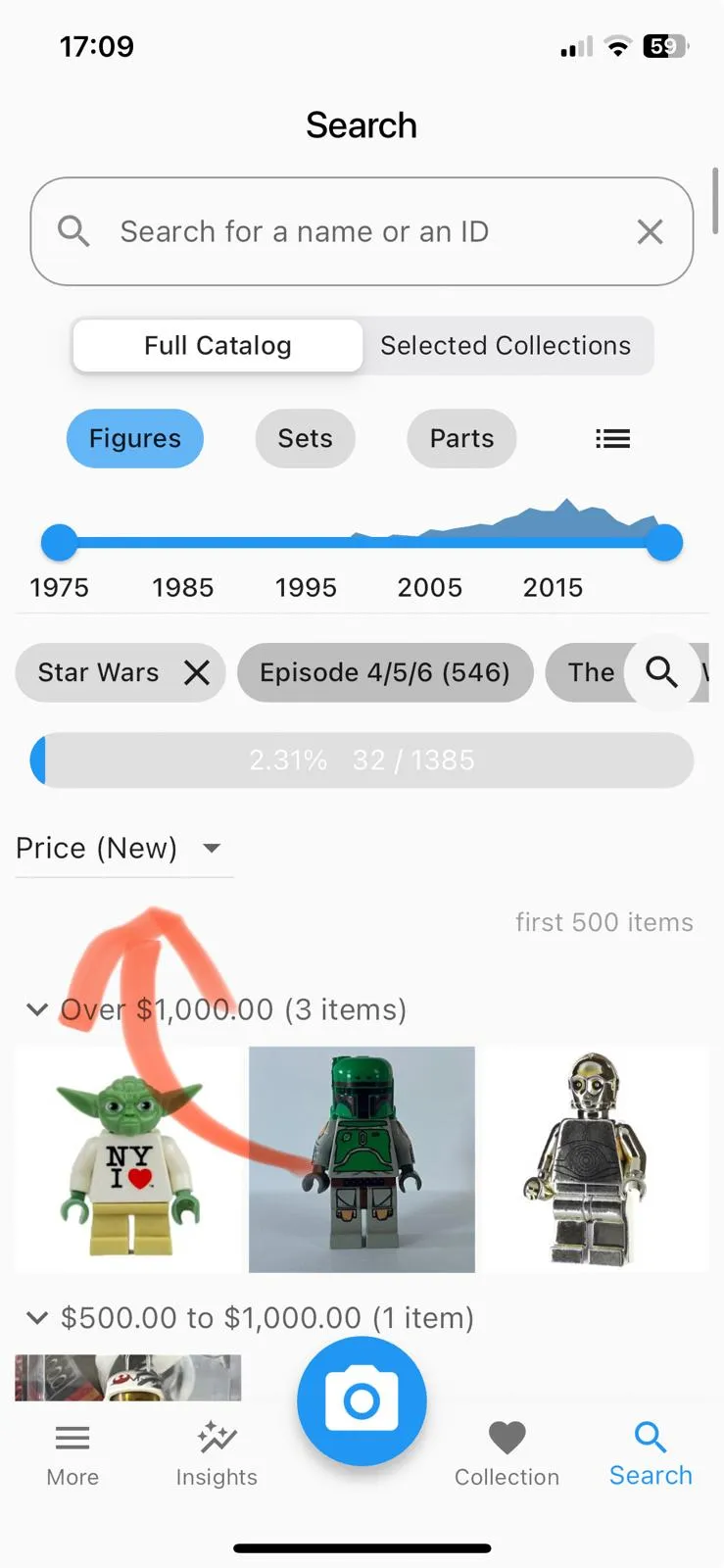
You can now see the most expensive Minifigures and sets easily if you sort by price. Addressing 21 upvotes in the forum.
New version
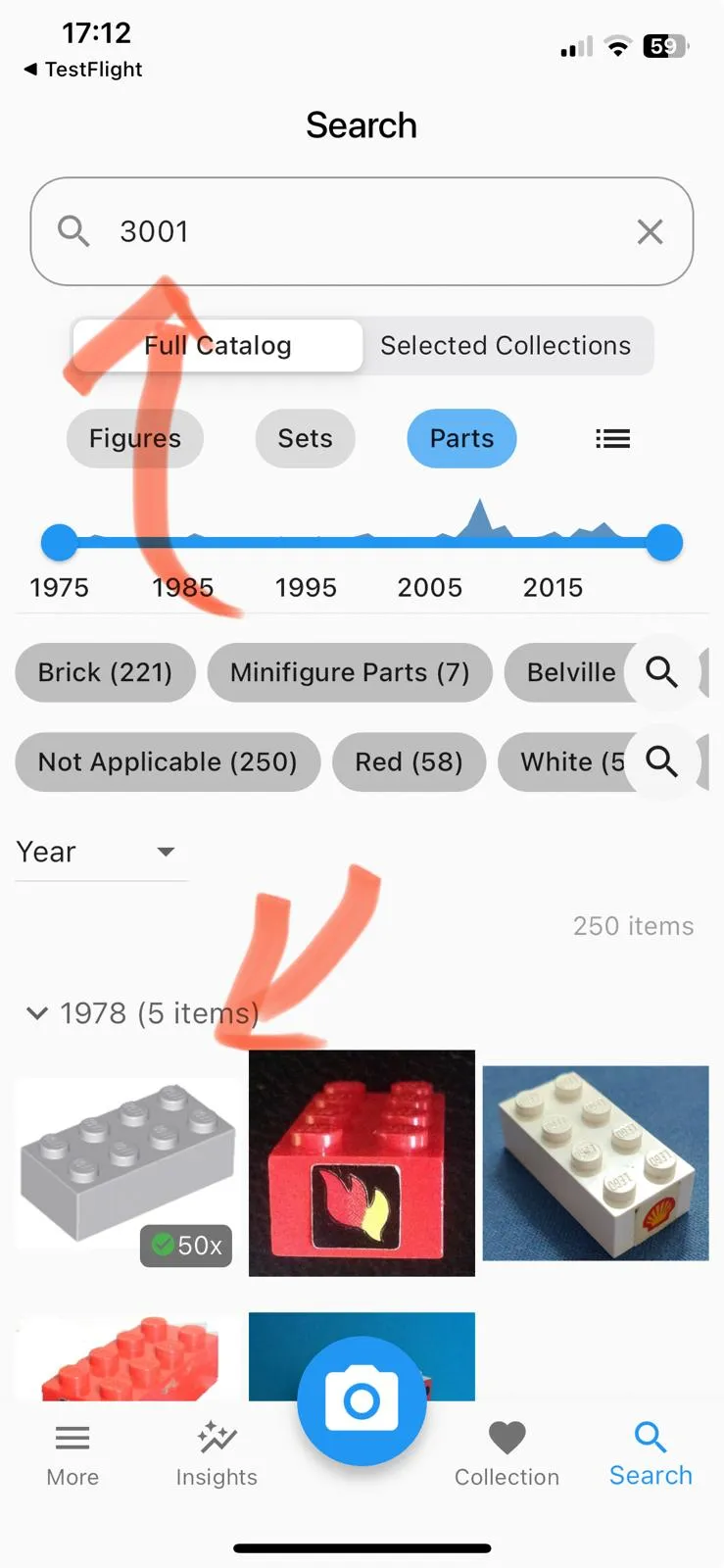
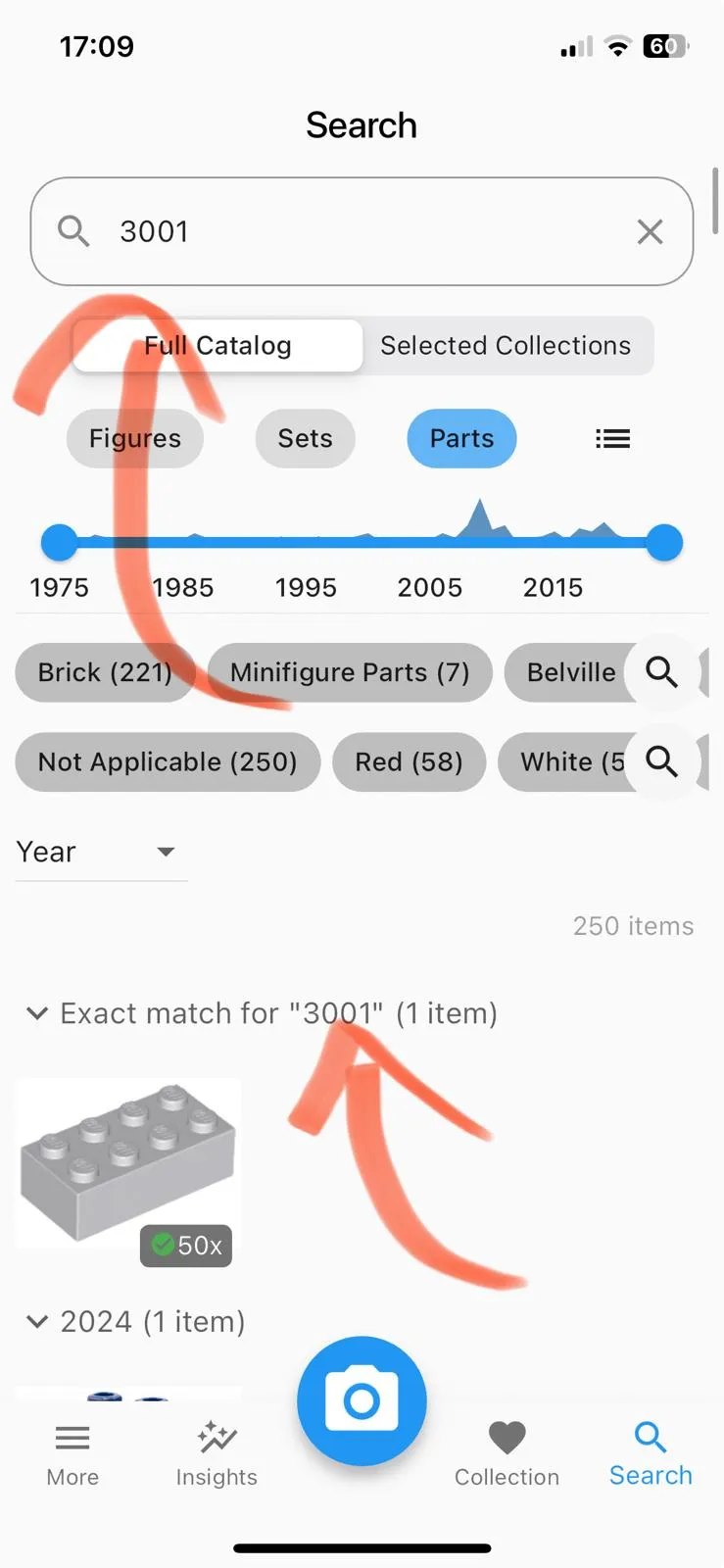
When you search for a BrickLink ID, the exact match appears first under its own header.
- This avoids confusing scenarios. For example, in the old version, items were supposed to be sorted by year. So 2024 items should come first. But because the app tries to show the exact match “3001” first and that item was released in 1978, all 1978 items were shown first.
Old version
New version
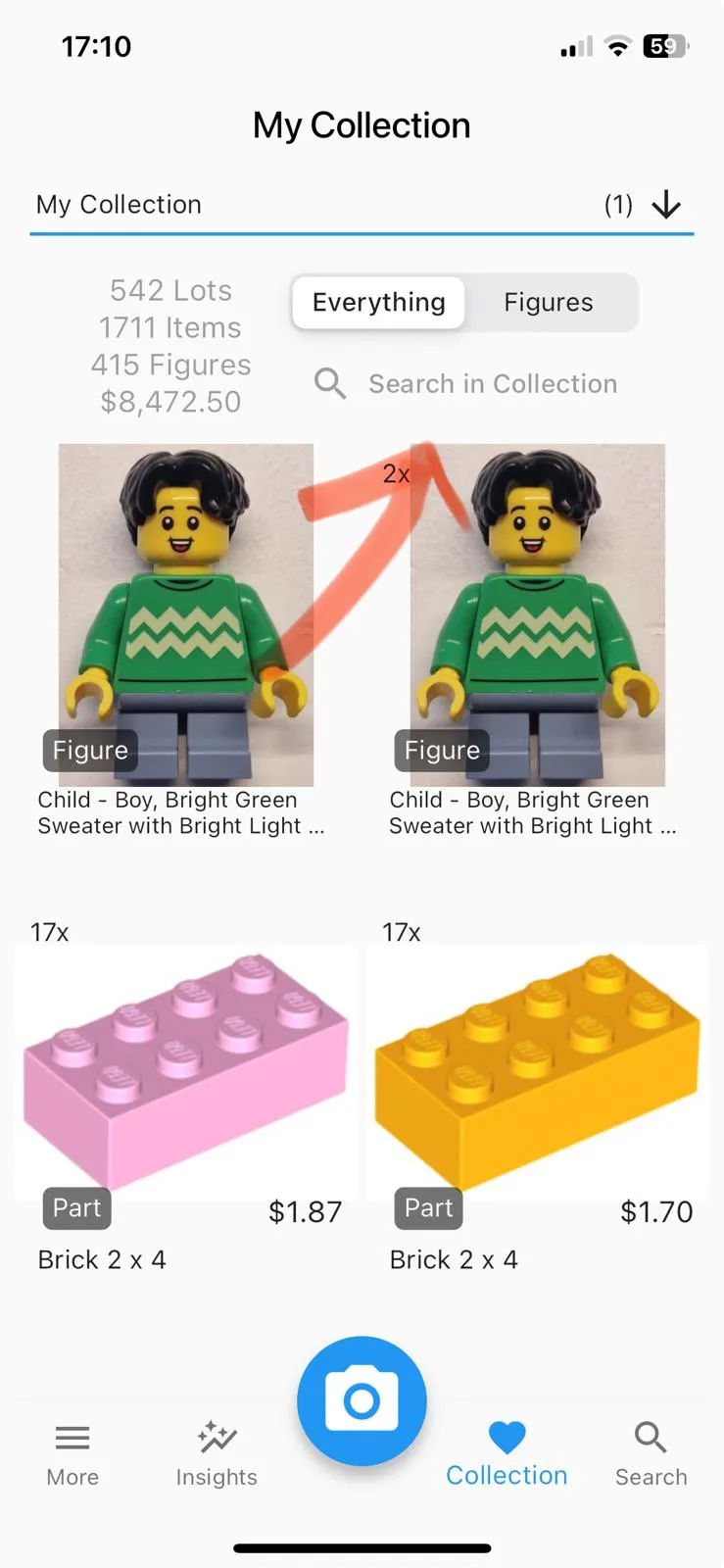
Added a button that lets you sort, filter, and search within your collection.
- This feature is already available on the “Search” screen. The button simply takes you to that screen. We added this because many users asked, “How can I search in my collection?”
New version
- Fixed a problem that caused the camera preview to appear distorted for some Android users.
May 29, 2024 – Version 1.8.4
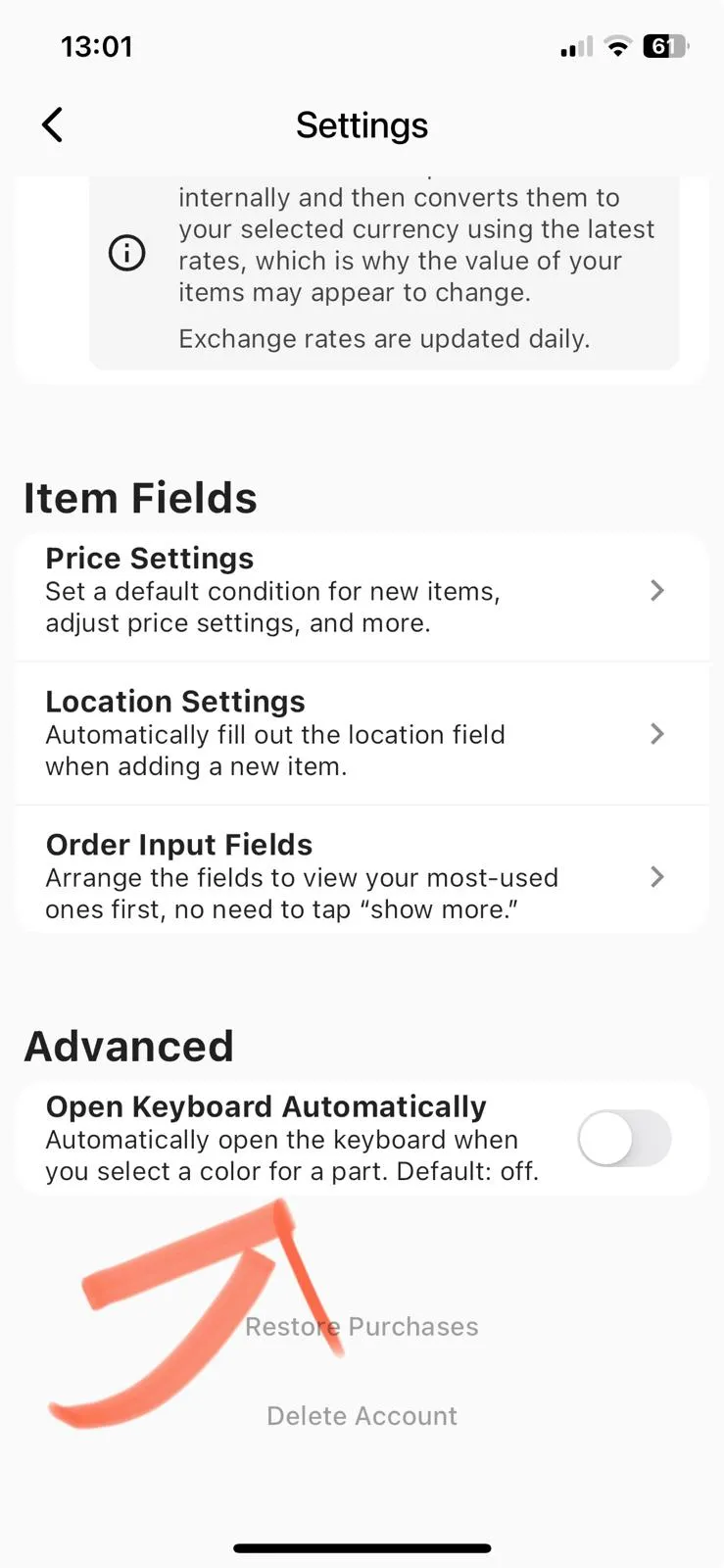
You can now decide if you want to automatically open the keyboard in color search. Addressing 17 upvotes in the forum.
New version
Improved settings
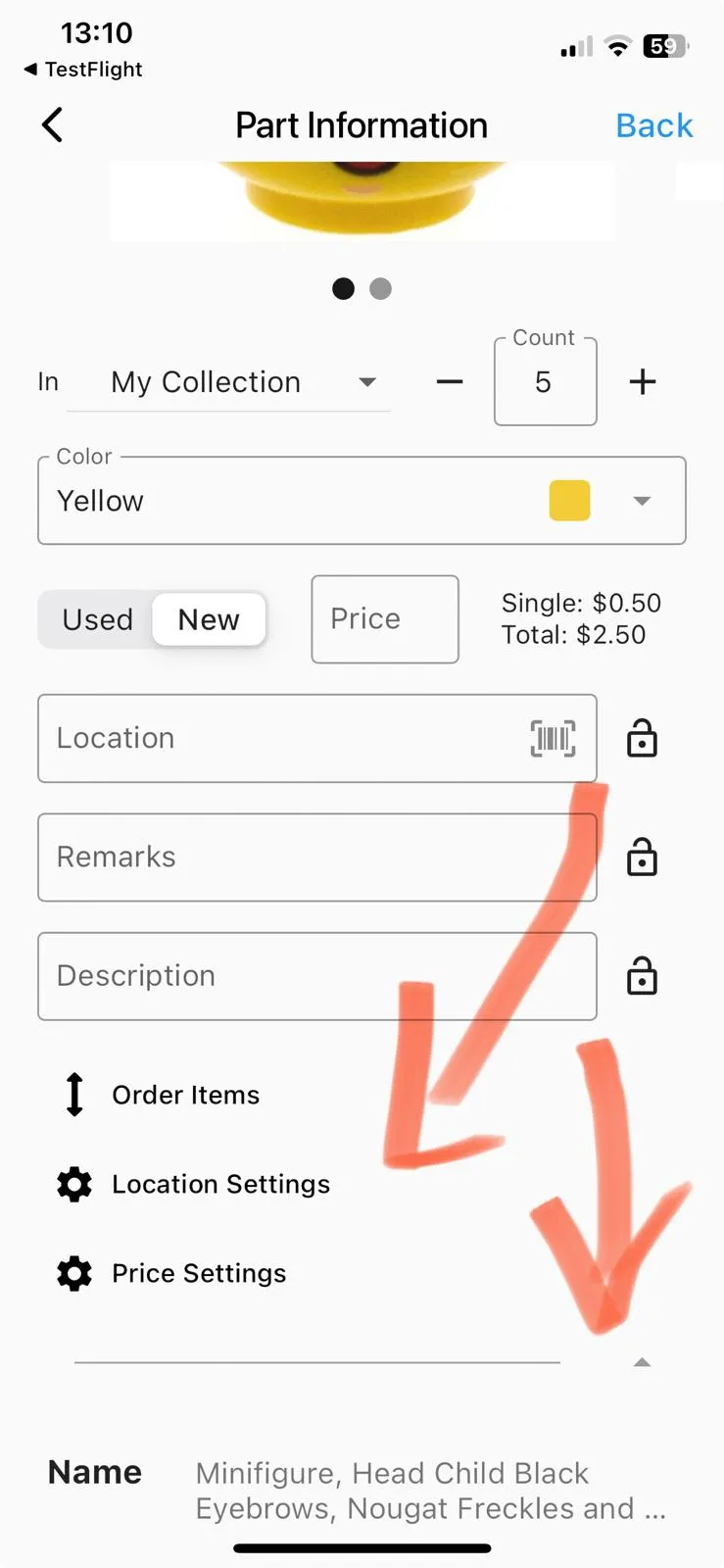
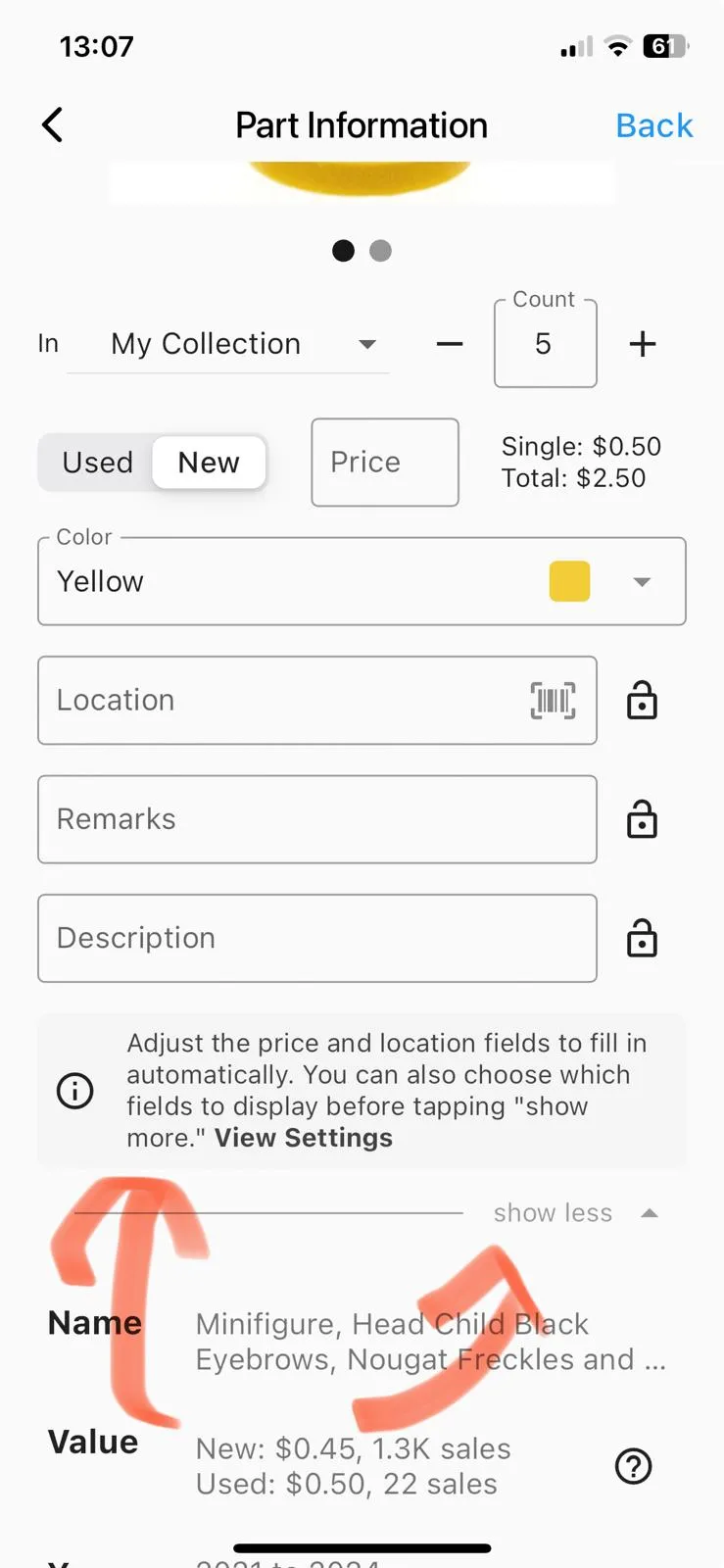
Better experience on each individual entry.
- Added a “show more” / “show less” button so that users don’t miss additional fields.
- Moved the settings to a better location.
Old version
New version
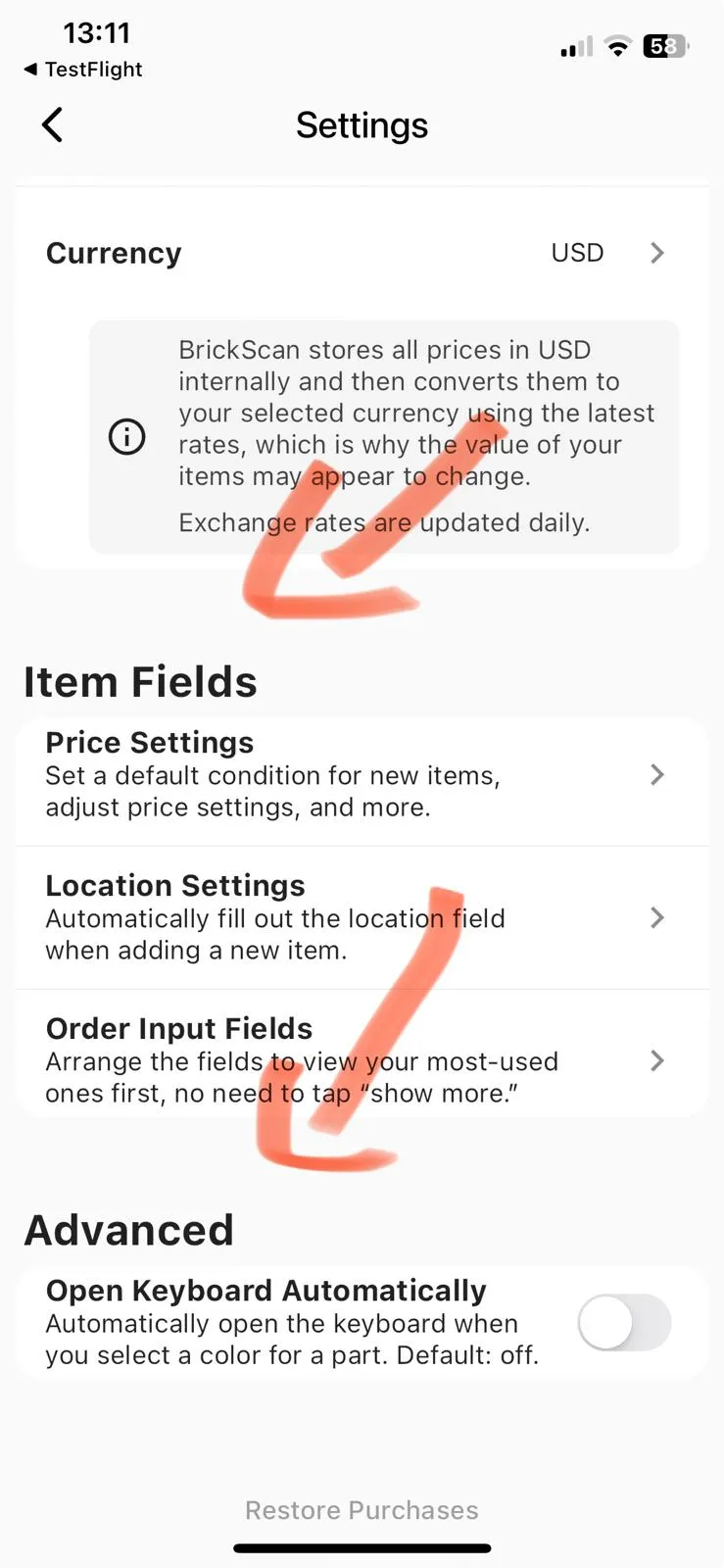
All your settings are now conveniently located on the settings page.
Old version
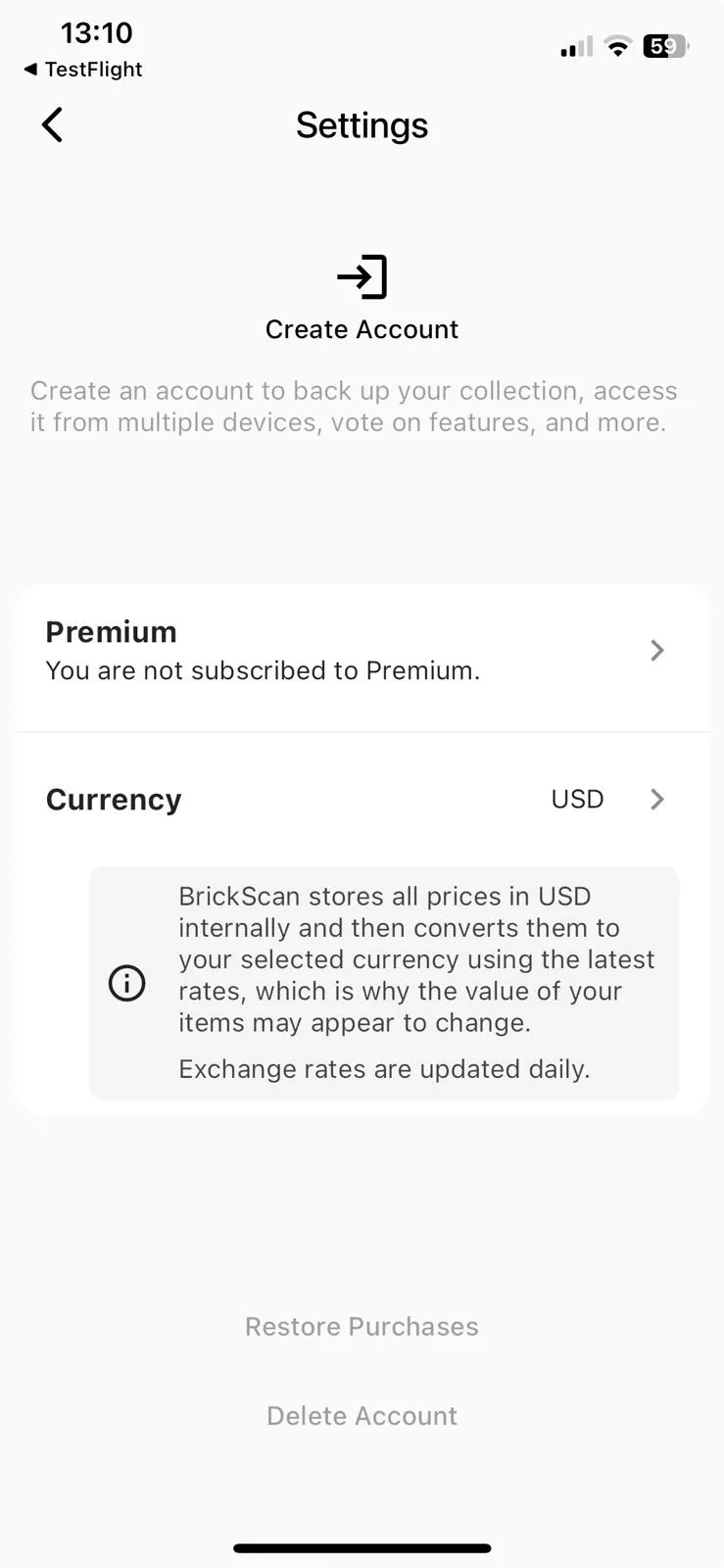
New version
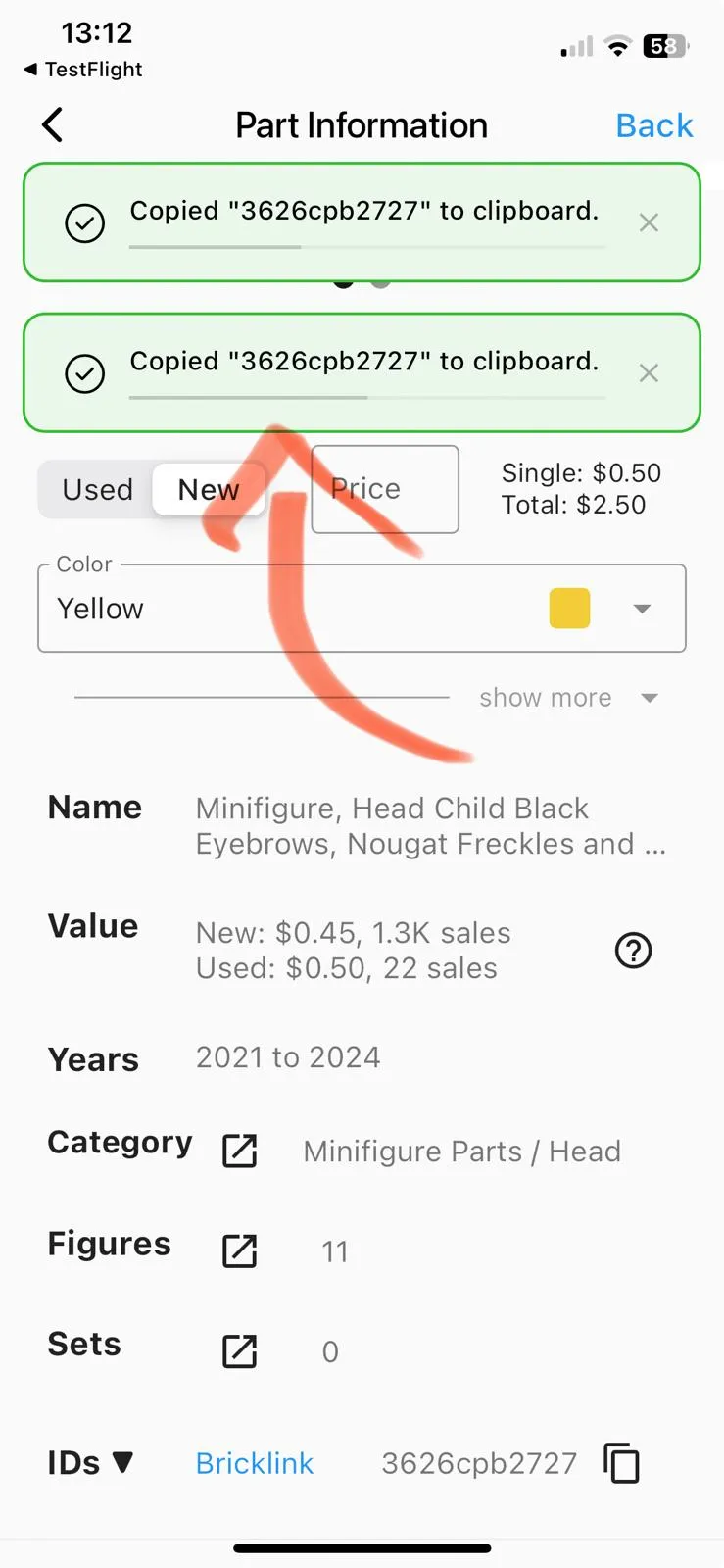
Improved toast notifications
- They are now color-coded so that it’s easier to see if they notify you of success or failure.
- And you can see multiple notifications without them overlapping.
Old version
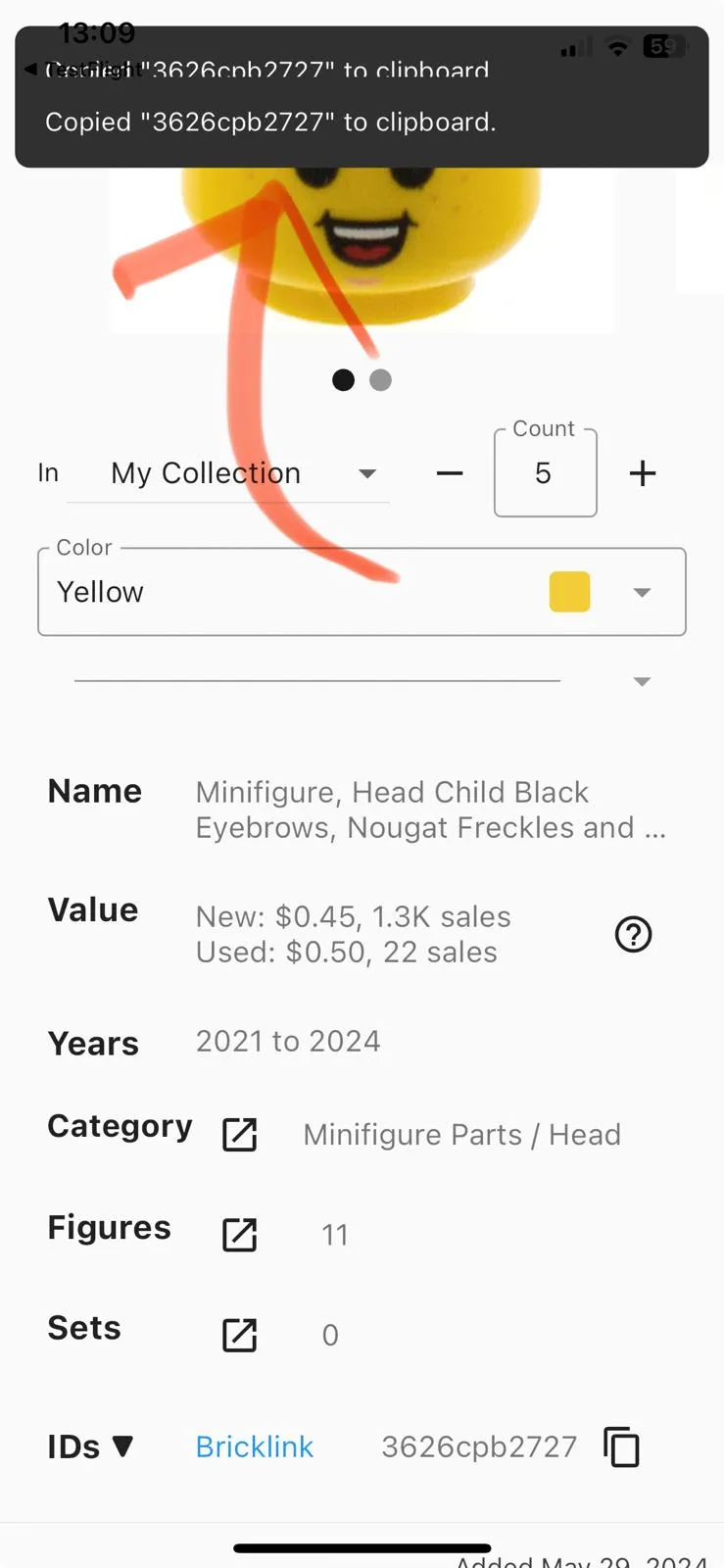
New version
Multiple smaller changes
- Added haptic feedback to toggles in the settings.
- Improved camera performance.
May 26, 2024 – Version 1.8.3
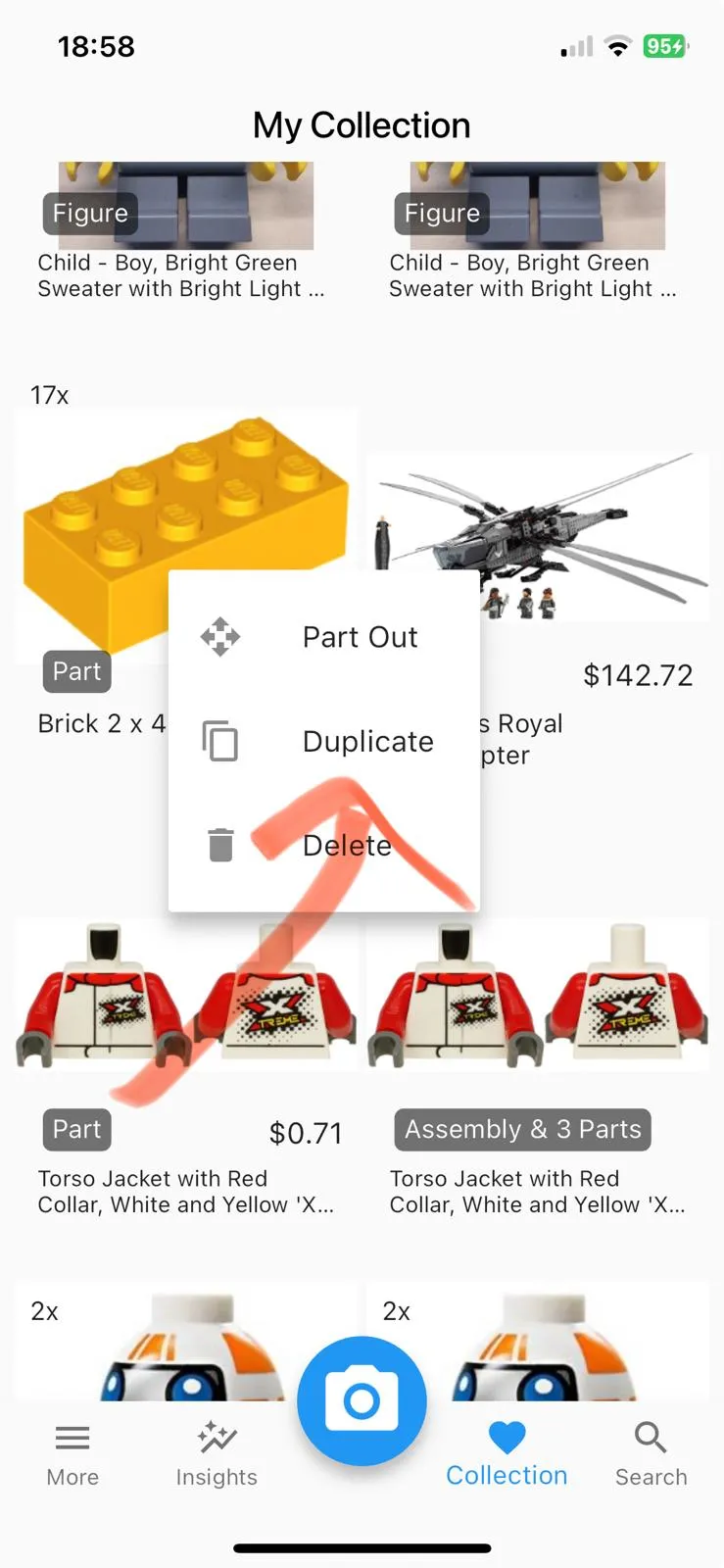
You can now duplicate an item by long-pressing it. This makes it easier to add the same item with different colors. Addressing 6 upvotes in the forum.
Image
- Fixed an issue where some users weren’t able to access the forum and see their email address.
May 3, 2024 – Version 1.8.2
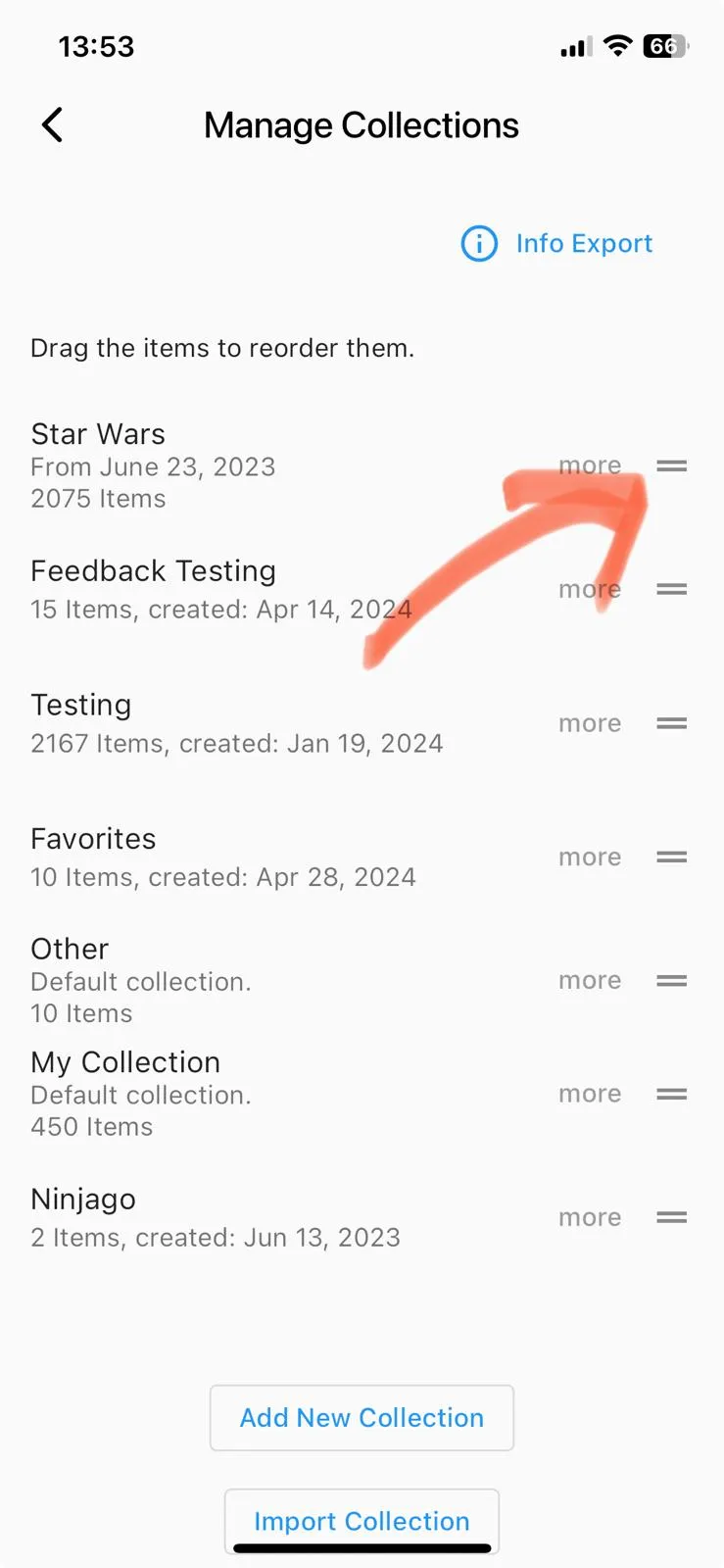
You can now reorder your collections. Addressing 20 upvotes in the forum.
- Simply drag the collections to adjust their ordering.
Image
You can now import XML files. Addressing 16 upvotes in the forum.
See more in our import collection guide.
Multiple Smaller Changes
- Corrected several instances where it displayed “1 Items” instead of “1 Item” and similar errors.
- [Website] Improved the FAQ & How-To.
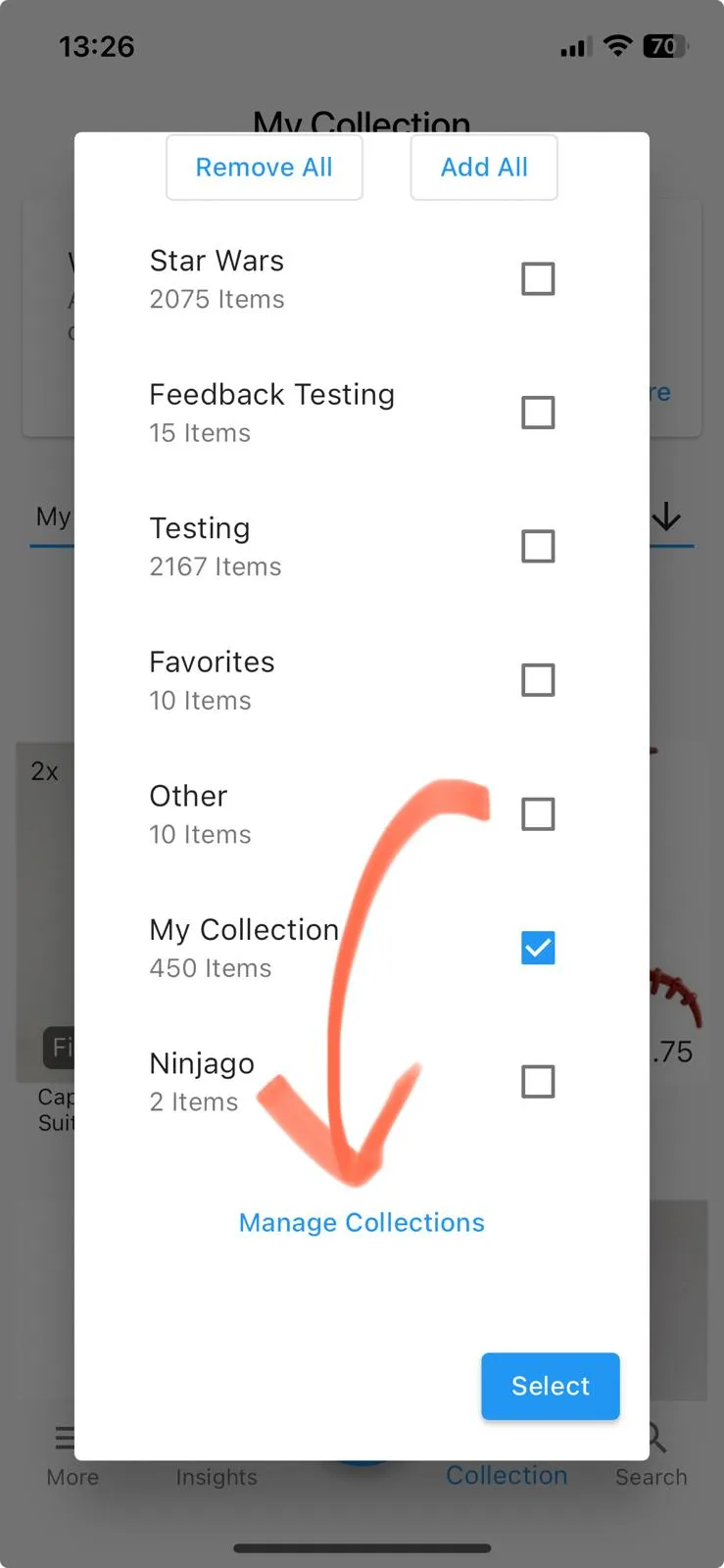
Added a “Manage Collections” button to make the interface more intuitive.
Image
April 28, 2024 – Version 1.8.1
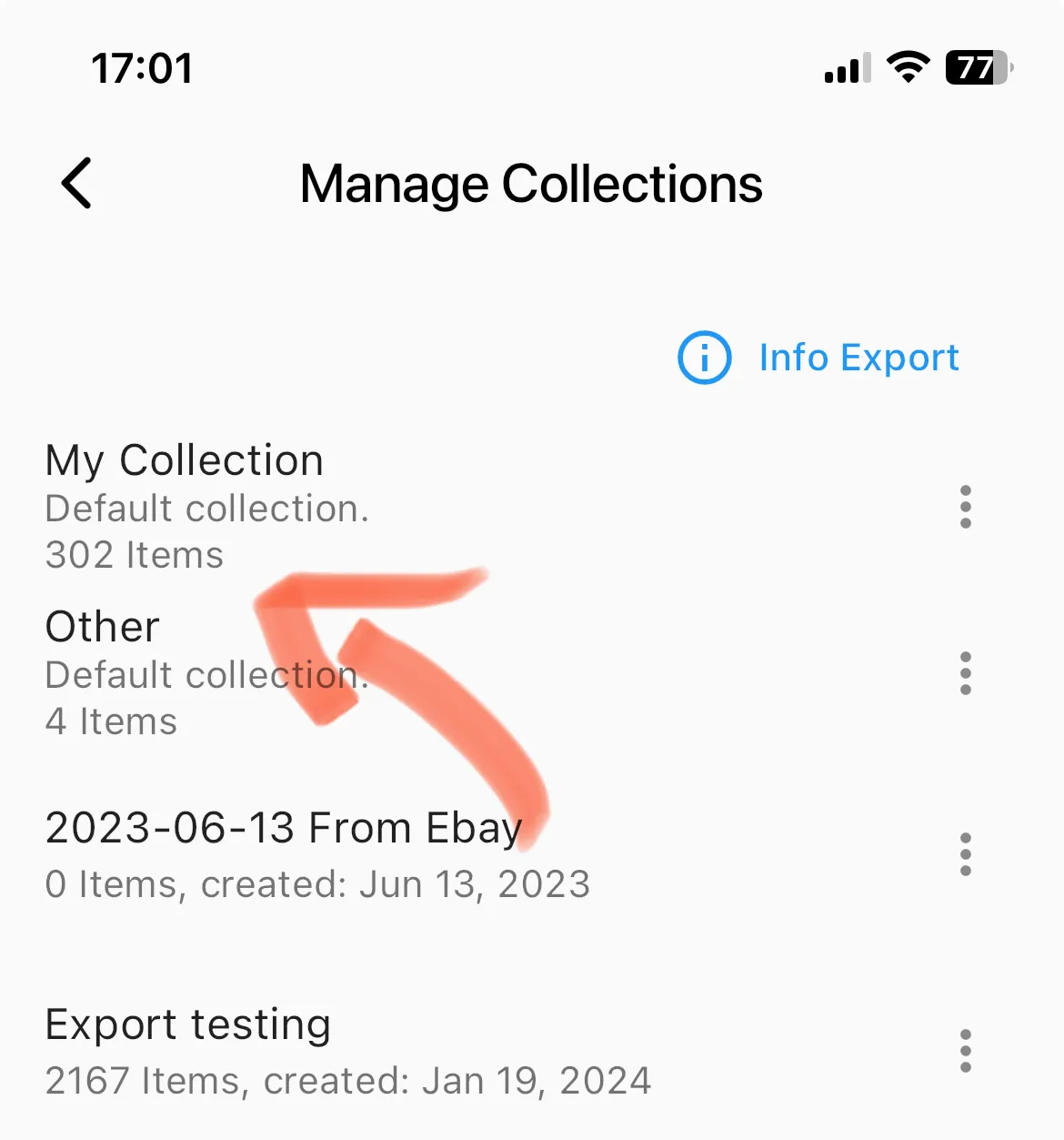
You can now see the item count in the collection overview. Addressing 15 upvotes in the forum.
New version
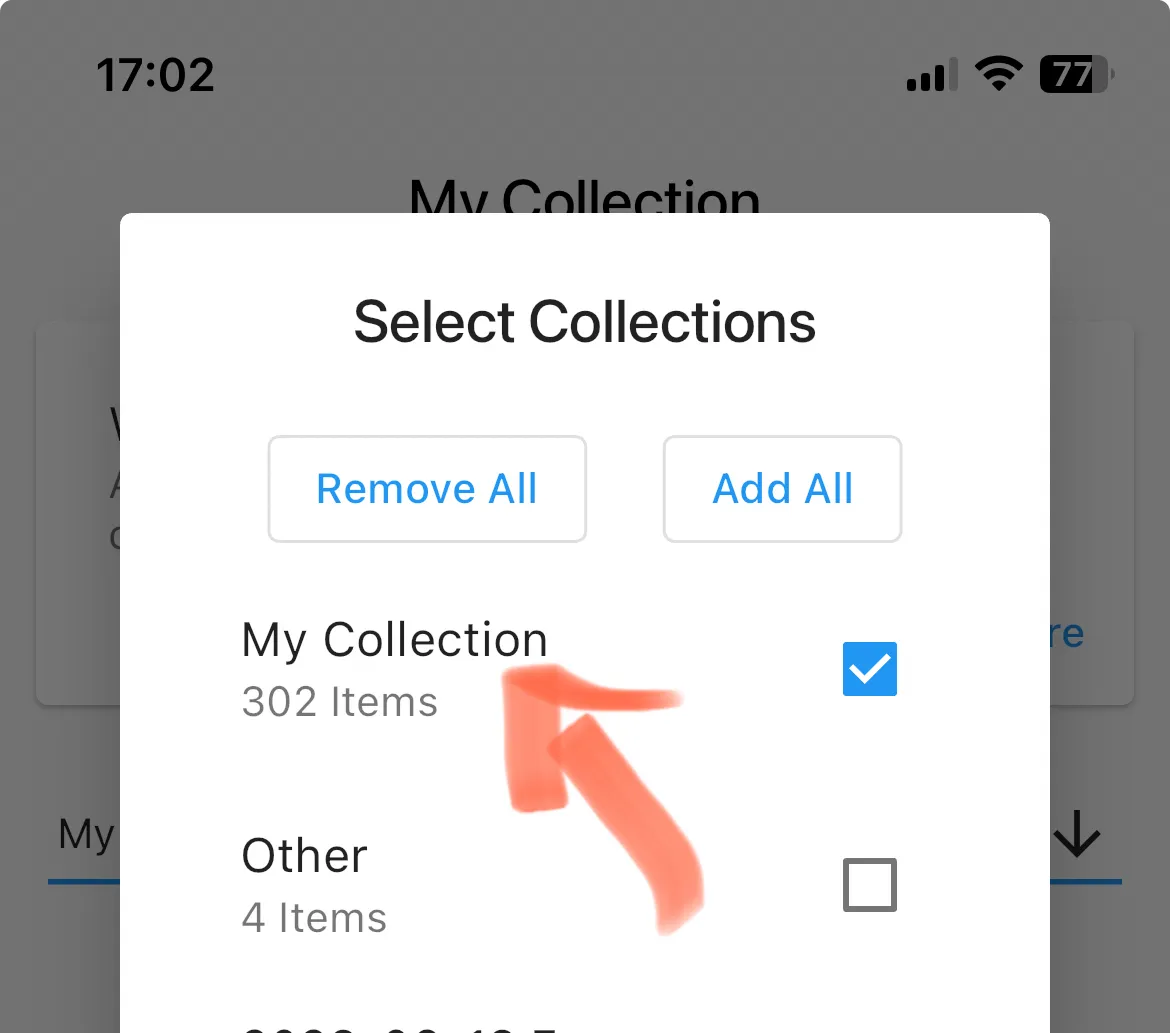
New version
April 27, 2024 – Version 1.8.0
- Added a Premium version to make this app sustainable and ensure its future!
- I’ve written a lot more about it and the survey results in our premium version & survey results.
April 8, 2024 – Version 1.7.8
The app has the same version number as the previous update because it is only a database adjustment on the server.
Fixed an issue from a previous database update that led to missing items for some users with incomplete minifigures.
- Incomplete minifigures, which consist of a torso and additional items such as hair or body parts, temporarily lost these additional items so that only the torso remained after the January 2024 database update.
- I have now fixed this issue and restored all additional items for all entries that were not manually adjusted by the user after the database update, to avoid reverting intentional changes.
- Please contact me at [email protected] if you have any issues.
April 2, 2024 – Version 1.7.8
- If you’re not signed in, you can now create an account without losing your collection.
March 30, 2024 – Version 1.7.7
- Database Update
- Fixed an issue where not all known colors were visible for specific parts.
- Fixed an issue where links to Rebrickable didn’t work correctly.
February 7, 2024 – Version 1.7.0
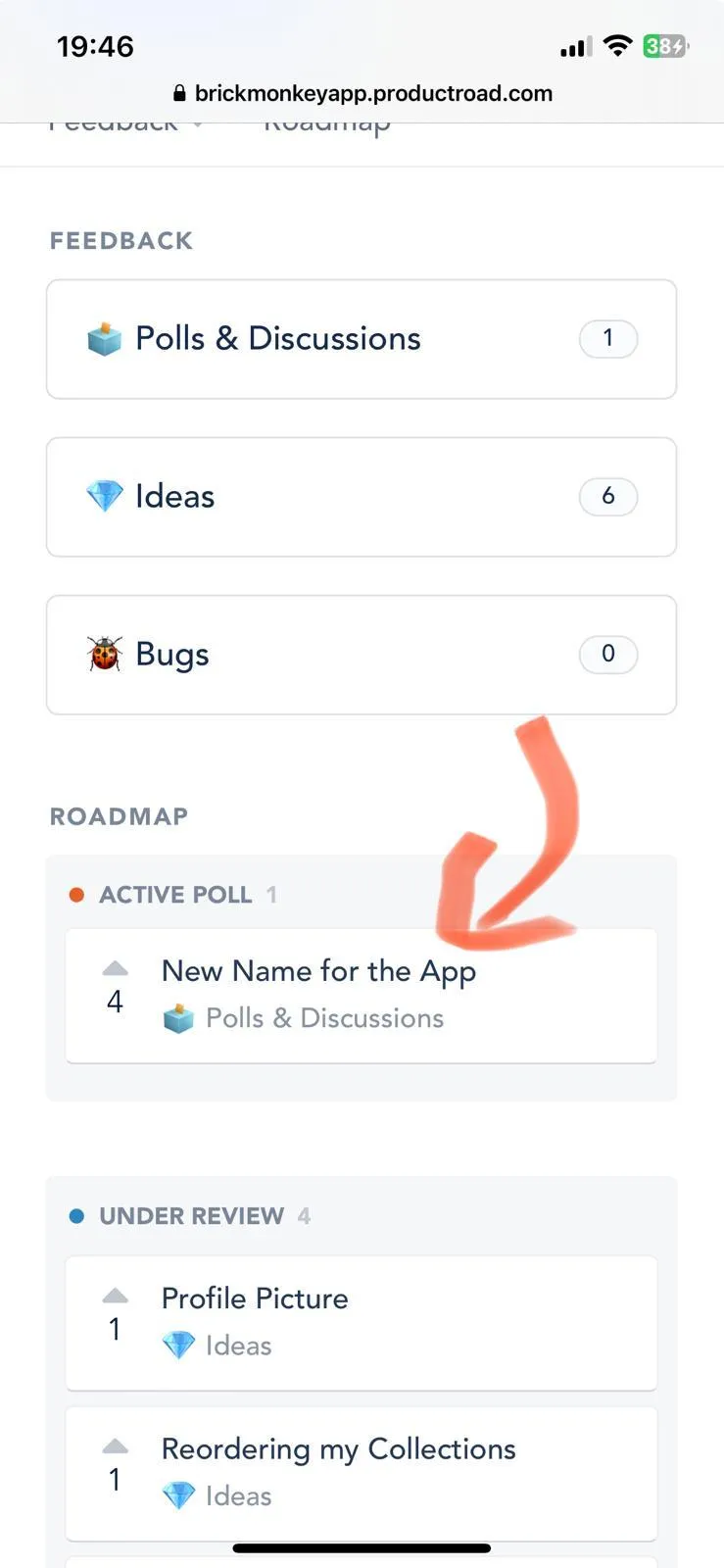
💡 📢 Please vote for a new name for the app! 📢
“BrickScan” is currently in the lead. Visit the new forum in the app to vote in the poll.
This update is mostly focused on making it easier to give feedback and to organize all ideas and bugs efficiently. To build exactly what users want.
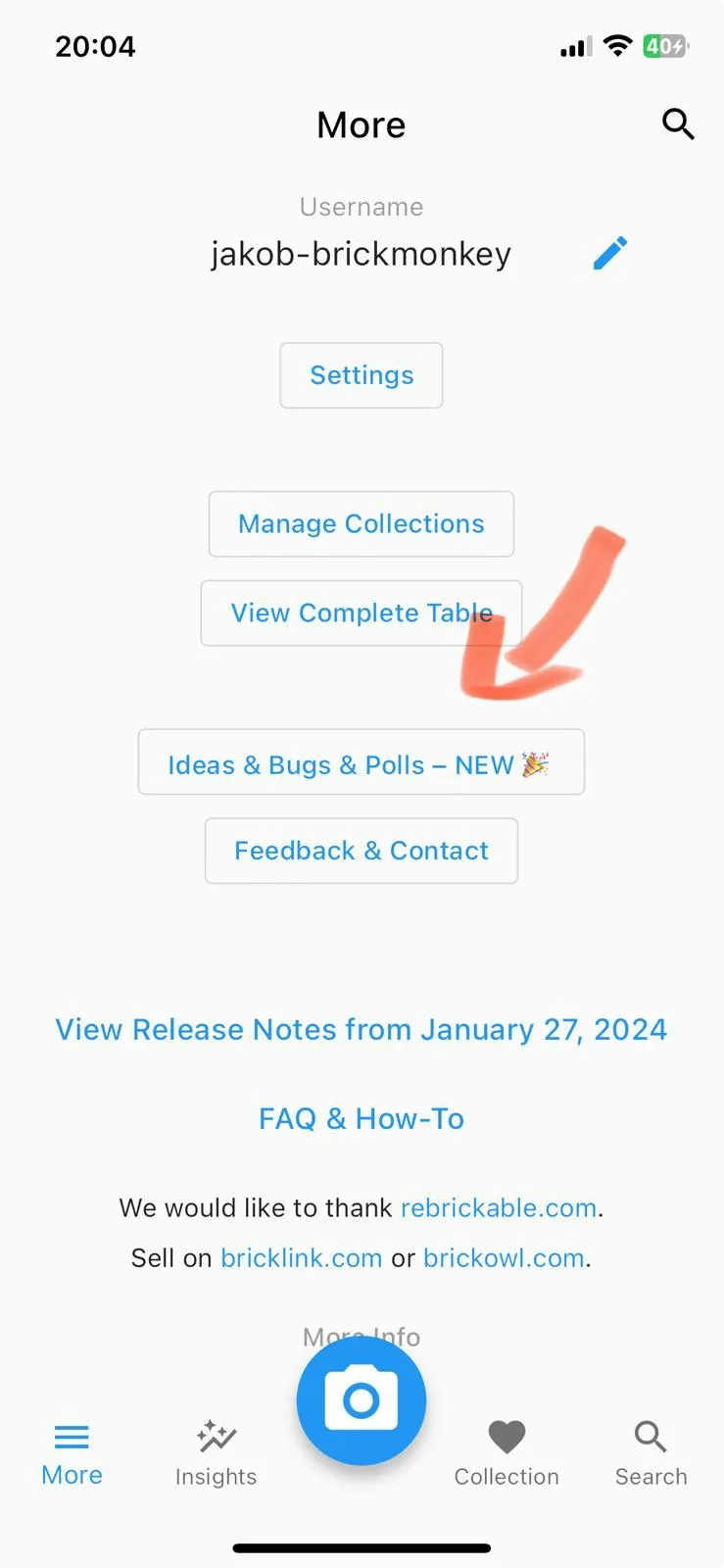
Introduced a new in-app forum so you can easily send feedback and participate in voting.
-
I’ve written more about the Ideas & Bugs forum.
Image
- Tap “Ideas & Bugs” (or similar)
Image
- Submit ideas, report bugs and vote in polls!
Improved Feedback Button in the app
- If you need to contact me directly, you can now submit it in the app and don’t need to send an email.
January 27, 2024 – Version 1.6.5
This note combines various updates made up to January 27, 2024.
https://youtube.com/shorts/Eu6LC61ta10?feature=share
Update database to include items up to January 2024.
- For more information, visit our database update information page.
- You can now identify multiple items at once.
- You can now add sets to your collection.
Multiple Smaller Changes
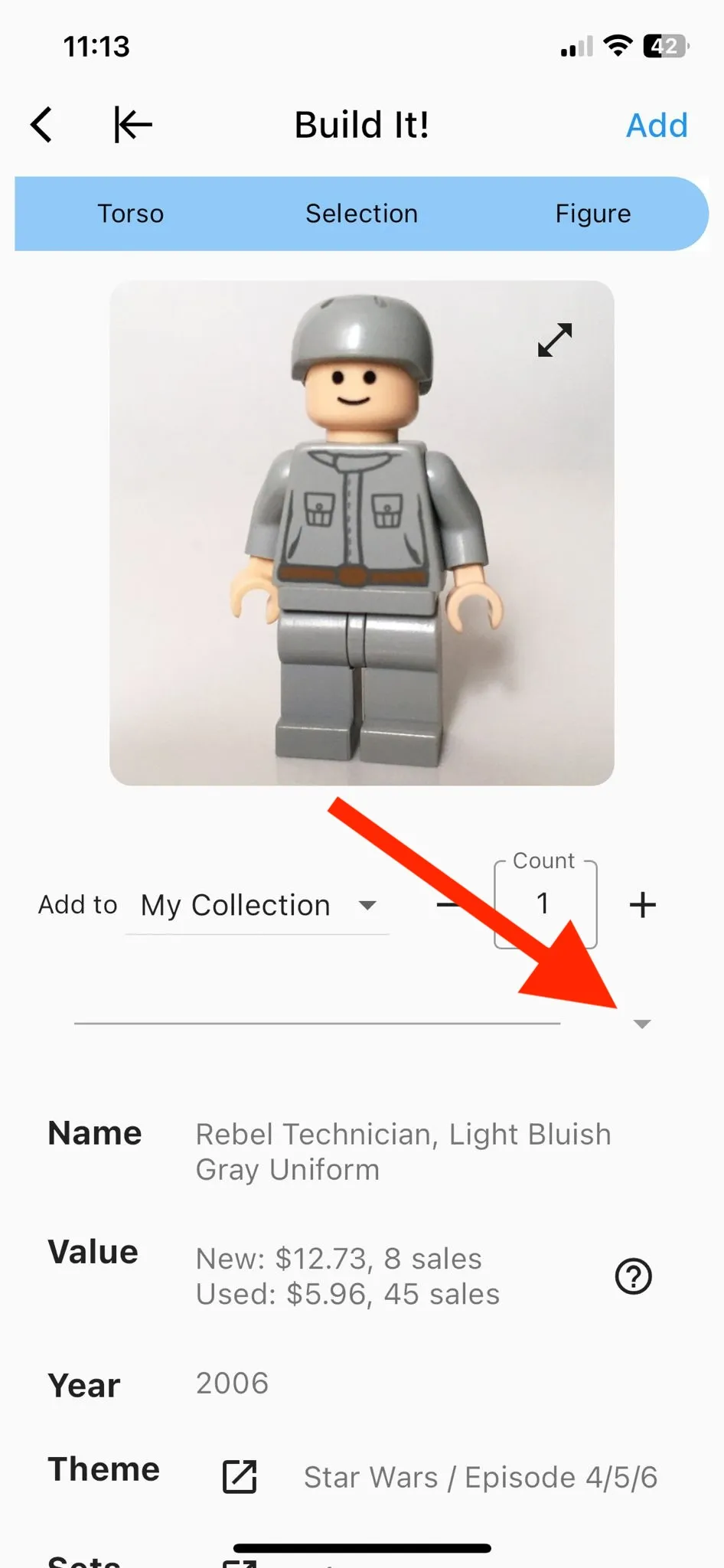
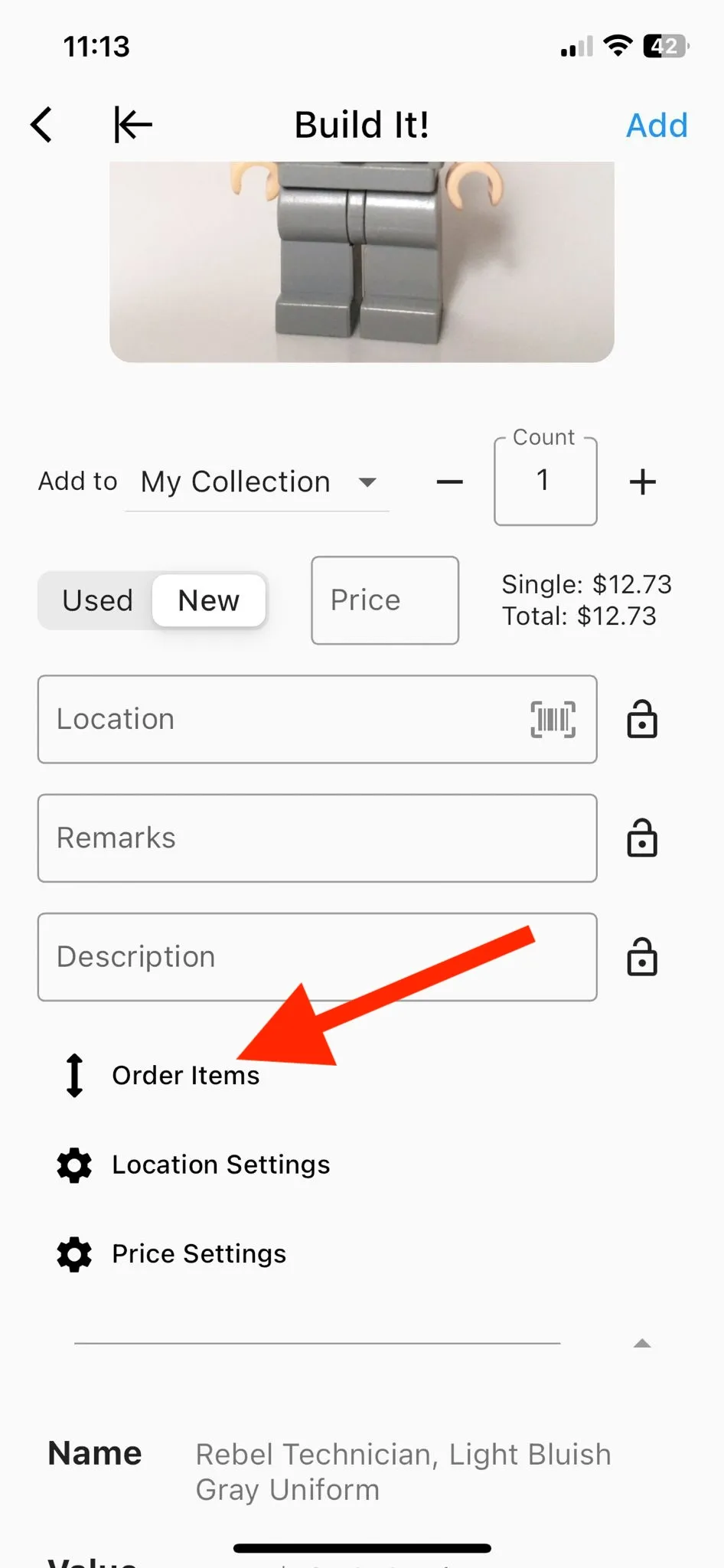
You now have new attributes to use: Condition, Price, Location, Remarks, Description.
- To view all additional attributes, tap the arrow beneath the image.
- You can order the attributes to decide which ones should always be displayed above the fold.
New version
New version
- Combine torso prediction with item prediction. It is no longer necessary to select before taking an image.
- Now you can add everything to your collection, including items in the minifig inventory.
- The value on the collection screen now animates nicely.
- Limited to displaying only 2 text lines for names on the element information screen to make it less cluttered.
- Clicking on icons on the home screen now initiates a scroll-up action.
- Add haptic feedback to re-order screens and to toggles throughout the app.
- Improved and updated help information texts throughout the app.
- The state is now preserved when moving between tabs on the home screen. For example, if you search for something in the “Search” tab and then switch to the “Collection” tab and back, your search will still be there.
October 13, 2023 – Version 1.5.8
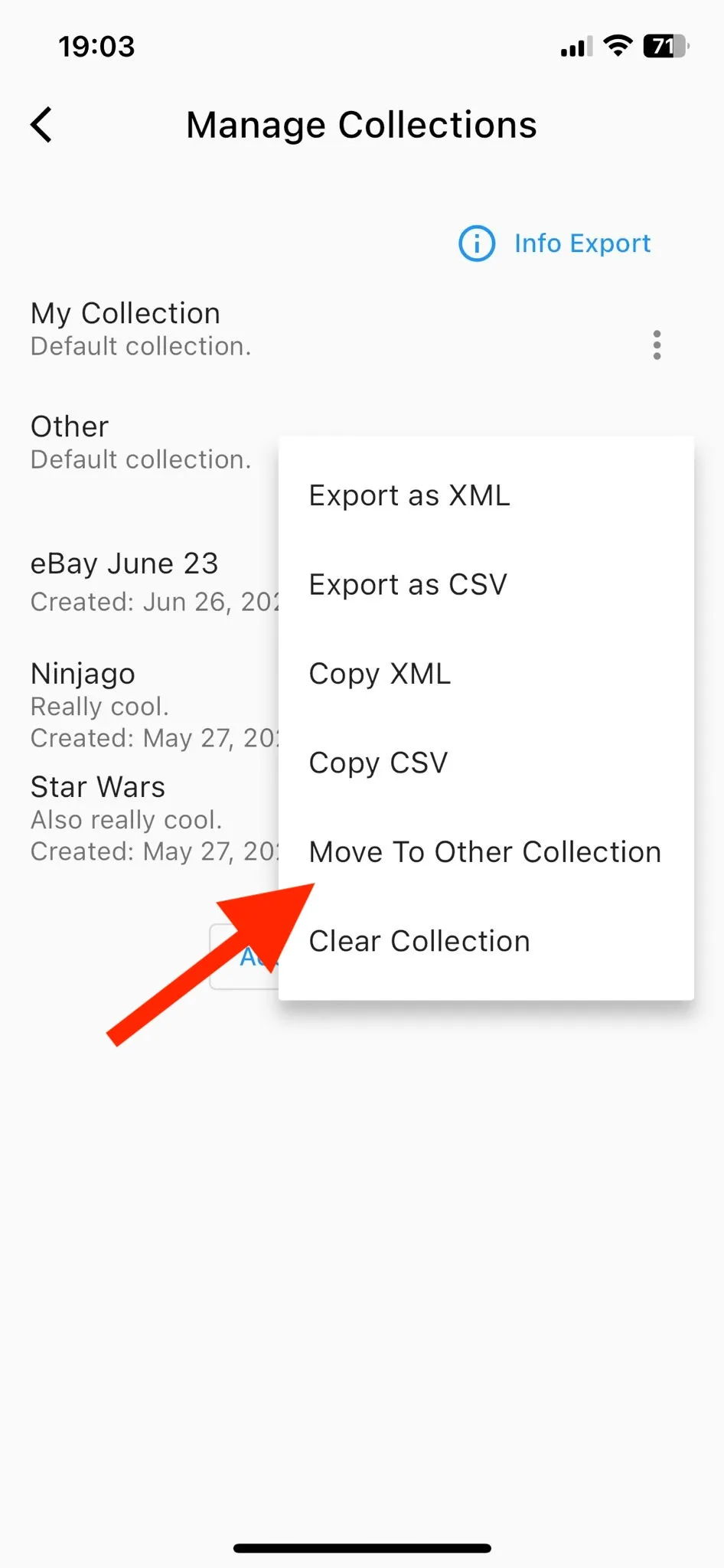
You can now move all items in a collection to another collection.
New version
- Resolve iPad camera functionality issue
Multiple smaller changes
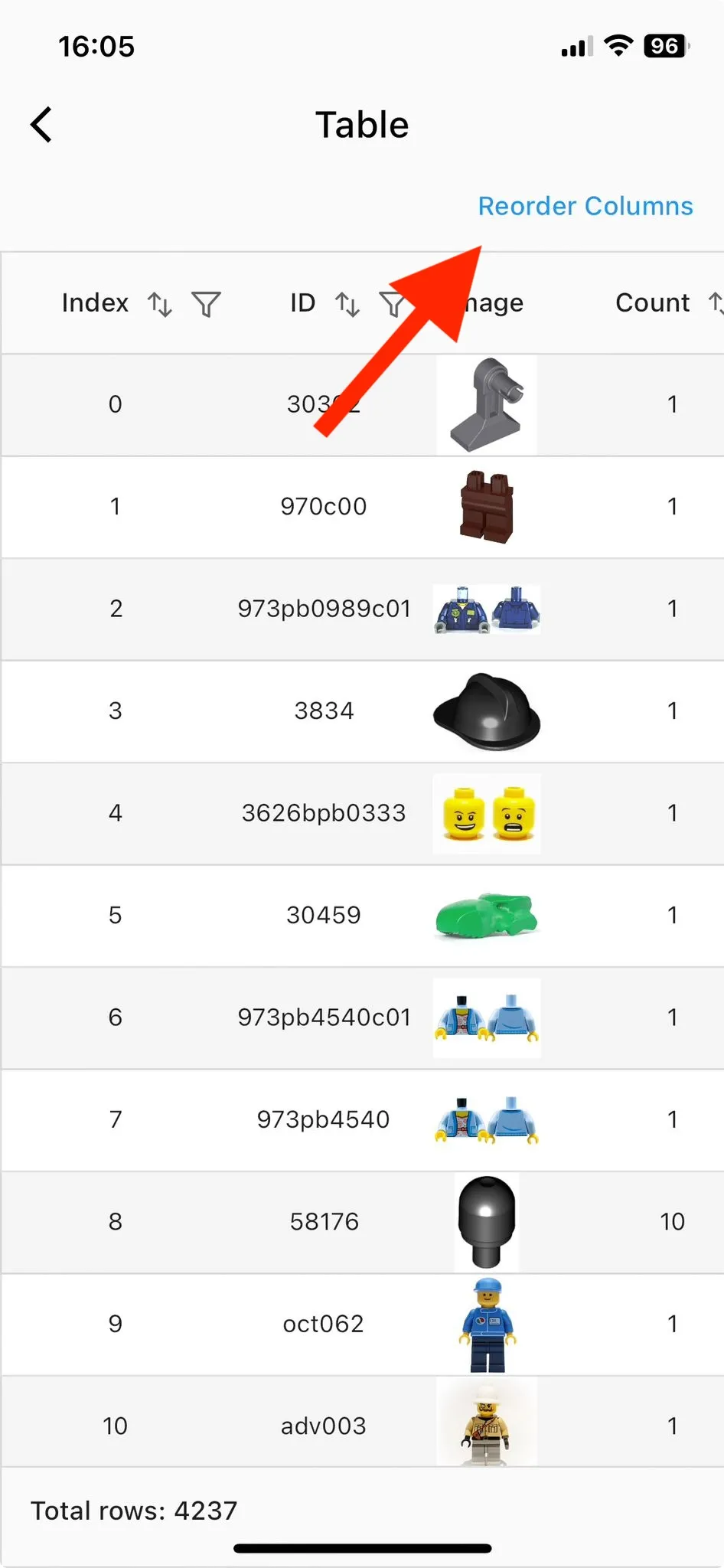
- Add a button to reset ordering of the columns in the table (More → “View Complete Table” → “Reorder Columns”)
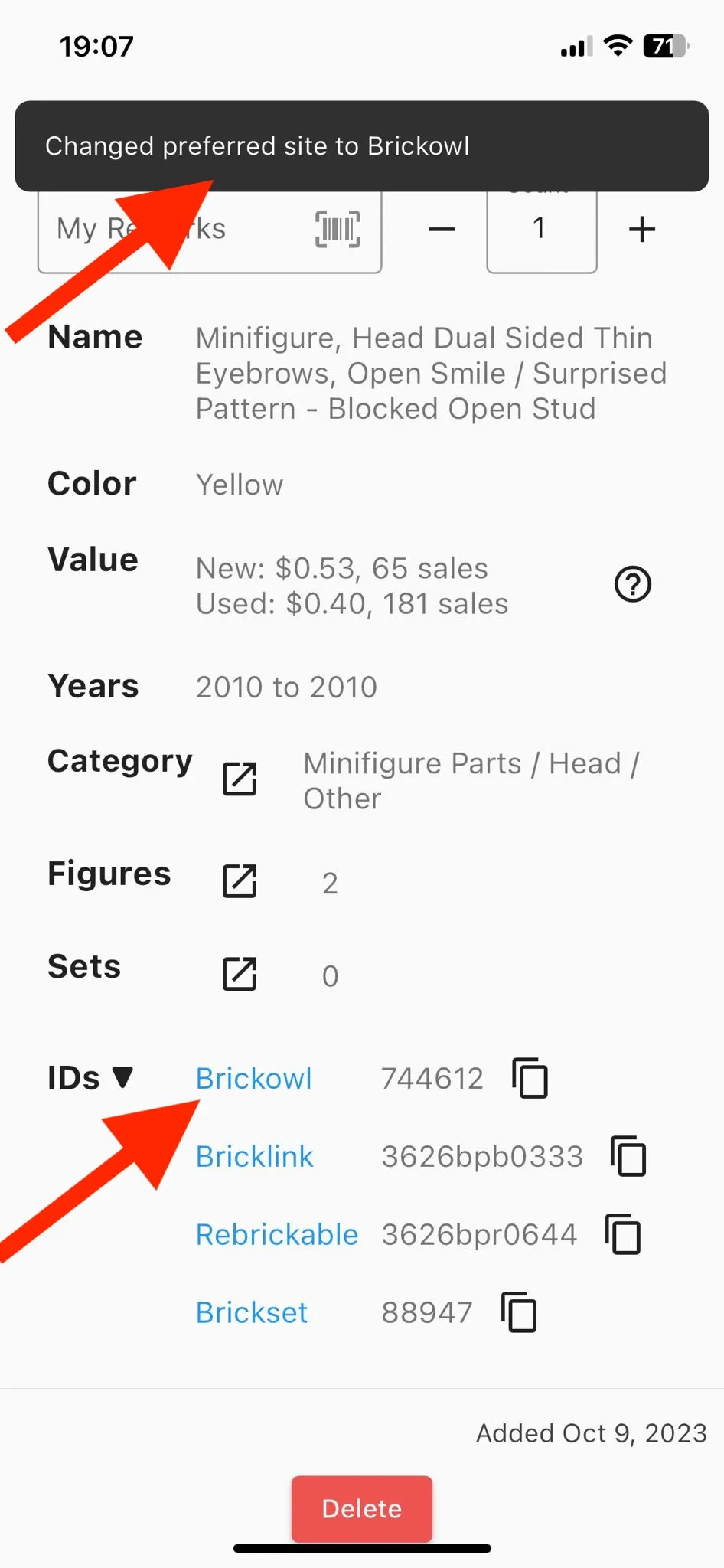
Automatically adjust preferred external site ordering
- After visiting an external site, the site will be shown first in the list of external sites to avoid unnecessary expansion of the “IDs” section.
New version
- Change ordering of charts under “Insights”
October 9, 2023 – Version 1.5.6
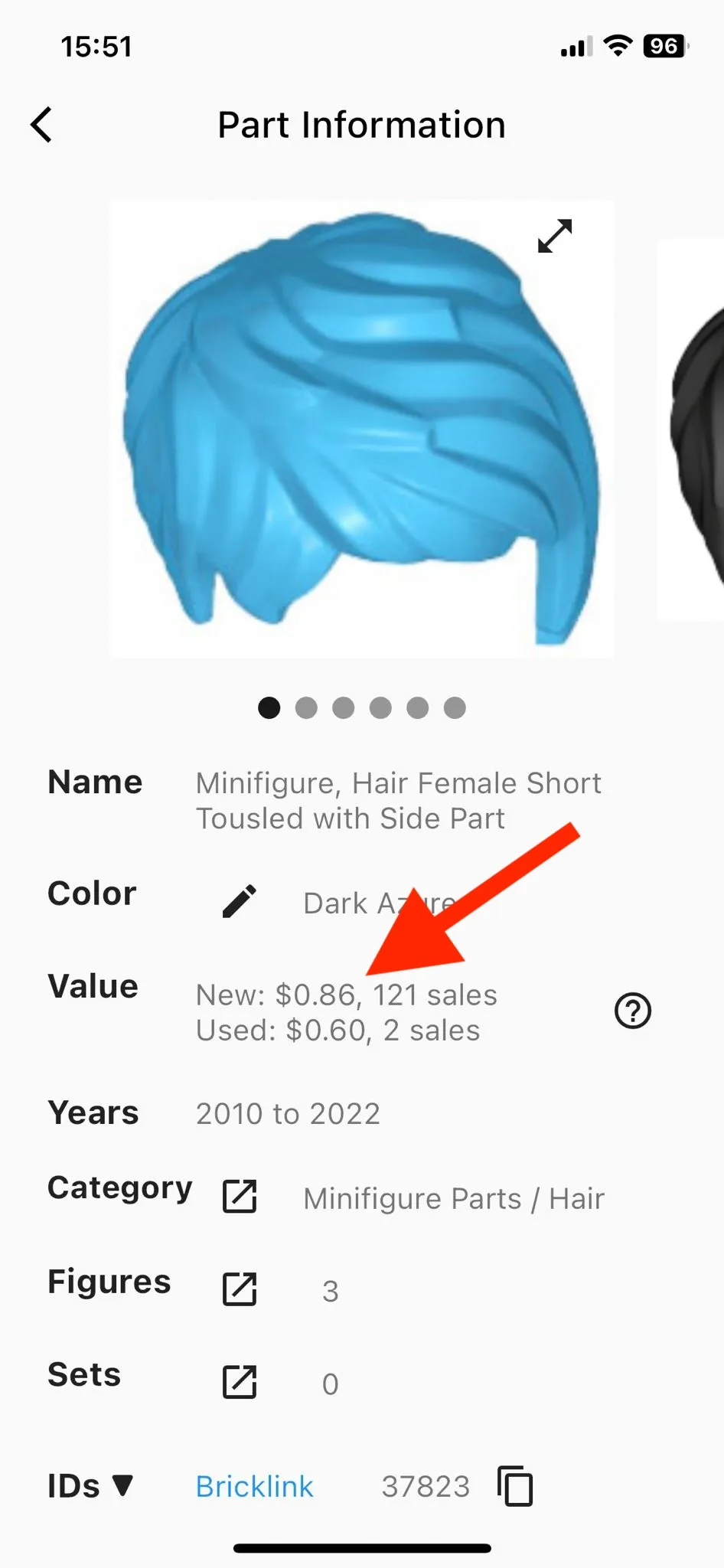
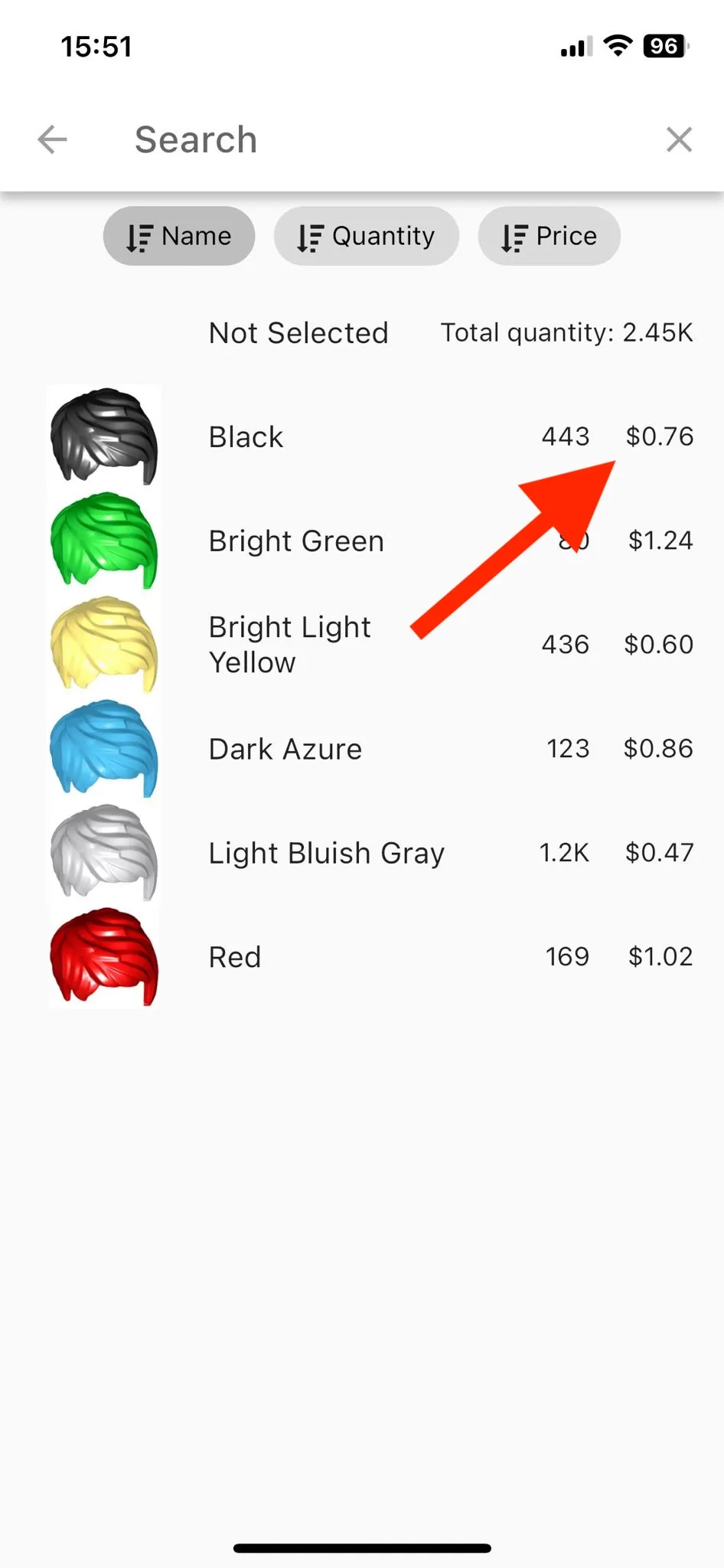
You can now also see prices for parts and sets.
- You can see the average value of items sold on bricklink.com in the past 6 months. (“Qty Avg Price”)
- Access pricing for both new and used items.
New version
New version
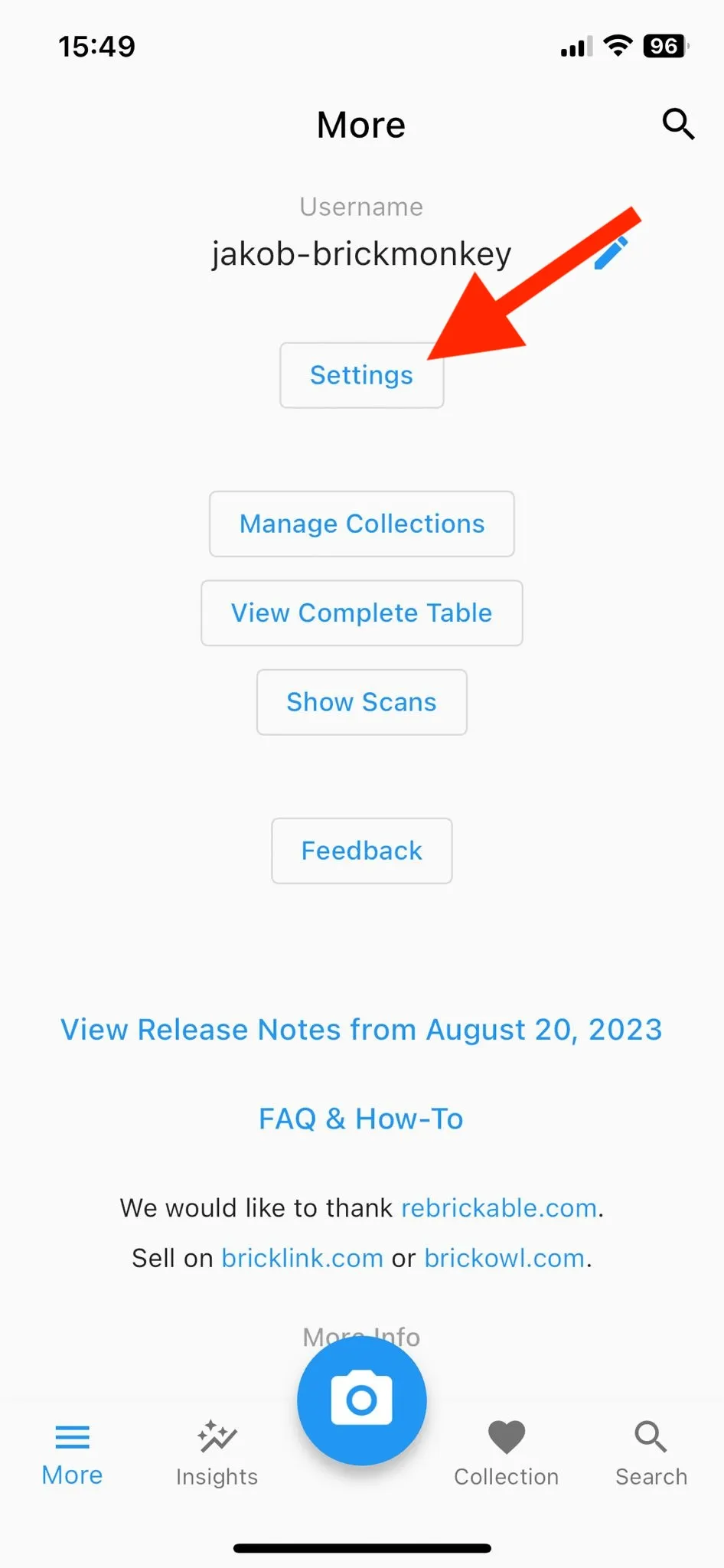
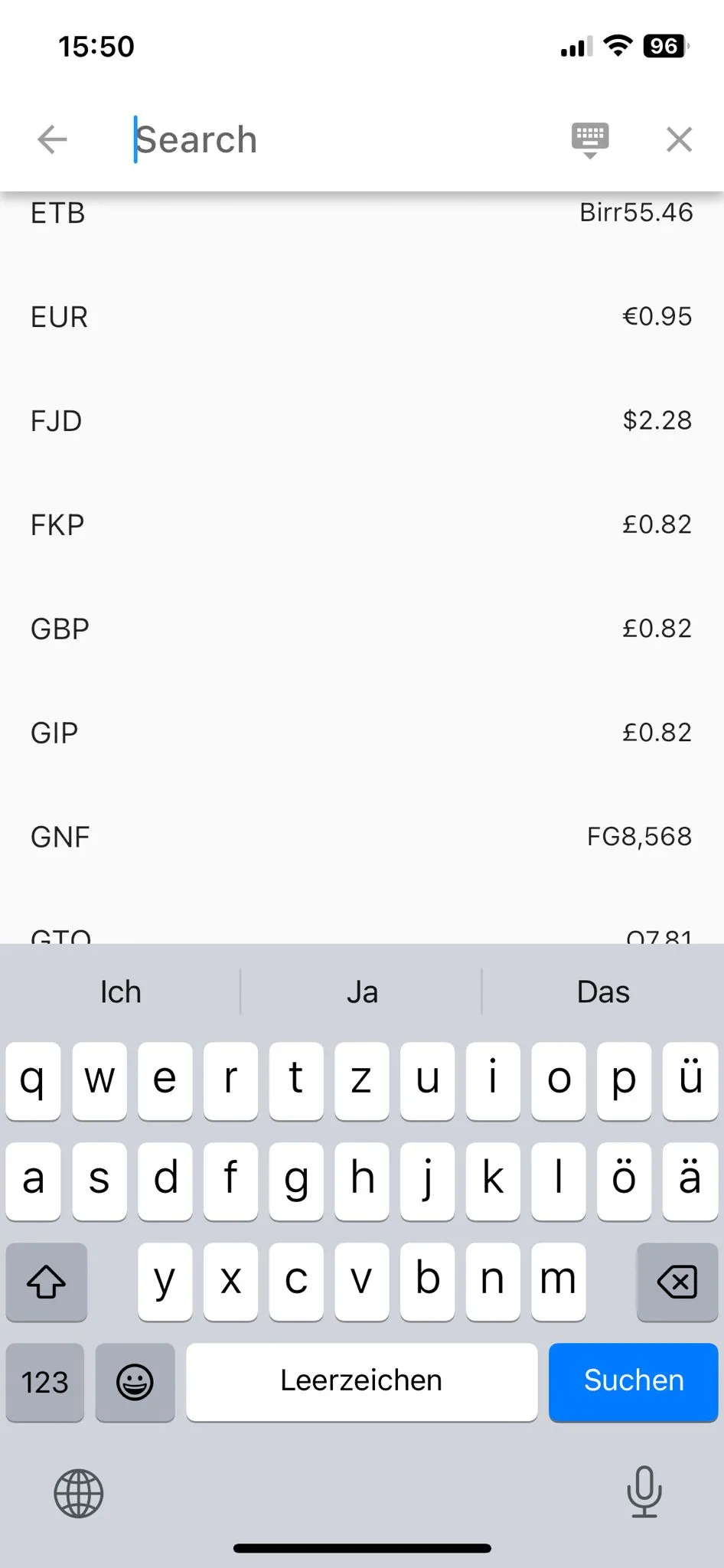
You can now switch the currency to GBP, EUR, and many more.
- Navigate to More → Settings → Select Currency to adjust the currency.
- Exchange rates are updated once per day.
New version
New version
Multiple Smaller Changes
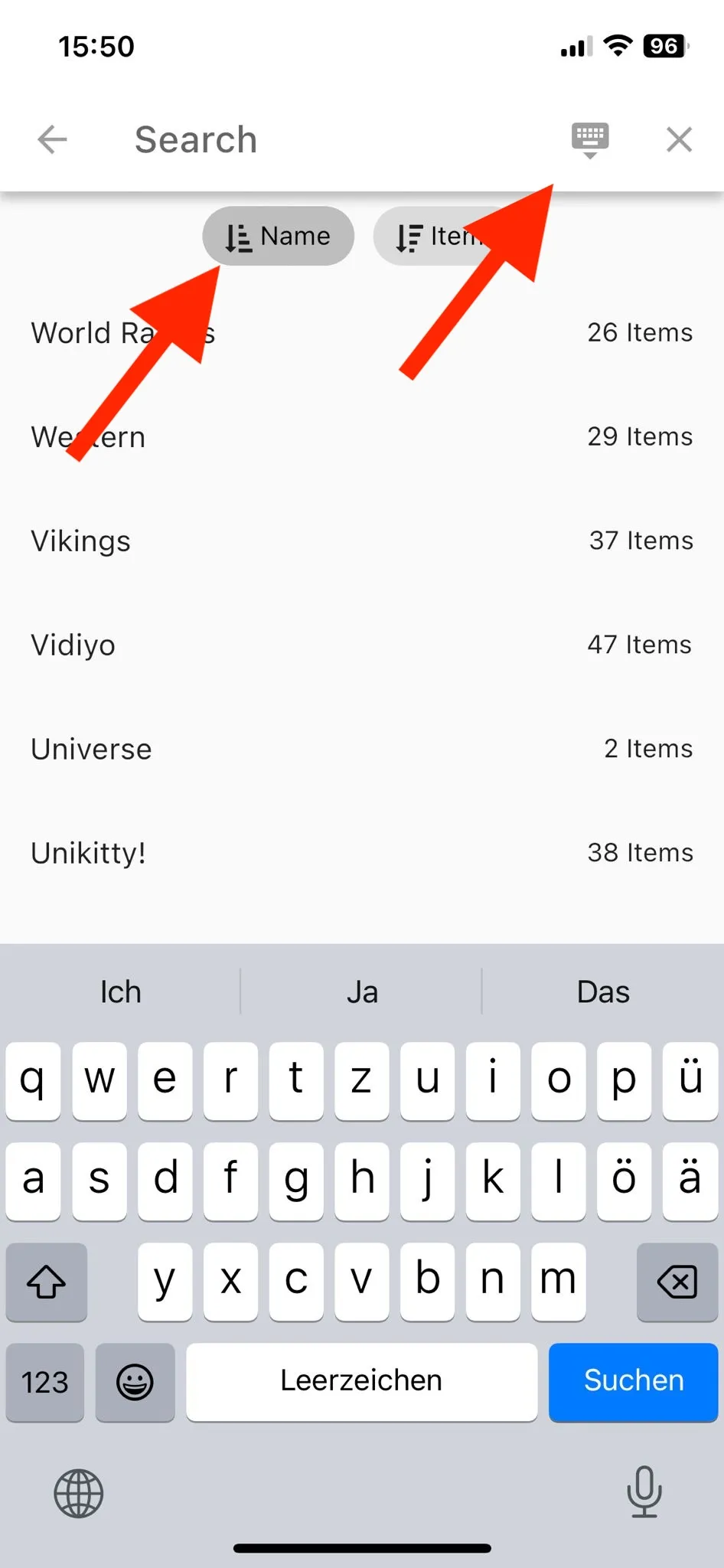
Improved all text search selection popups
- Sort options now include both ascending and descending order. Previously, only descending order was available.
- You can now dismiss the keyboard to view a larger portion of the list.
New version
Column reordering preferences are now saved and will remain the same even after restarting the app.
New version
- Enhanced performance for computing aggregate values about your collections.
August 20, 2023 – Version 1.5.5
💡 🚀🎉 BIG NEWS! 🎉🚀
- You can now identify any part or Minifigure! Check out the video below to see it in action.
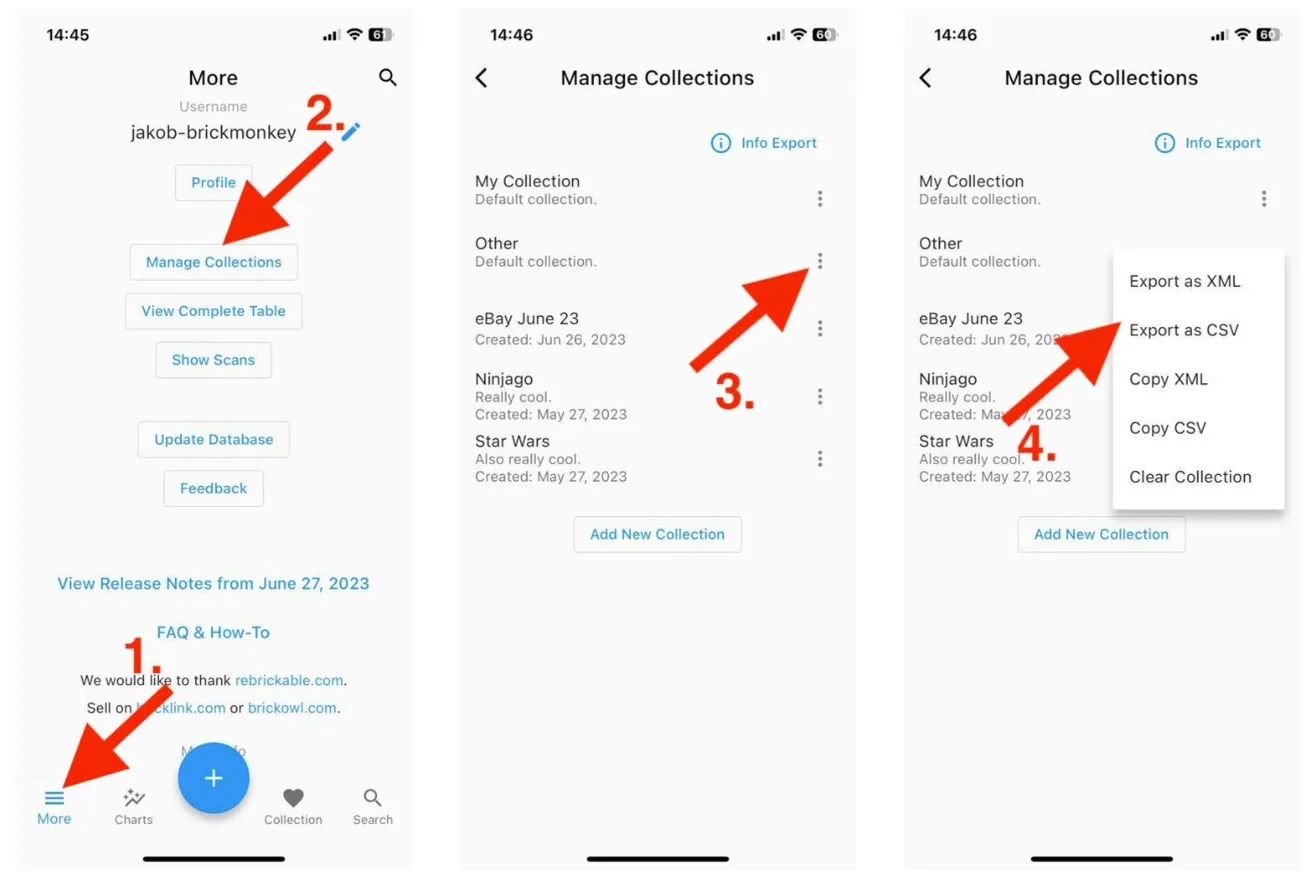
You can now export your collection as CSV (and XML) and copy directly to clipboard.
- You can open the CSV file directly with Google Sheets or Excel.
New version
Multiple Smaller Changes
- Add a copy icon next to item IDs to make it more convenient.
- Add zoom functionality on item images to make it easier to spot tiny details.
- Fix an issue preventing iPad users from exporting their collection.
July 2022 – Versions 1.5.0–1.5.4
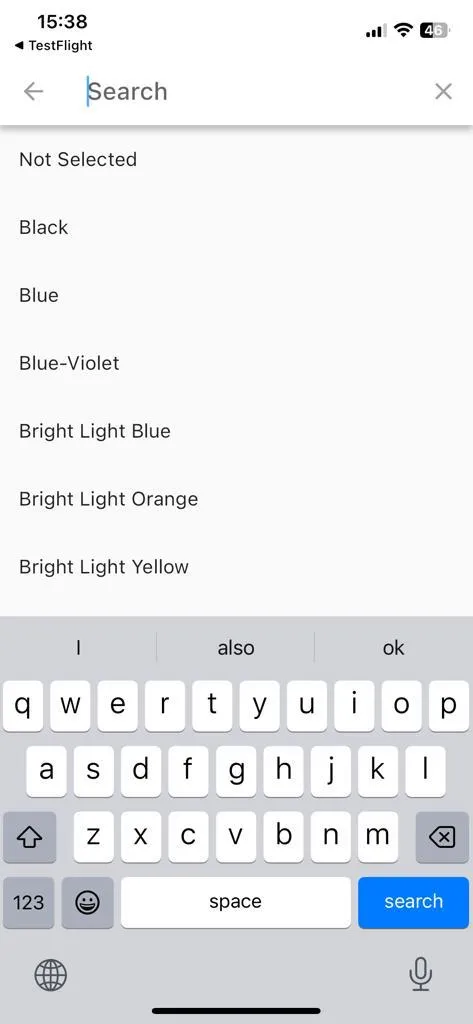
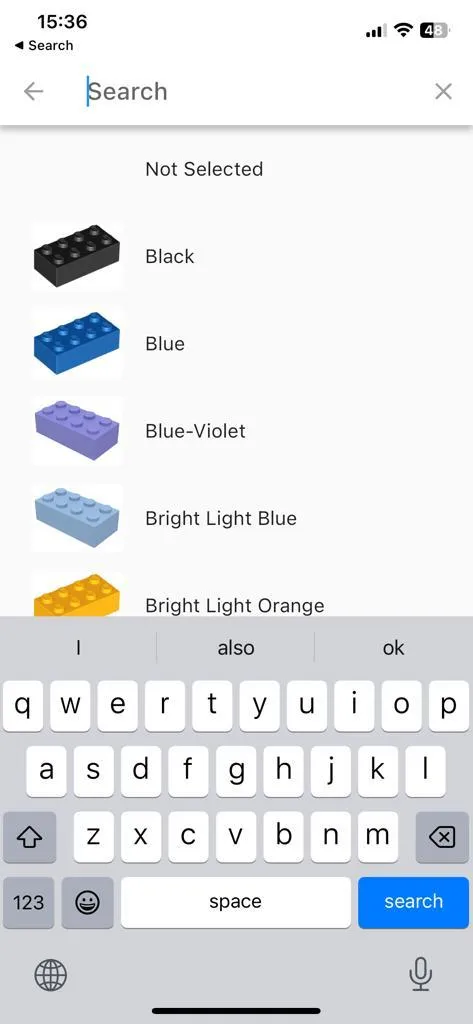
You can now see item images in the color selection screen to make it more convenient.
Old version
New version
- bug fixes and performance improvements
June 27, 2023 – Version 1.4.0
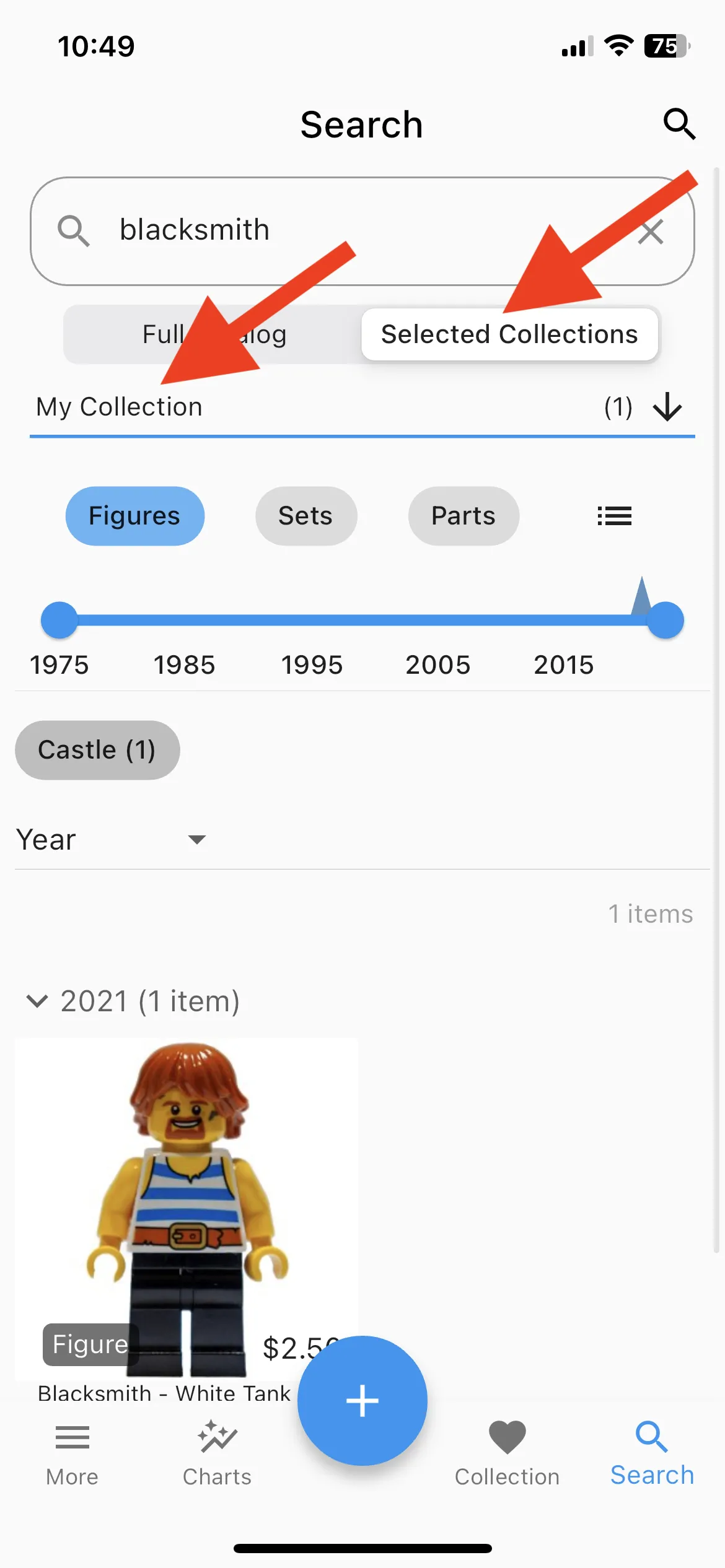
You can now search through your collection for specific items.
New version
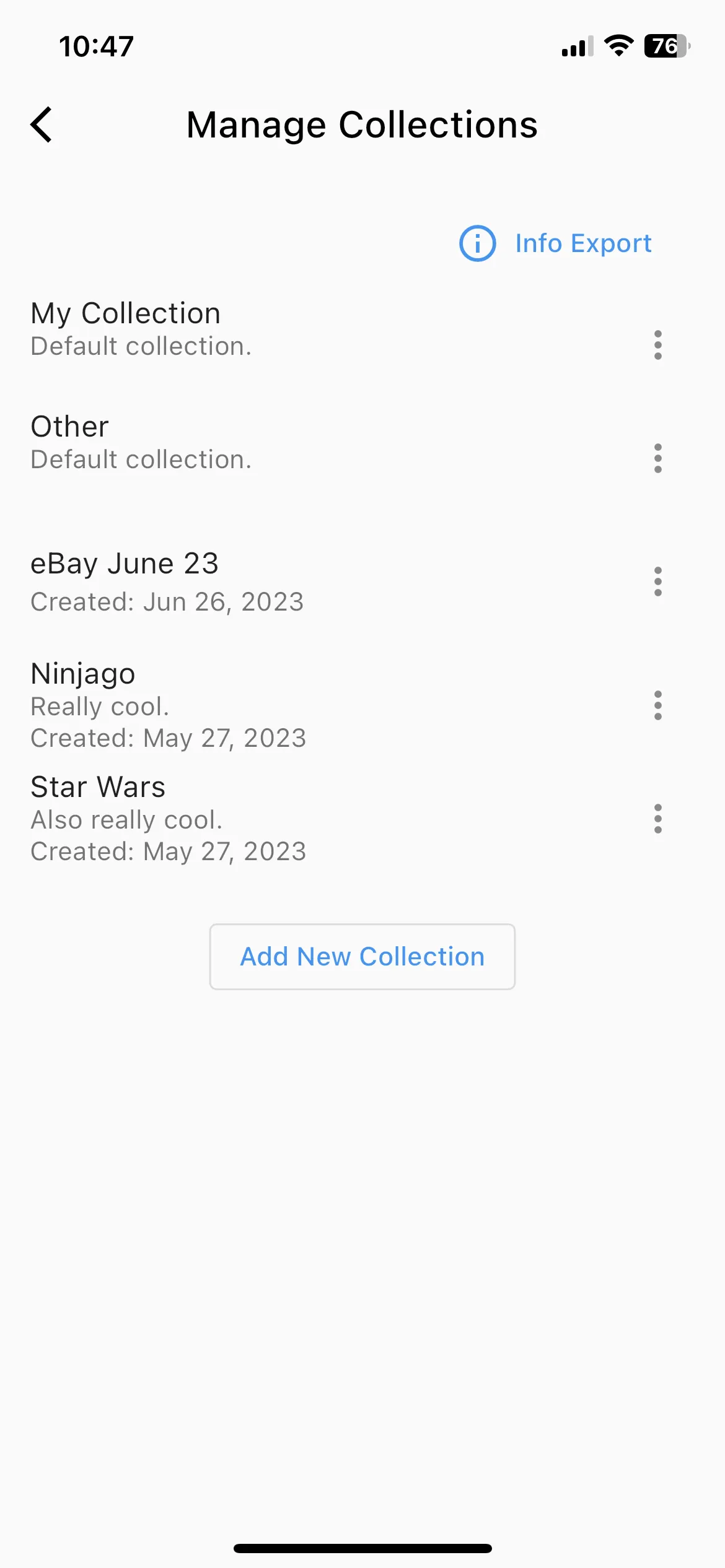
You can now create and manage multiple collections.
New version
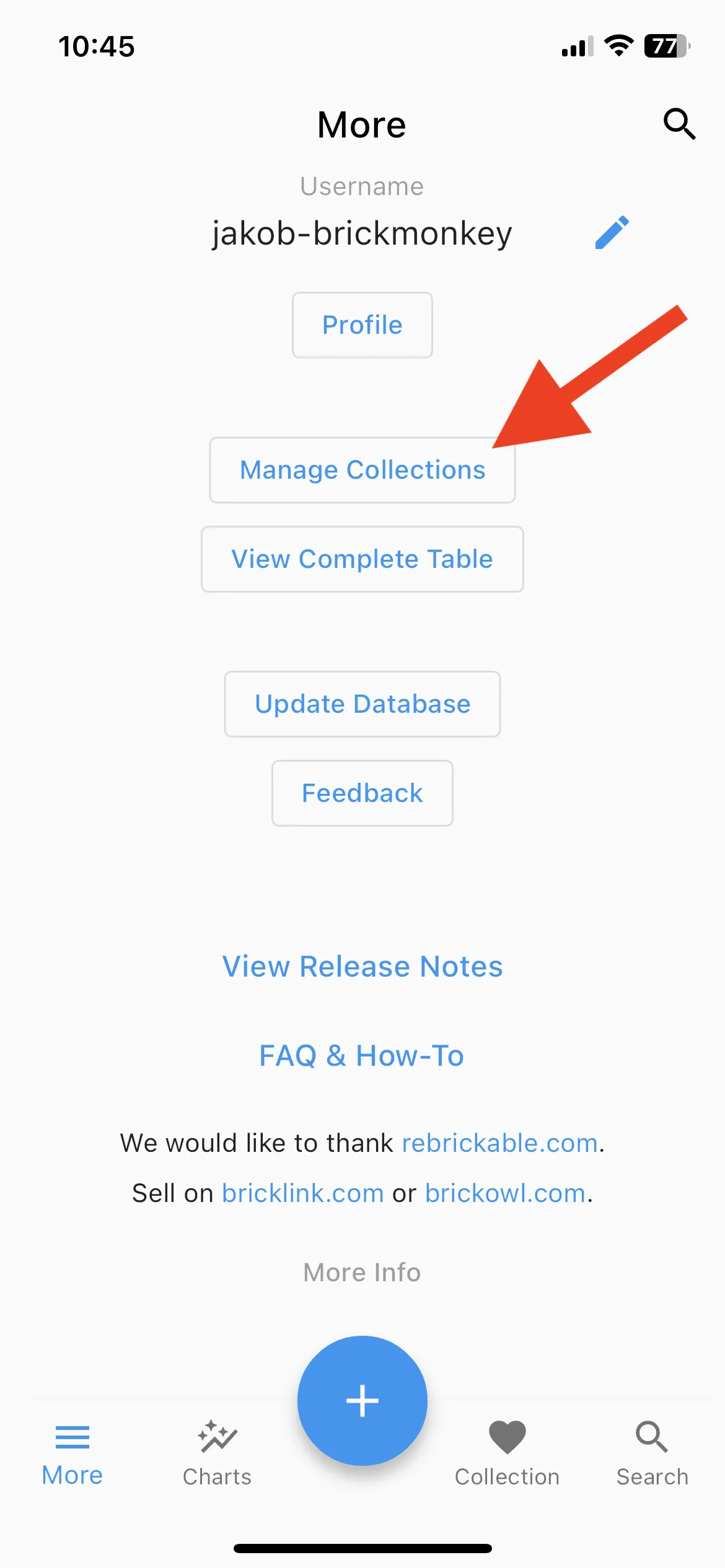
New version
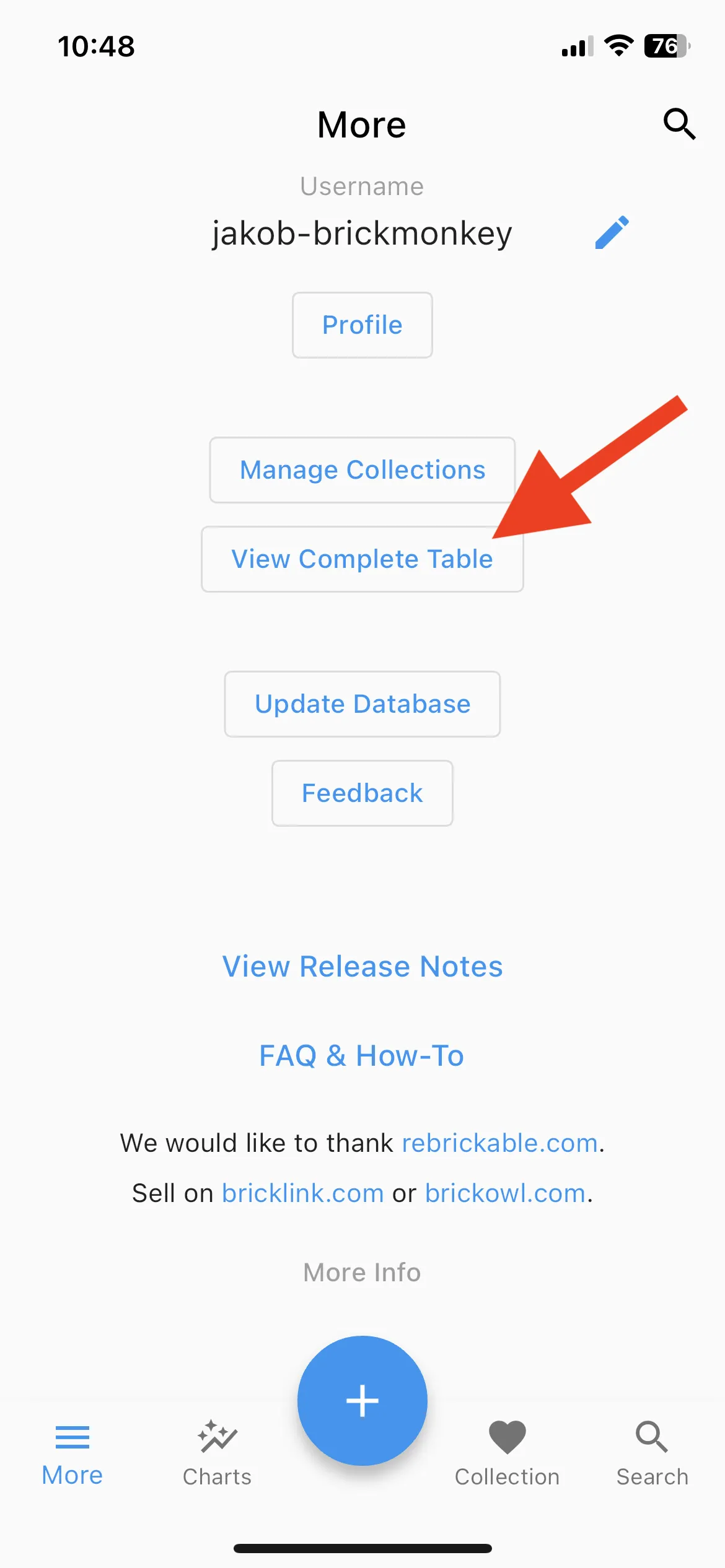
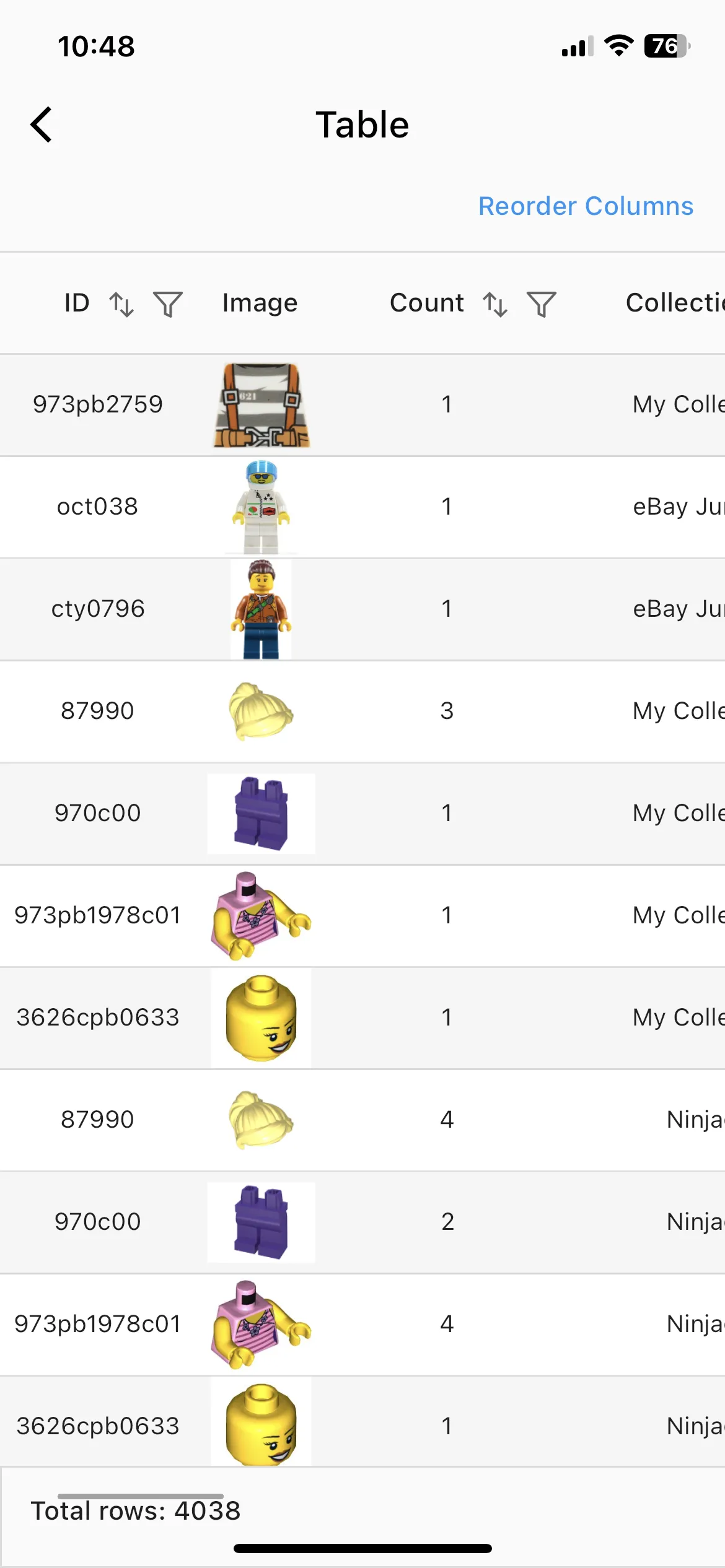
You can now view your collection in a new tabular format.
New version
New version
- You can now add parts to your collection, not just torsos and Minifigures.
- Huge performance improvements, especially for users with more than 5,000 items.
Multiple Smaller Changes
- Ensure correct export to XML of ‘My Remarks’ that contain ‘&’ and other special characters.
- You can now part out Minifigures by long-pressing on them.
- Improved visualization of “My Entries” table to indicate if you already own an item.
- Numerous other updates
April 11, 2023 – Version 1.3.6
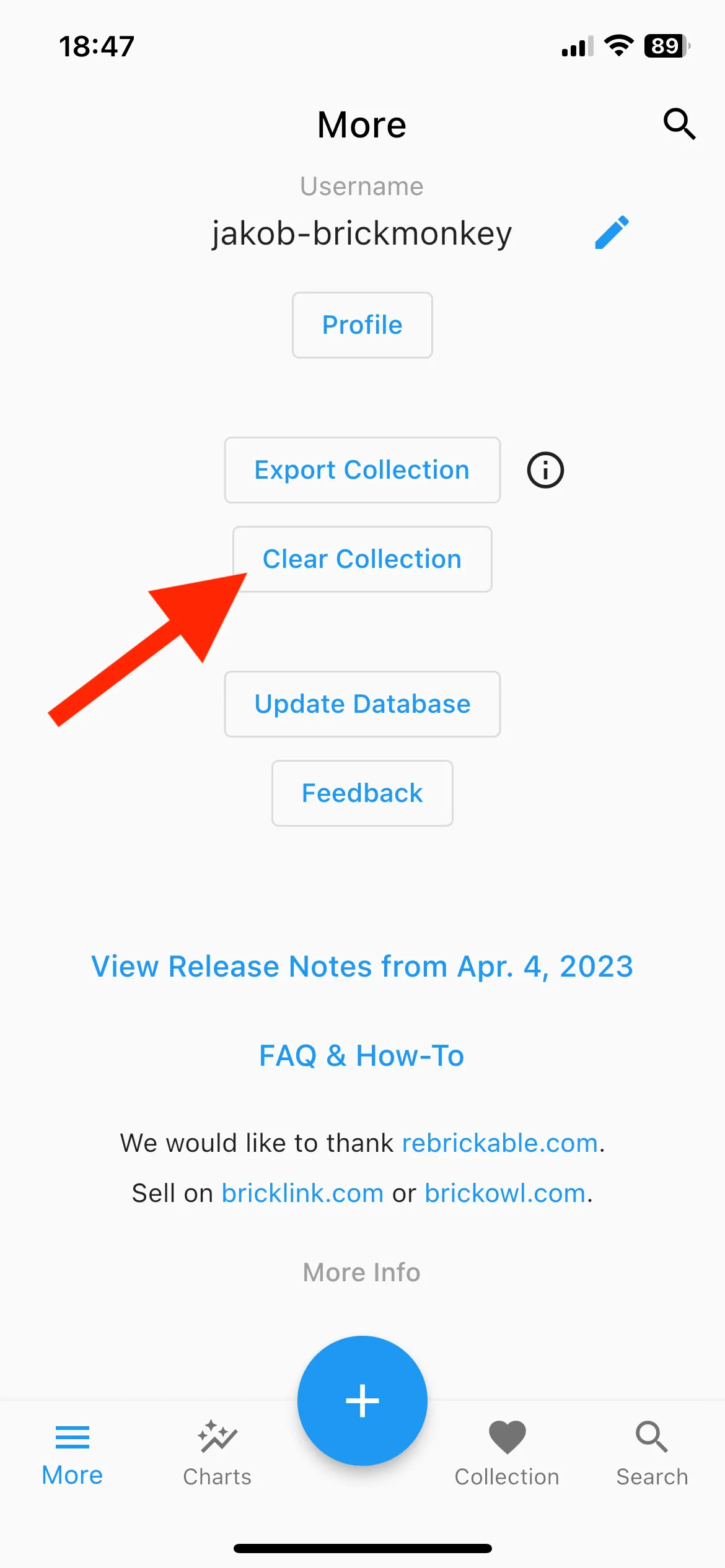
You can now clear your entire collection by pressing a button in the “More” screen.
New version
Multiple Smaller Changes
- Updated search screen icons for improved clarity
- Automatic keyboard dismissal when scrolling down
- [iOS] Swipe back gesture is now supported
April 4, 2023 – Version 1.3.5
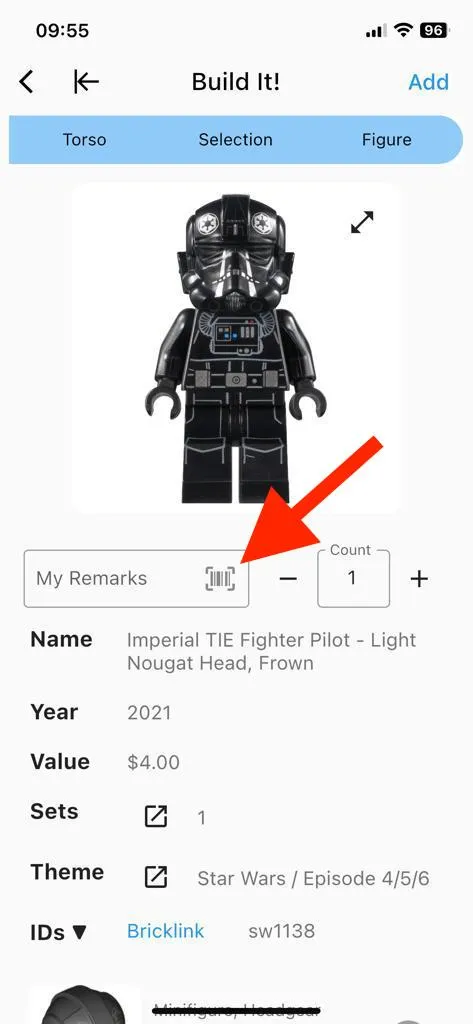
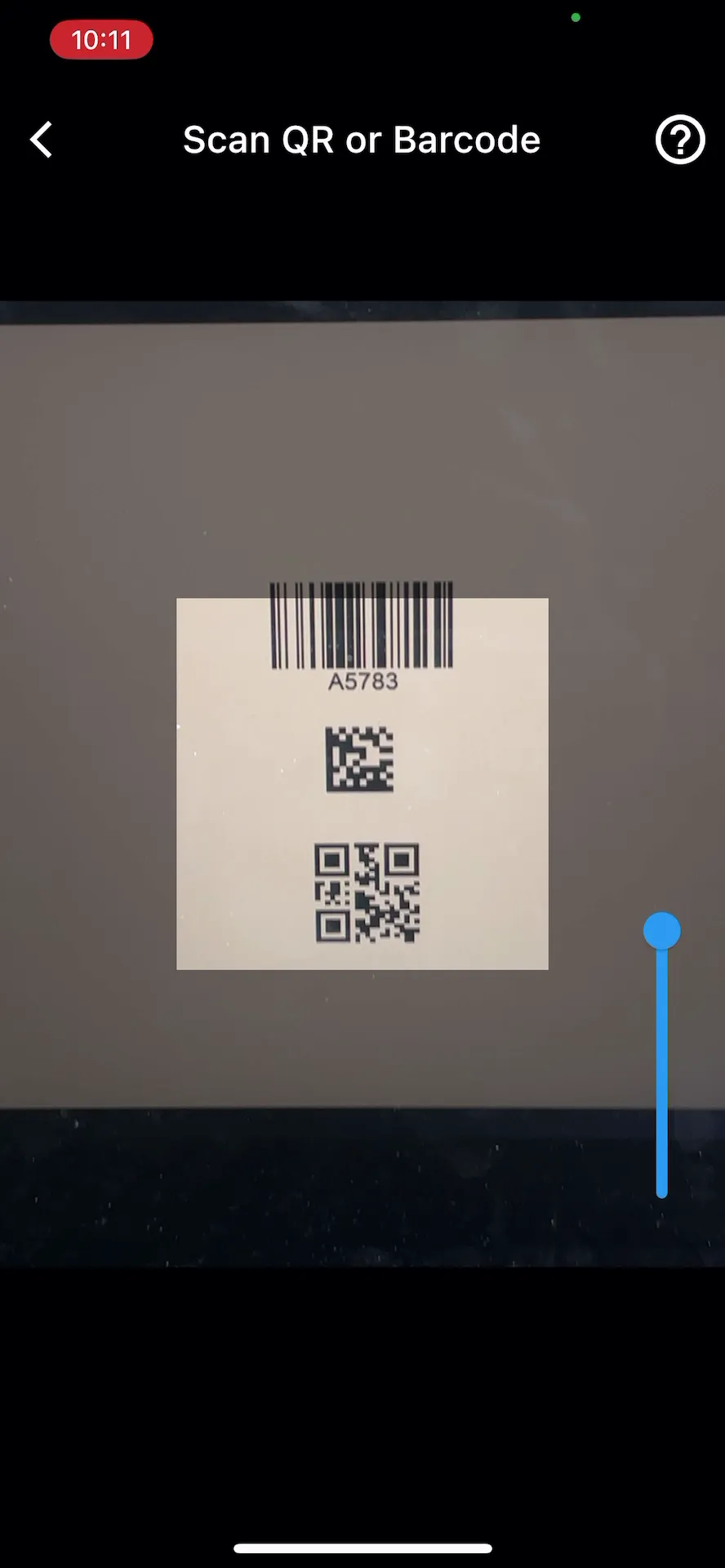
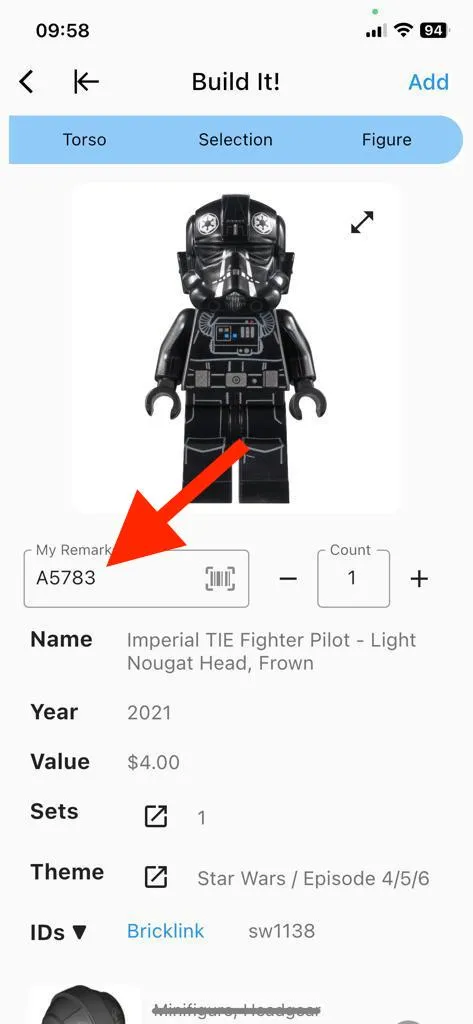
You can now use the app to scan barcodes or QR codes.
- By scanning codes directly into the remarks field, you can avoid manual typing errors and save valuable time.
New version
New version
New version
You can now search for exact matches using quotes, e.g., ‘“red scarf” kid’
- Simply enclose your search term in quotes to achieve precise results. For example, searching for ‘“red scarf” kid’ will no longer return irrelevant matches such as ‘kid, red legs, green scarf’.
Added helpful pages on barcode/QR code scanning and collection export.
- We value your feedback and encourage you to share any suggestions or ideas for additional content you would like to see on these pages.
March 28, 2023 – Version 1.3.4
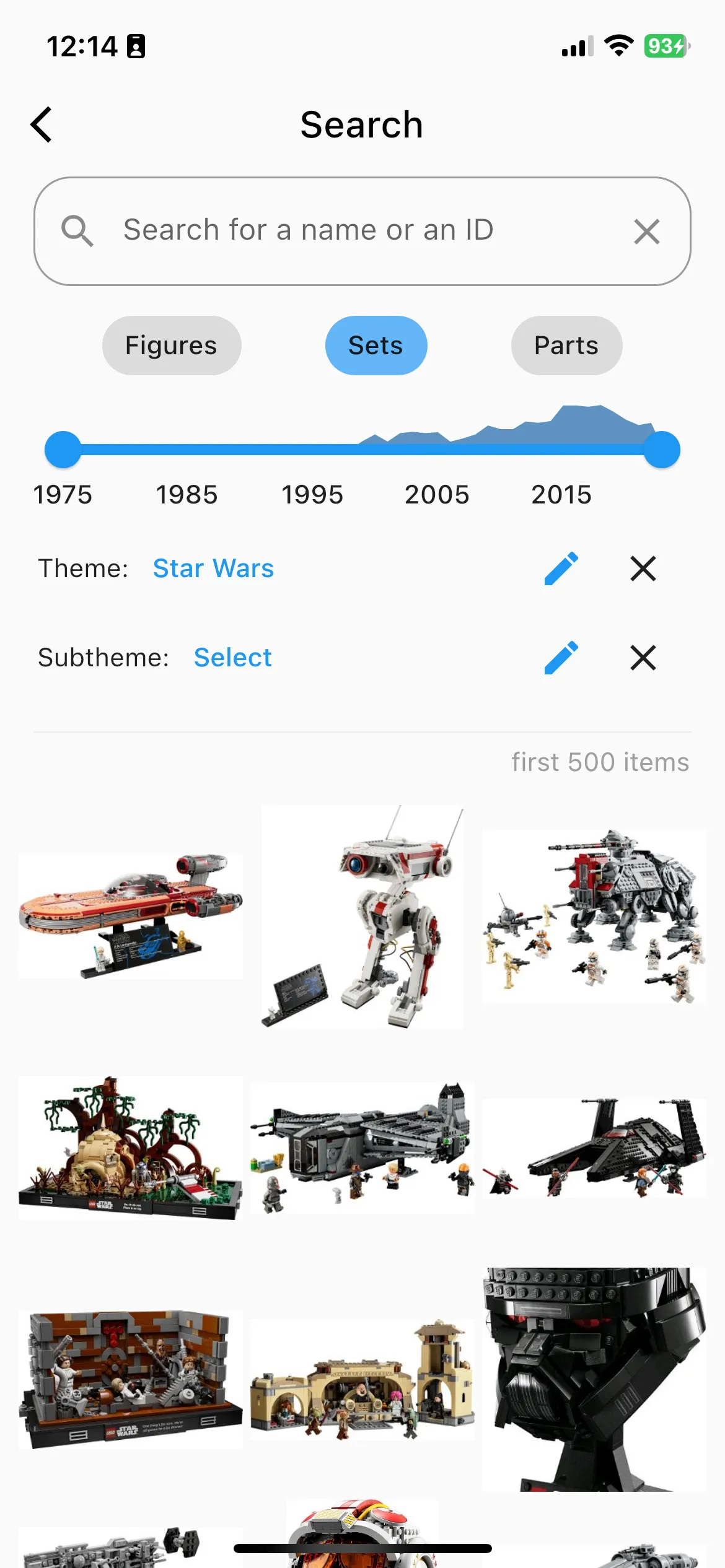
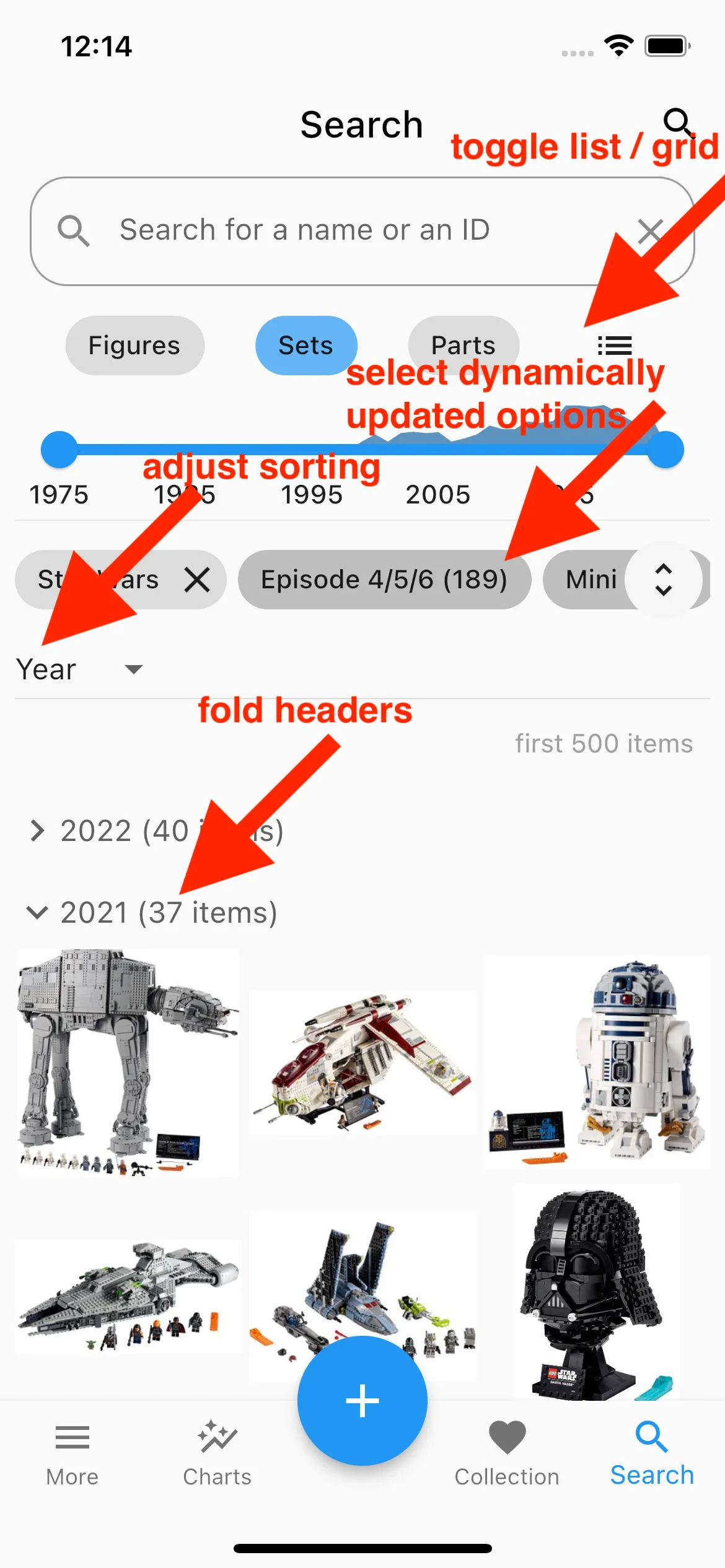
Significant improvements to the search screen
- Dynamically adjust theme, category and color options based on the current query
- Visualize results in a grid or in a list
- Sort by different attributes and show foldable headers
Old version
New version
In this version, we have temporarily removed the friends screen to redesign it.
- We are planning to introduce a community screen in the future. It might also show a leaderboard using a karma system to motivate users to submit high-quality images.
- Feel free to send your suggestions for the revamped community/friends screen to [email protected].
Multiple Smaller Changes
- Show items with images first whenever possible to avoid placeholder images
Add a scrollbar and a button to make navigation more convenient
New version
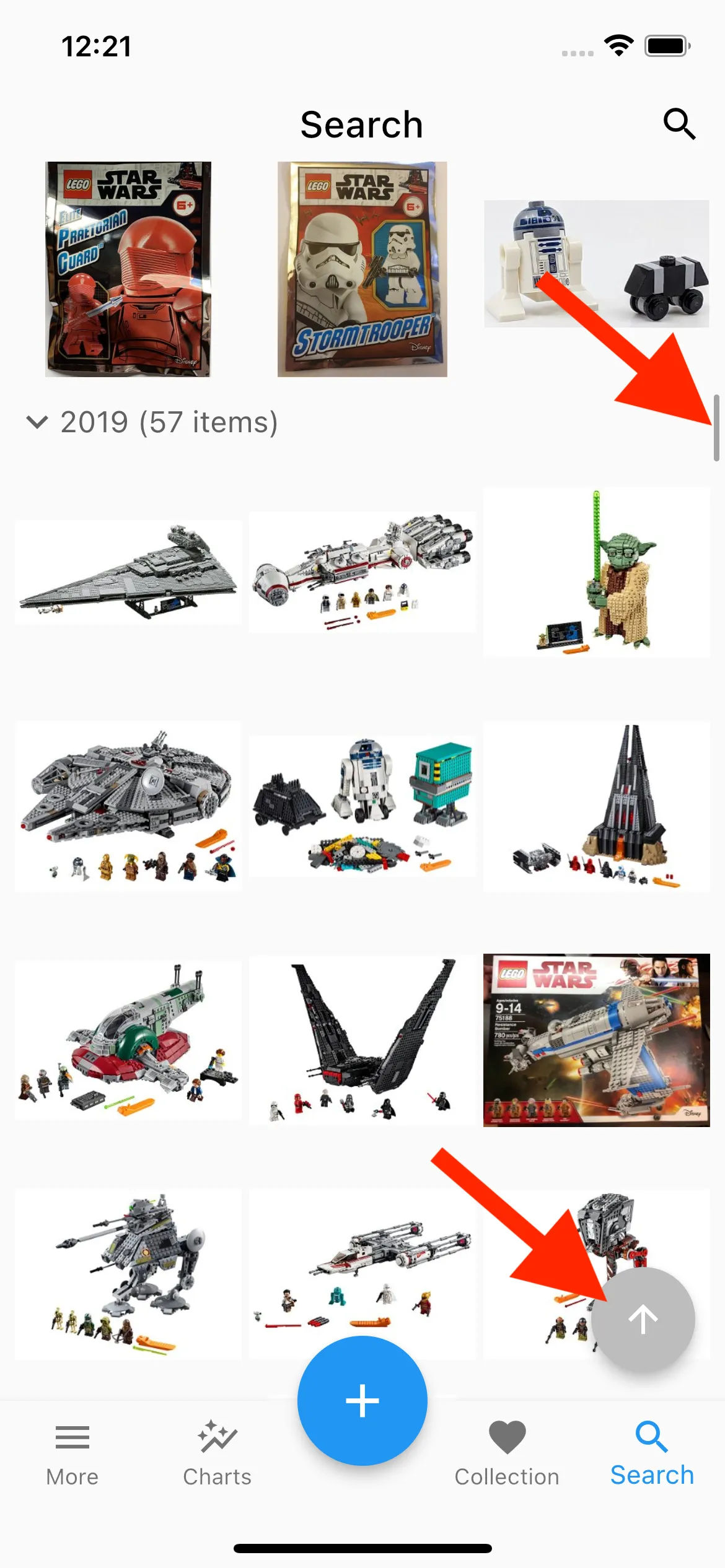
- Show the count for each part in an inventory. Now you know which parts are in a particular set and how many of each.
March 21, 2023 – Version 1.3.3
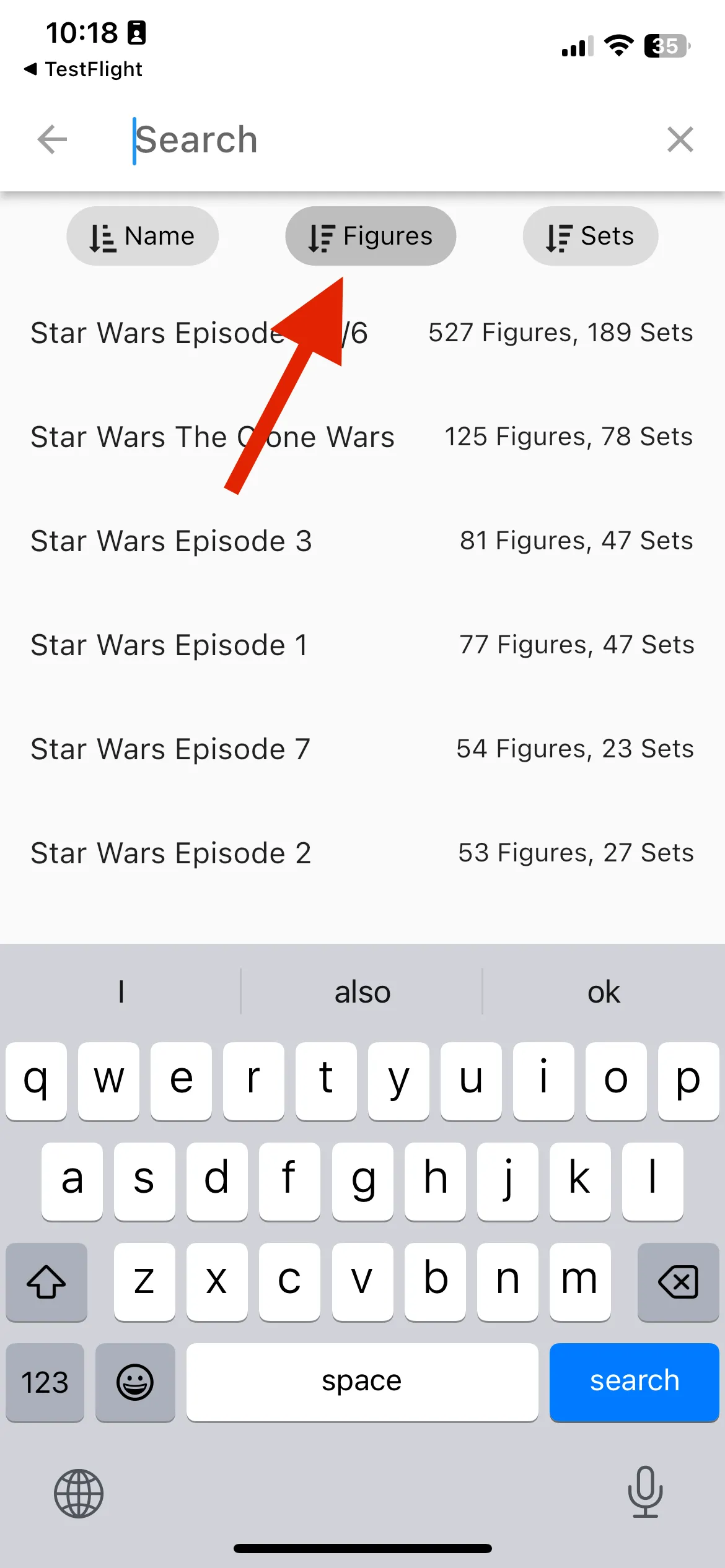
You can now select themes stepwise for sets and figures. This should make navigation a lot easier.
- You can also sort selectable themes for a better overview.
Old version
Themes are combined and there are no sorting options.
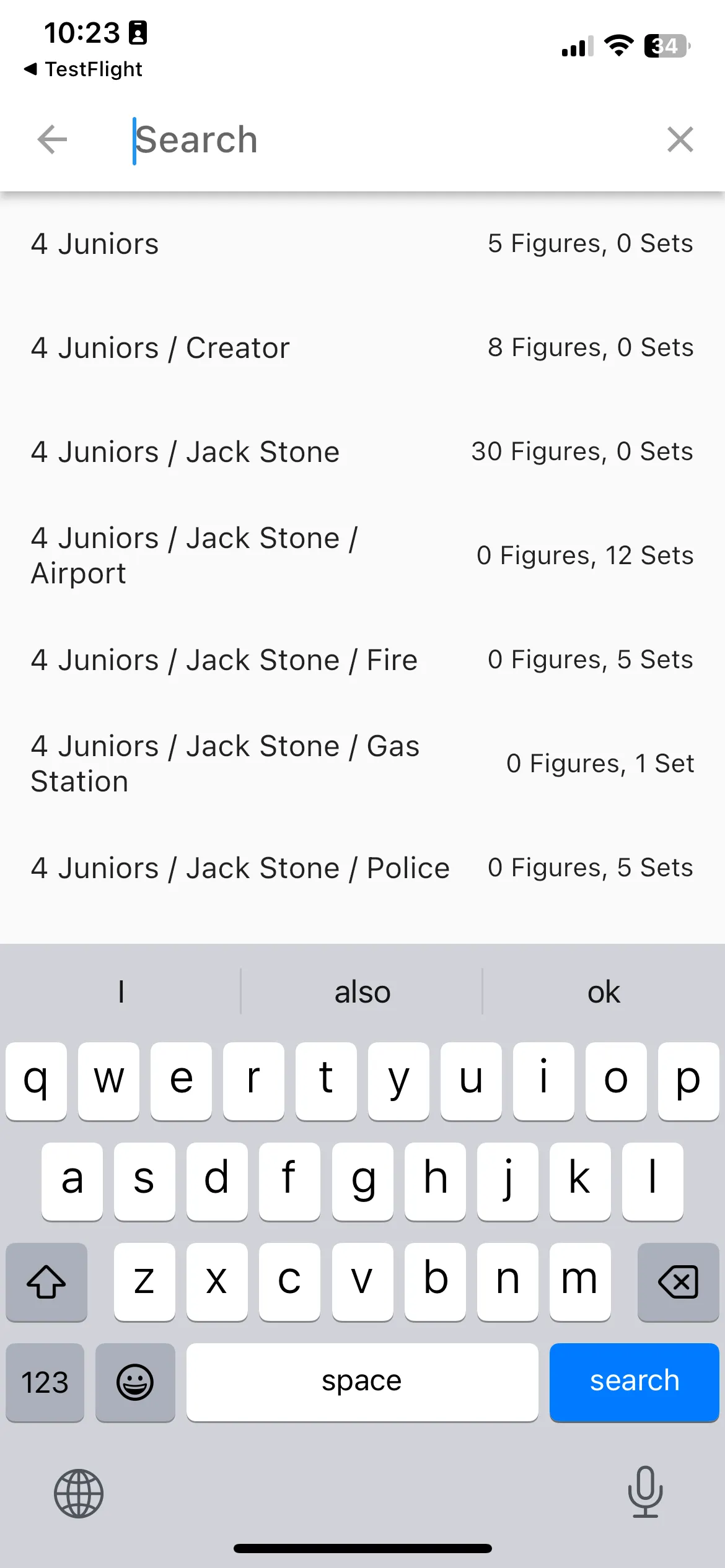
New version
Select stepwise.
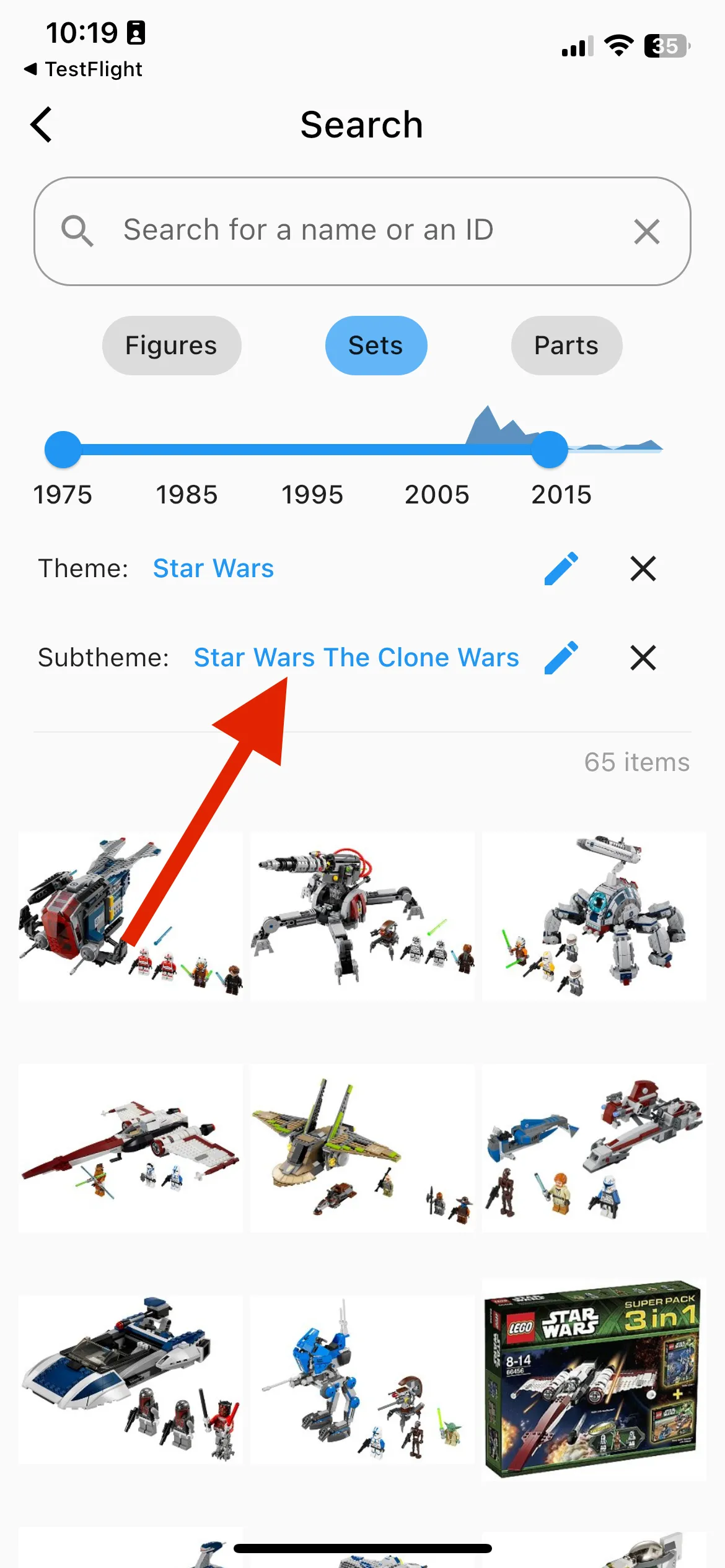
New version
Sort by name, number of figures or number of sets.
You can now select categories stepwise for parts.
Old version
No selection was possible.
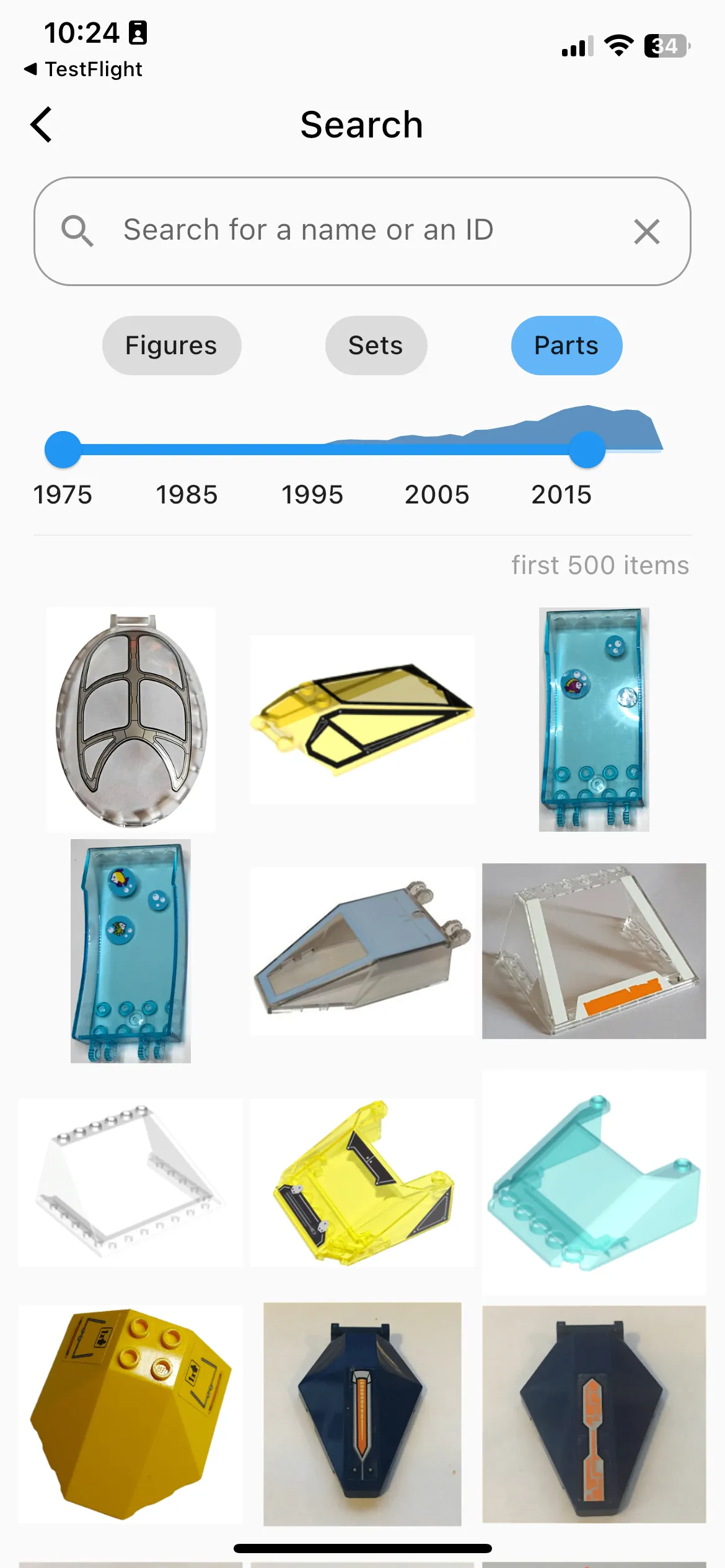
New version
Select categories stepwise.
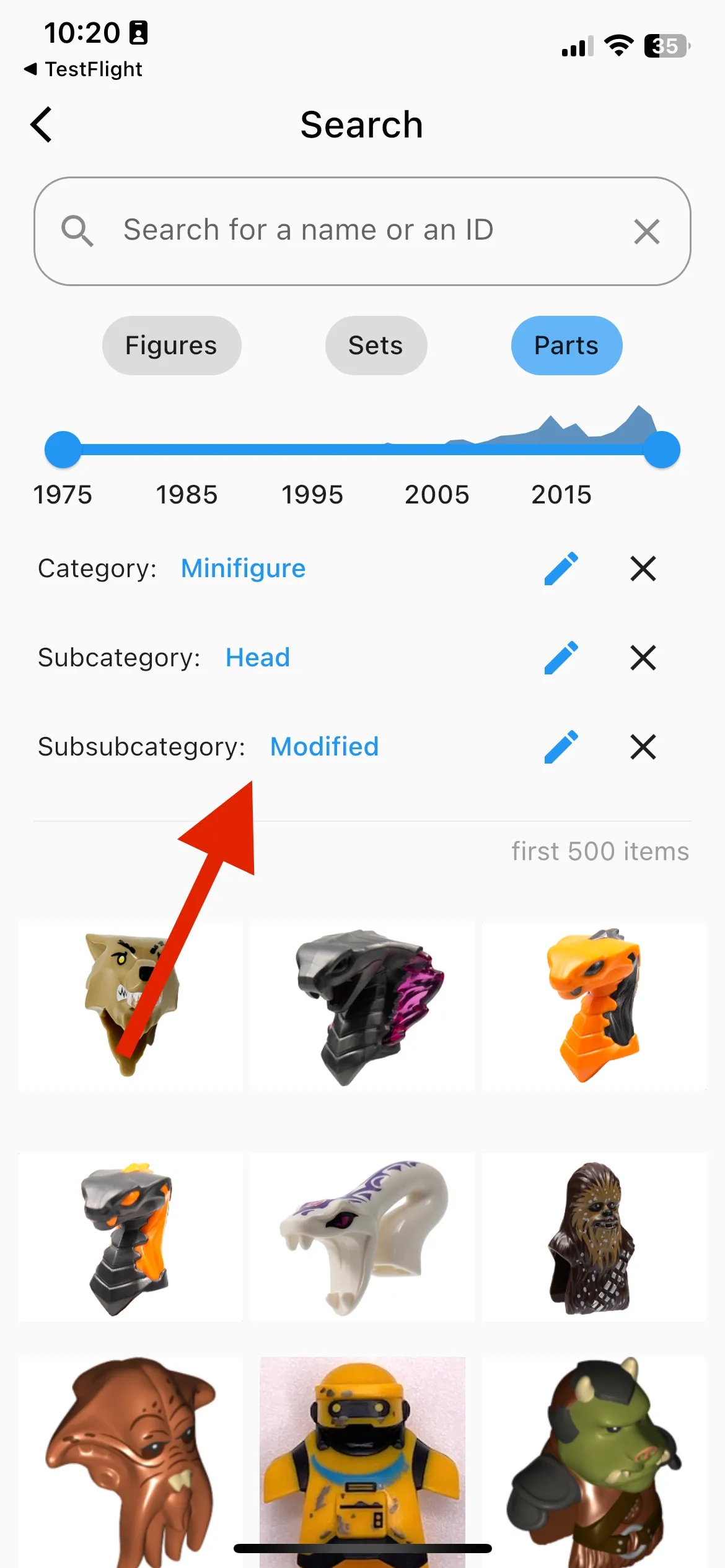
Multiple Smaller Changes
- You can now export your inventory to “My Collection” on bricklink.com. We added
<COLOR>0</COLOR>to exported Minifigures to make it compatible. If you are a seller, we still recommend exporting your inventory to BrickStore first. - We improved the performance when searching for items while a theme is selected.
March 14, 2023 – Version 1.3.2
This time we made some small changes. Stay tuned for exciting features ahead!
Multiple Smaller Changes
- display text instead of empty charts
- add a dialog to encourage users to crop images before upload
- improve visualization of part inventory
- UX & performance improvements
March 7, 2023 – Version 1.3.1
You can now see the inventory of each set. And you can search for all sets that contain a specific part.
New version
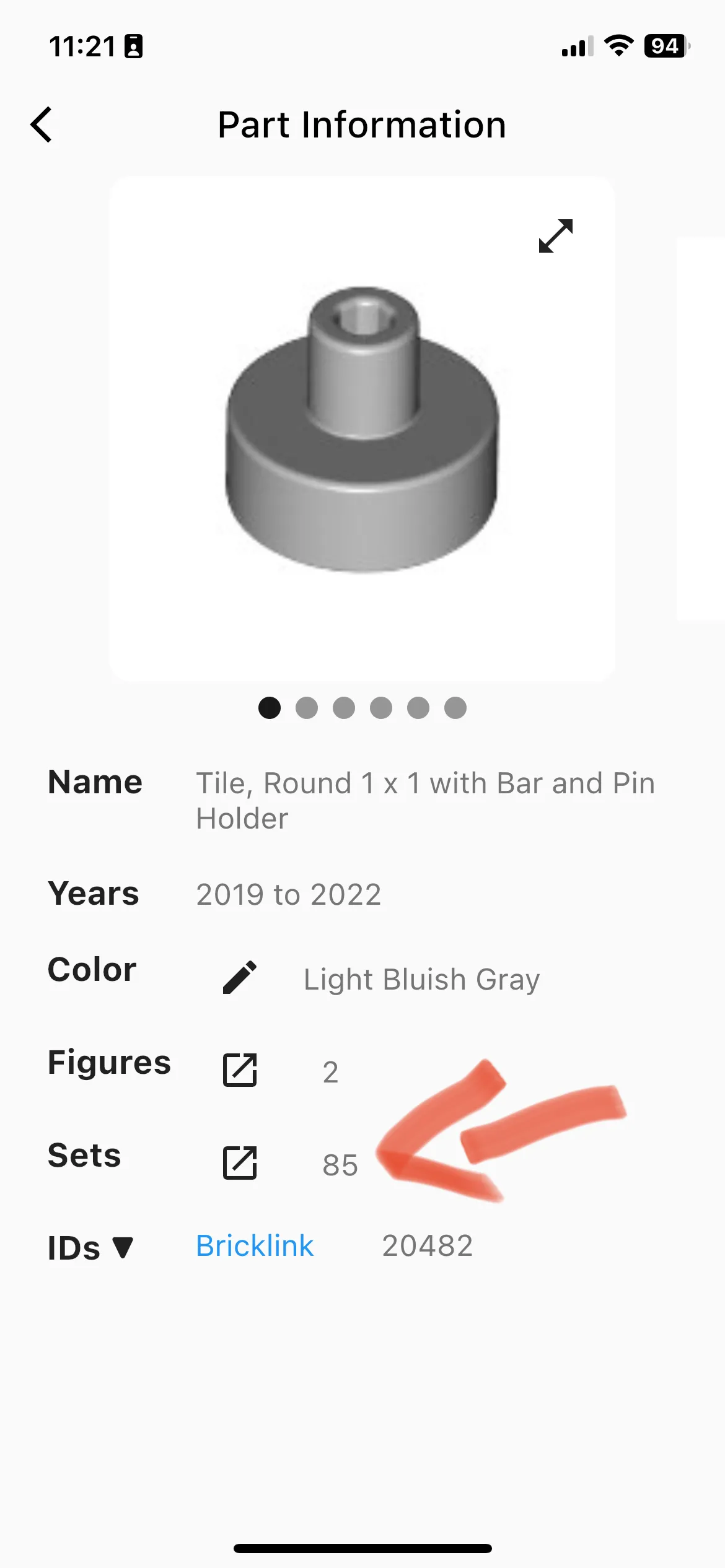
New version
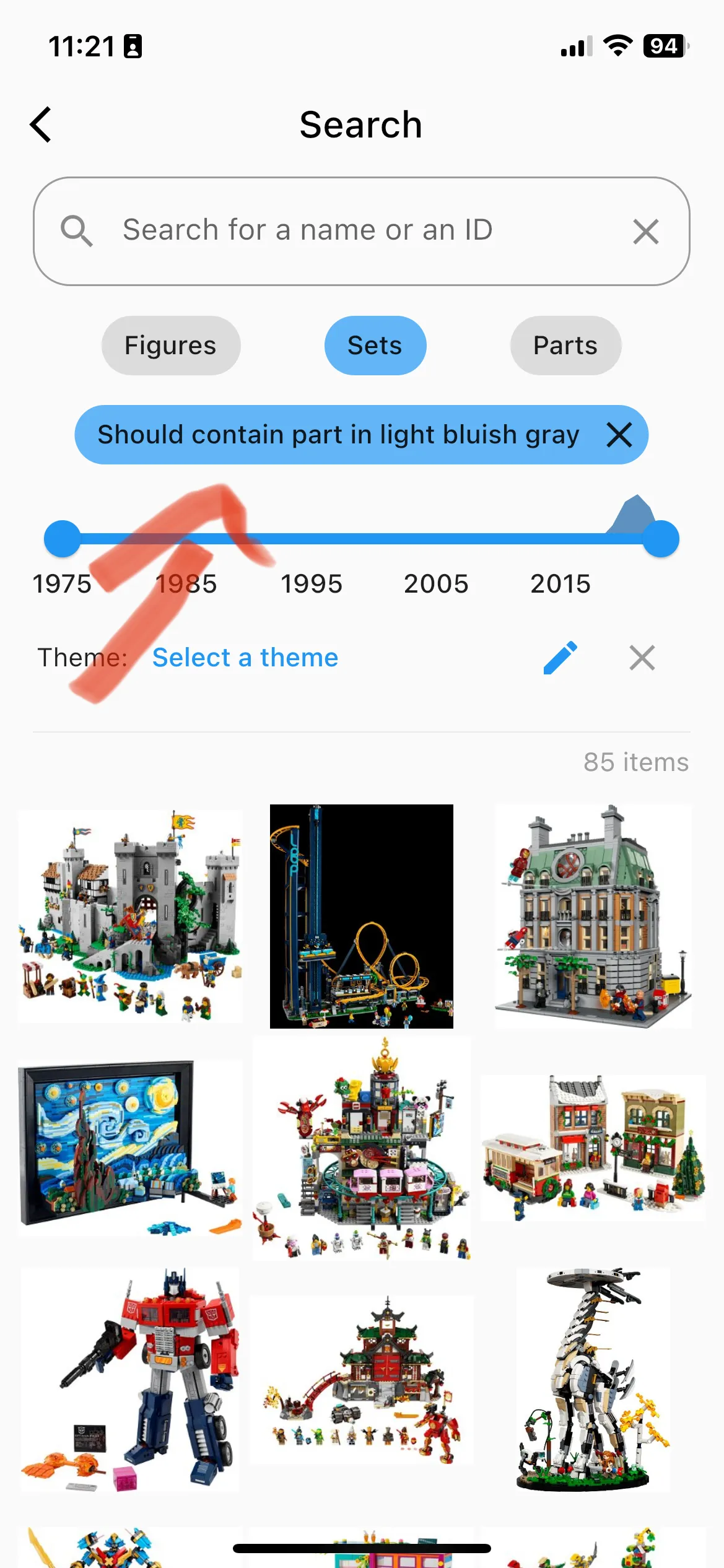
New version
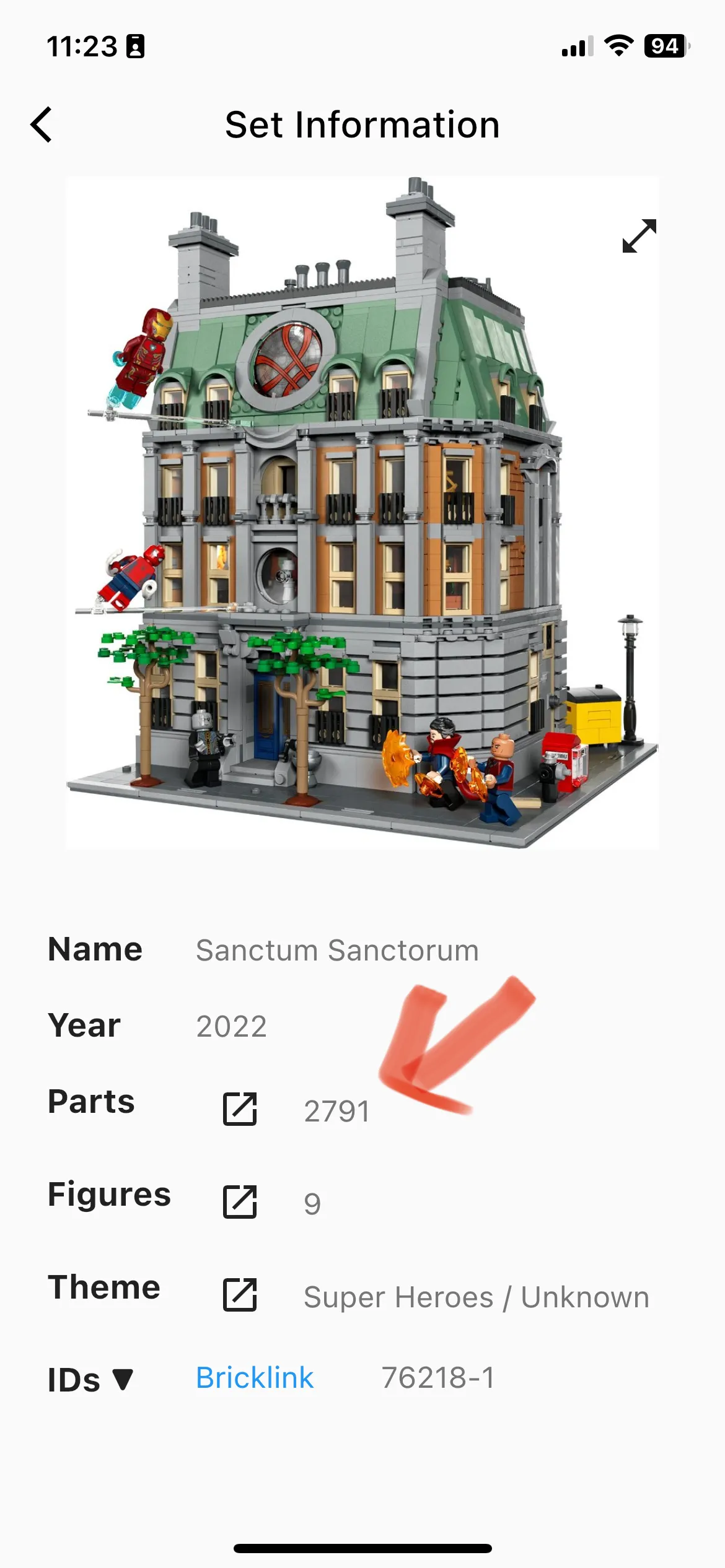
You now get better feedback about the upload status when submitting new item images.
-
show a spinning progress indicator while uploading, display a flushbar message and automatically update the images on the item screen
-
also, add a clickable sentence that makes it more straightforward to submit new images for items that don’t have any images yet.
New version
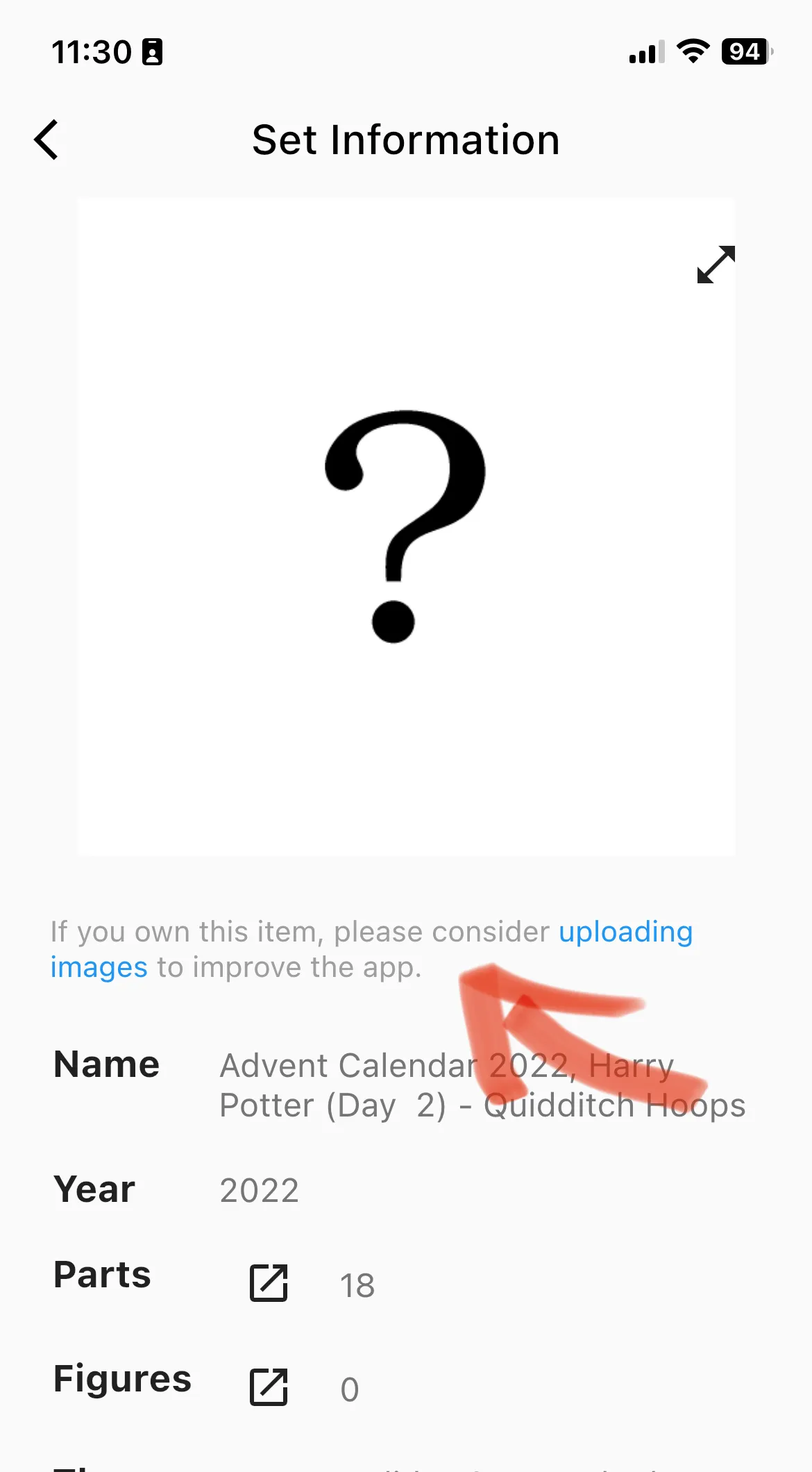
Multiple Smaller Changes
- add a button under “More” to go to this page about release notes
- display the currently selected color above the image upload button to avoid incorrect image submissions
- fix an issue where the app crashed on older iOS devices
- fix an issue where some images don’t update correctly after a database update
February 28, 2023 – Version 1.3.0
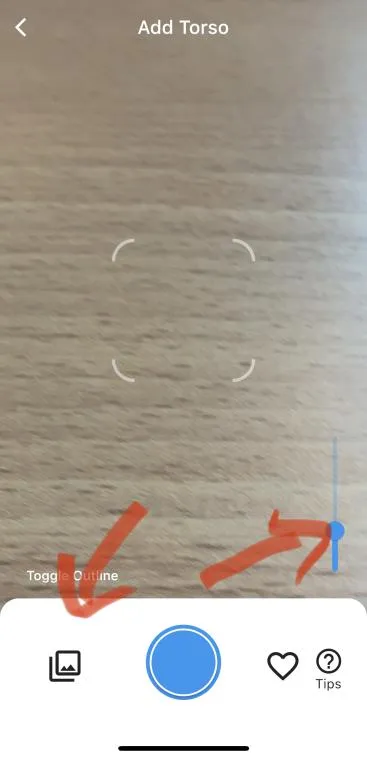
You can now identify torsos from images in your gallery.
- We also increased the zoom factor and show a slider.
Old version
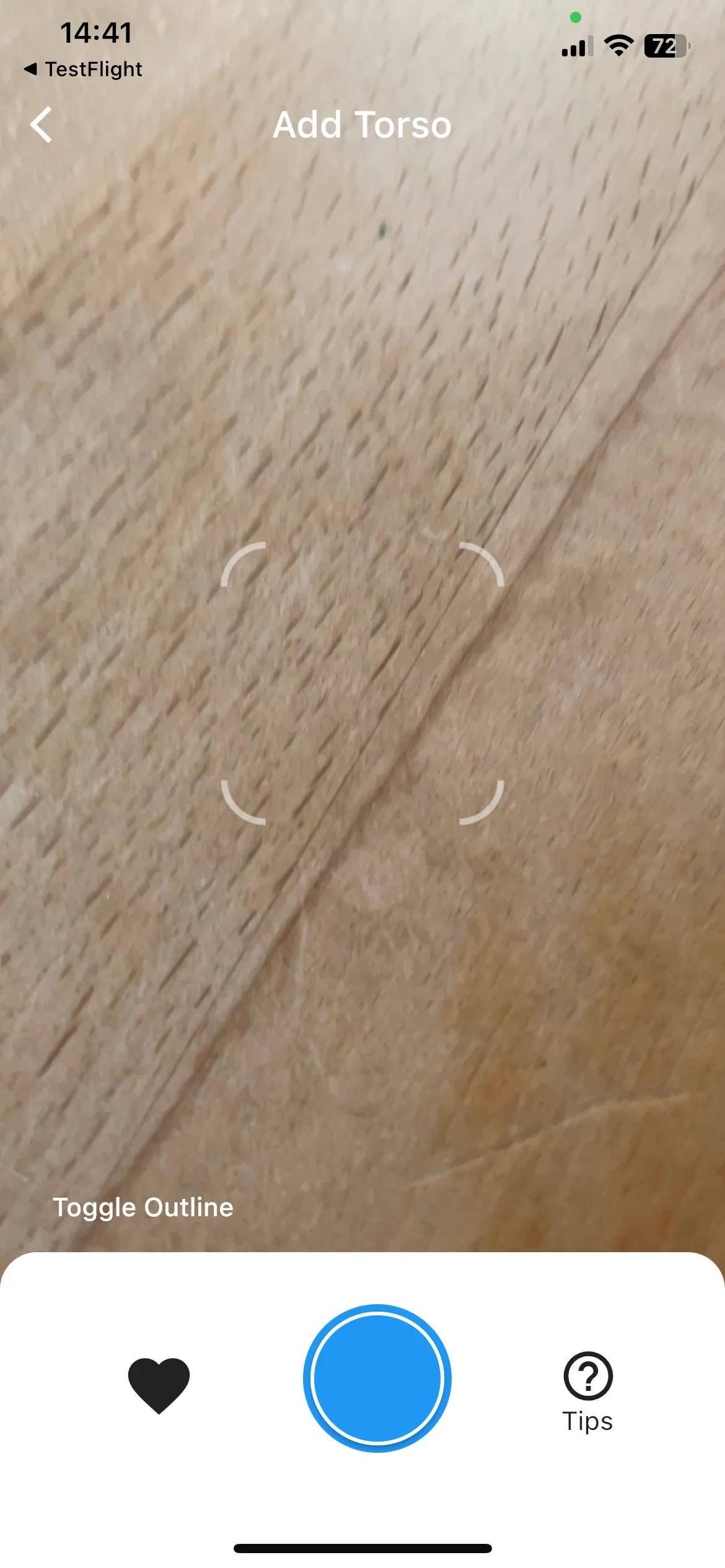
New version
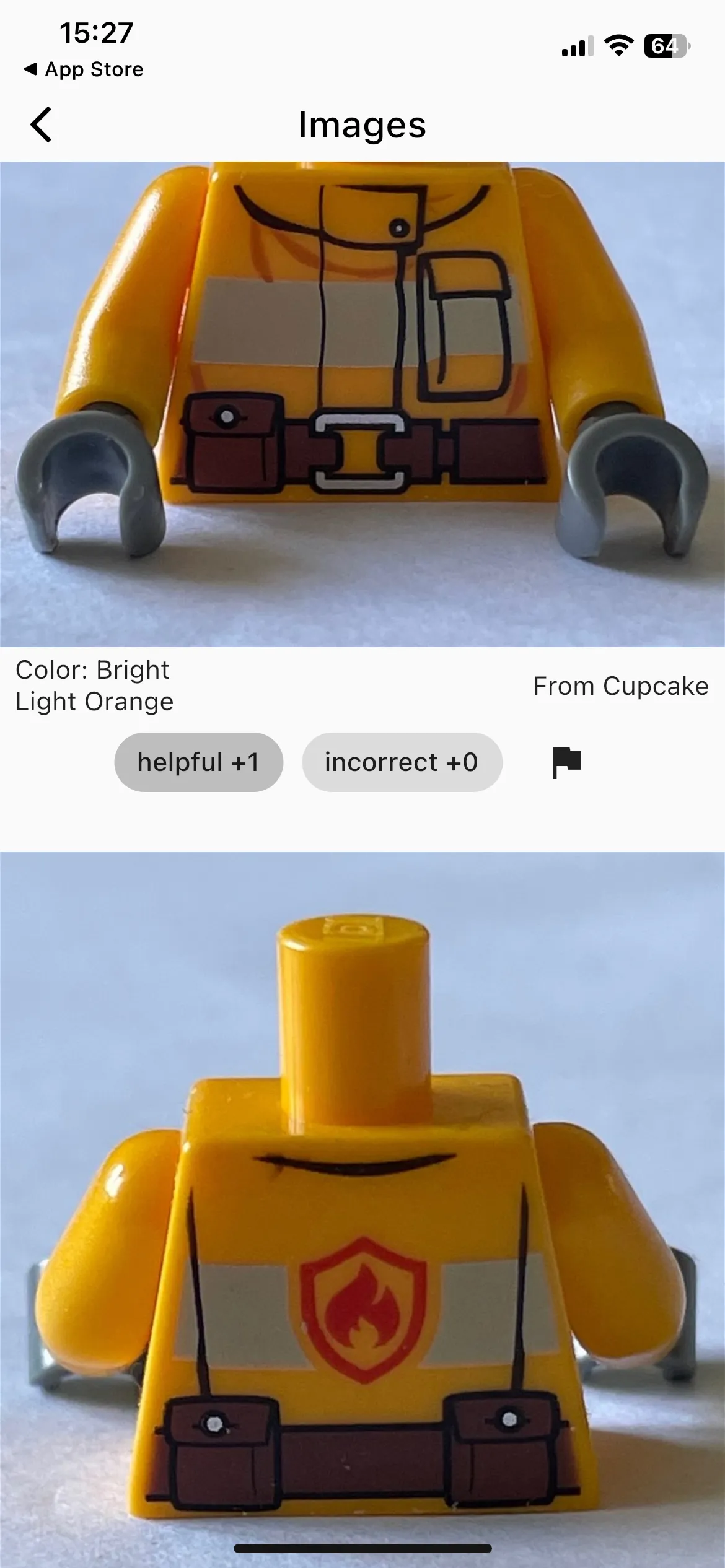
You can now vote for image uploads.
- Images will be ranked and updated according to your votes. This should enable us to provide the most useful images for our users. Uploading and voting currently works for everything except for torsos. We’ll add this in a future update.
New version
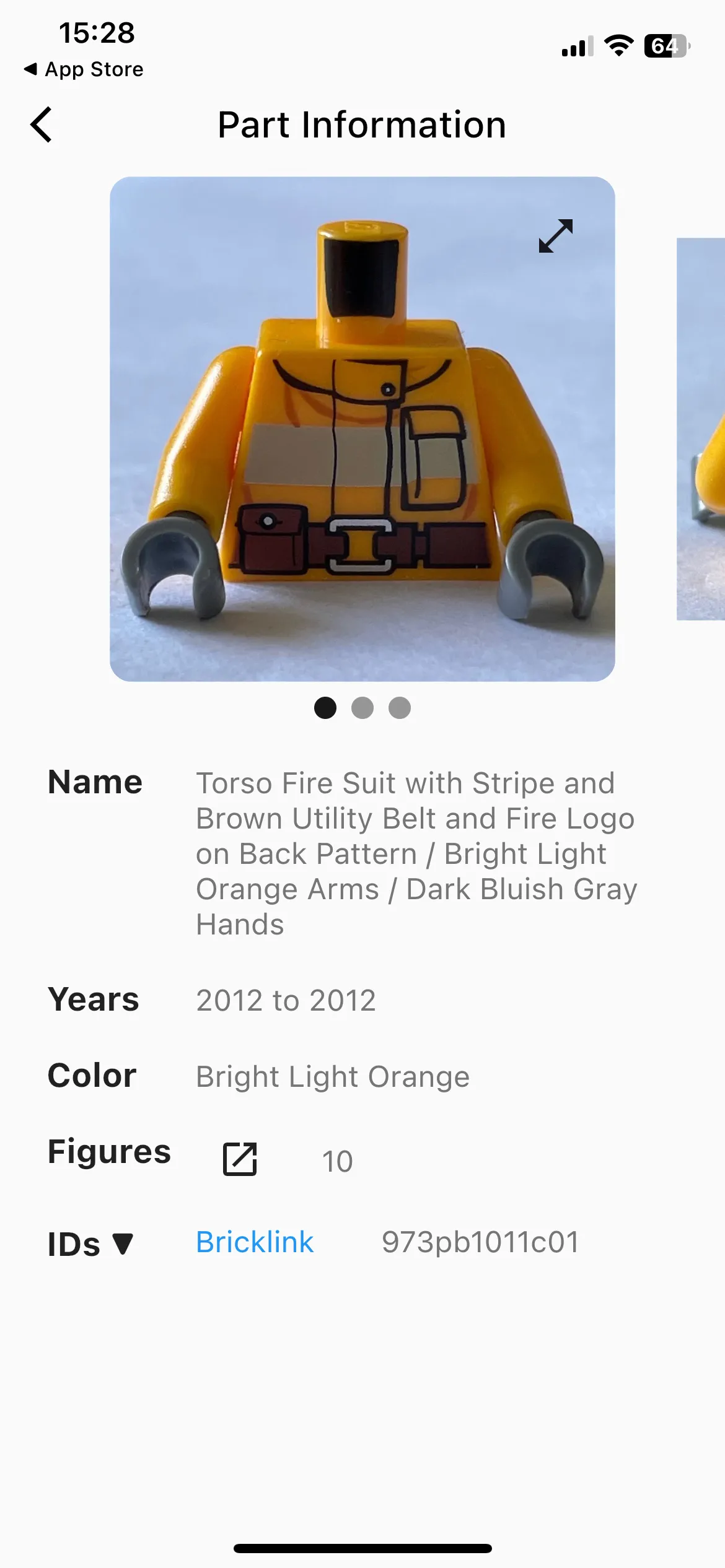
New version
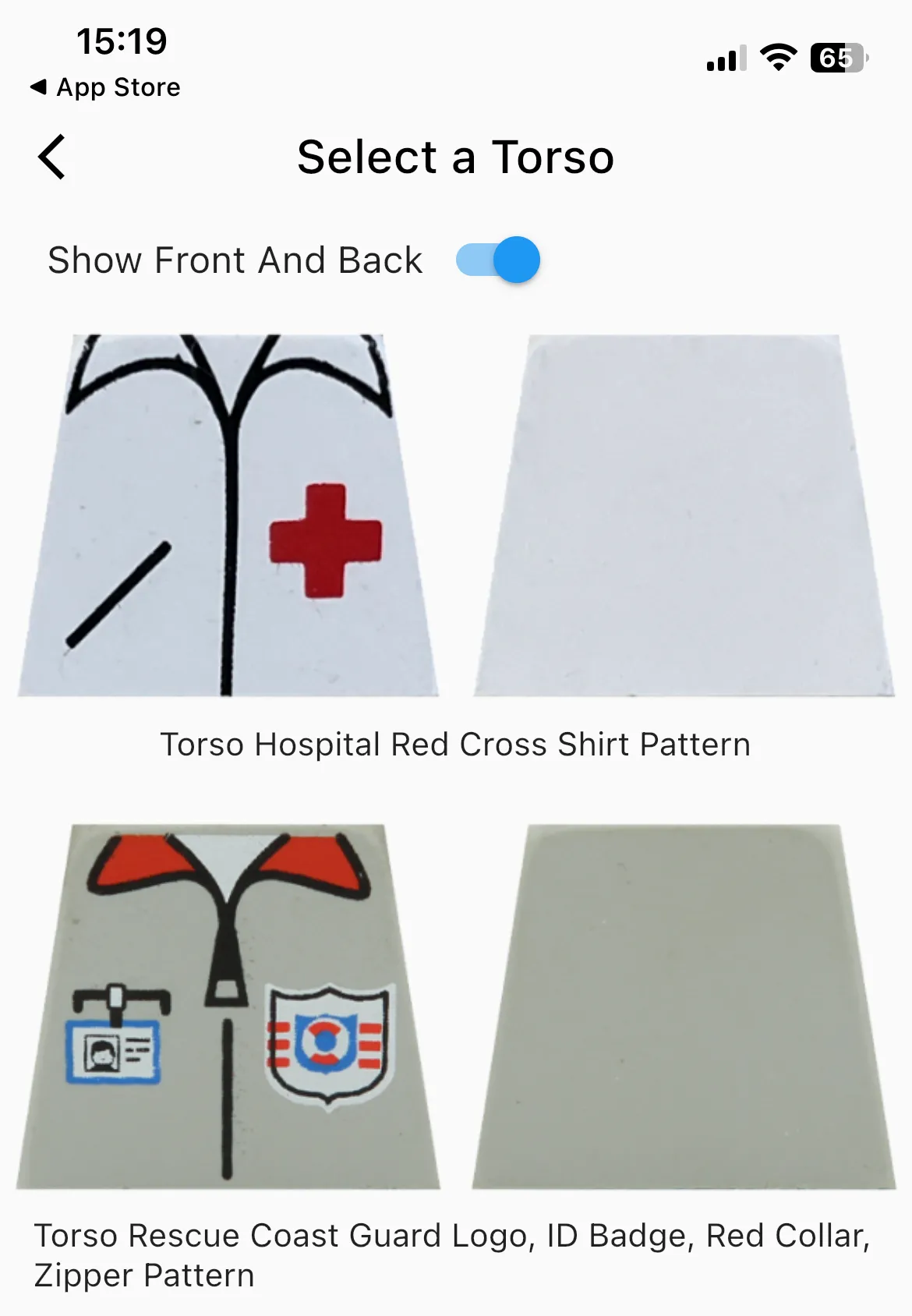
You can now see the front and the back of a torso after taking a picture. This should make it easier to compare torsos that have the same front.
- The app now also shows the name of the torso to make it easier to compare the options.
Old version
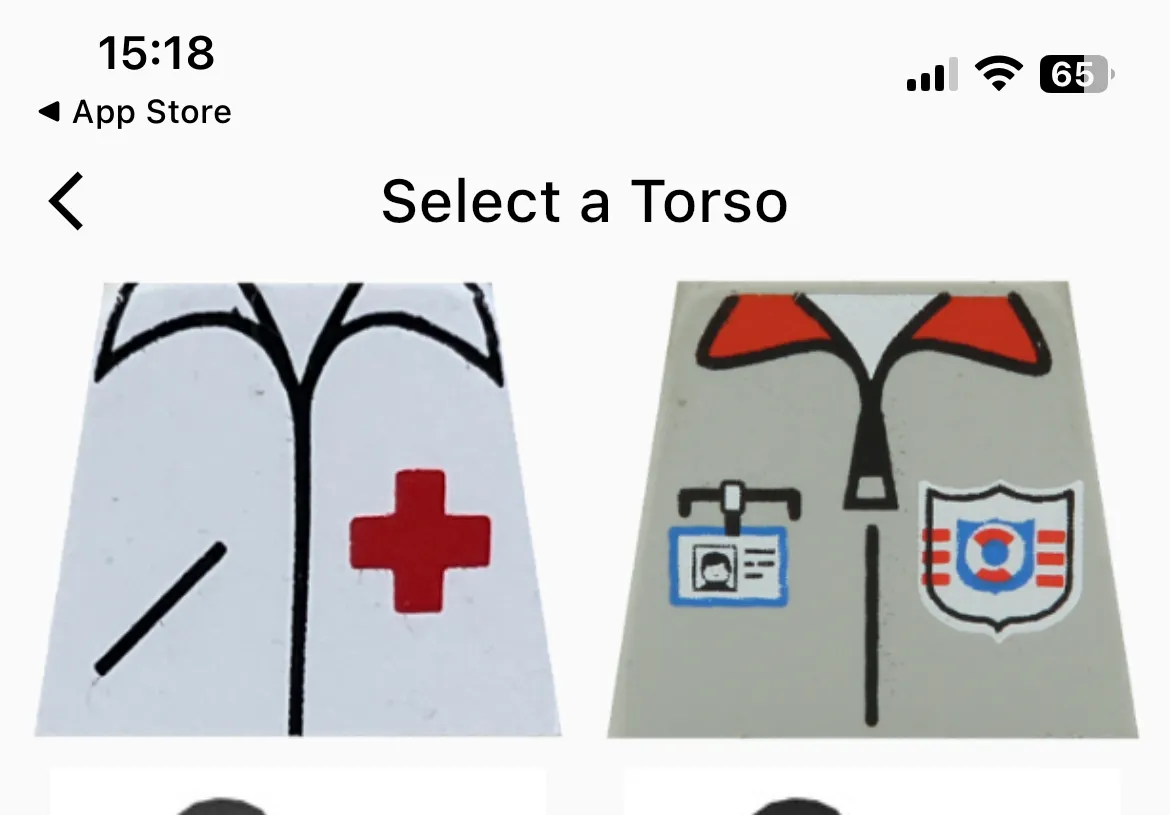
New version
Expand the database to include Minifigures, Sets and Parts from 2022 and 2023
- In some cases we needed to remove some parts from existing items in the users’ collections to ensure that everything stays consistent. Affected users will see a notification.
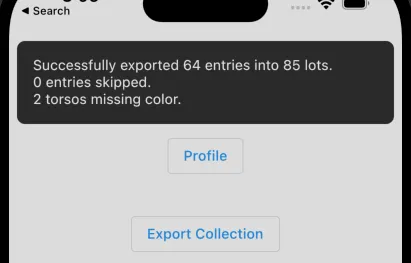
Fix XML export
-
Previously, partially assembled Minifigures and Torsos were skipped. Now it should export everything correctly. Torsos with more than one possible color are exported without a color. This can be adjusted later using BrickStore.
-
Now the app displays a message after exporting the collection.
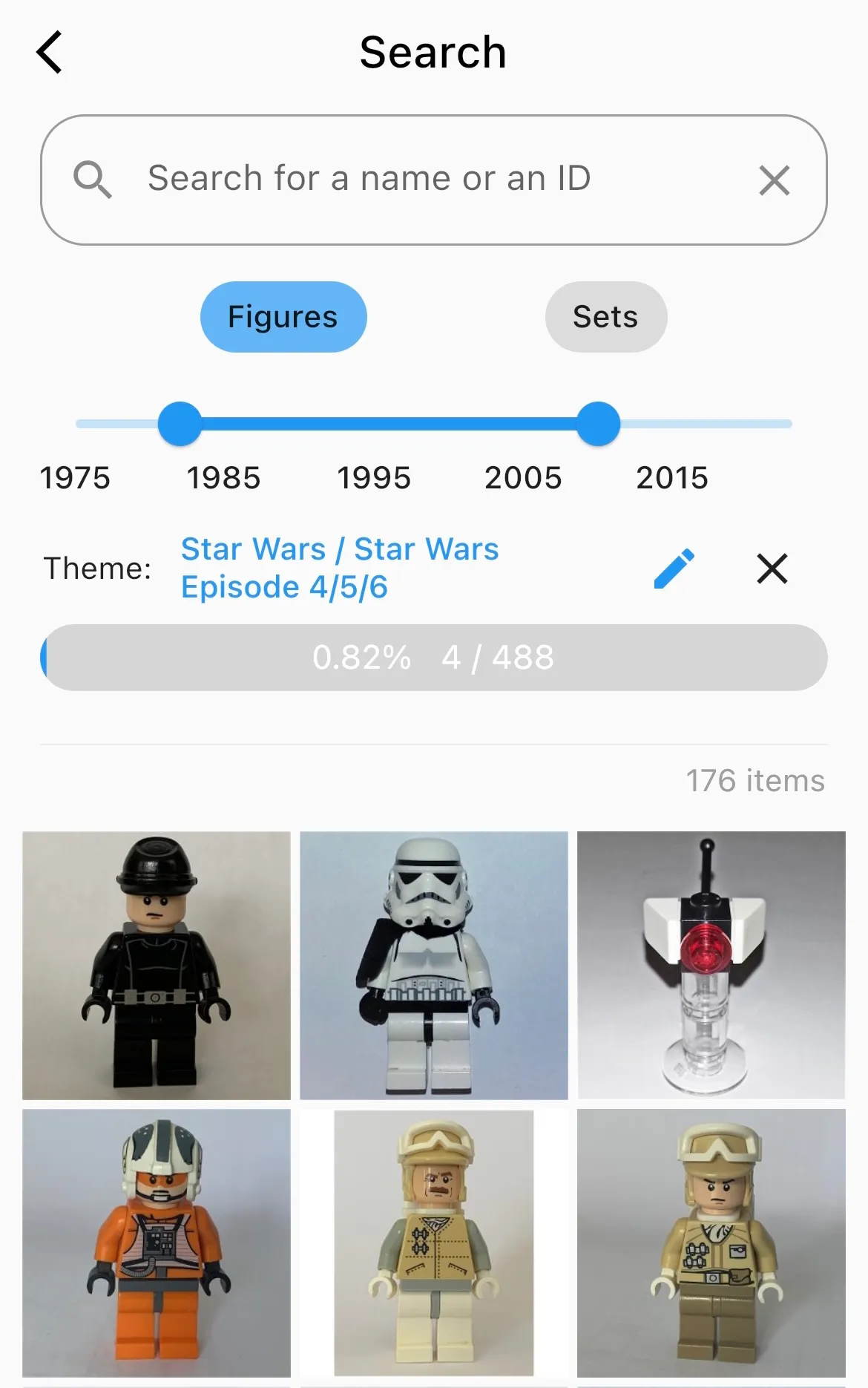
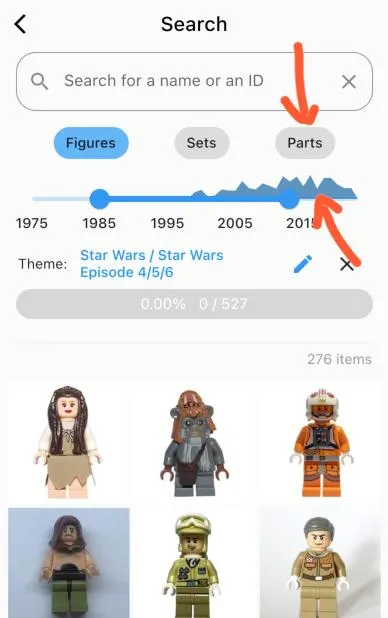
Improve search functionality
- Search for parts
- Show histogram above timeline
- The search string “obi hood” now correctly matches with “Obi-Wan Kenobi, Brown Hood […]”. Previously, it needed to be an exact match.
Old version
New version
Multiple Smaller Changes
- Fix camera orientation issues on iPad
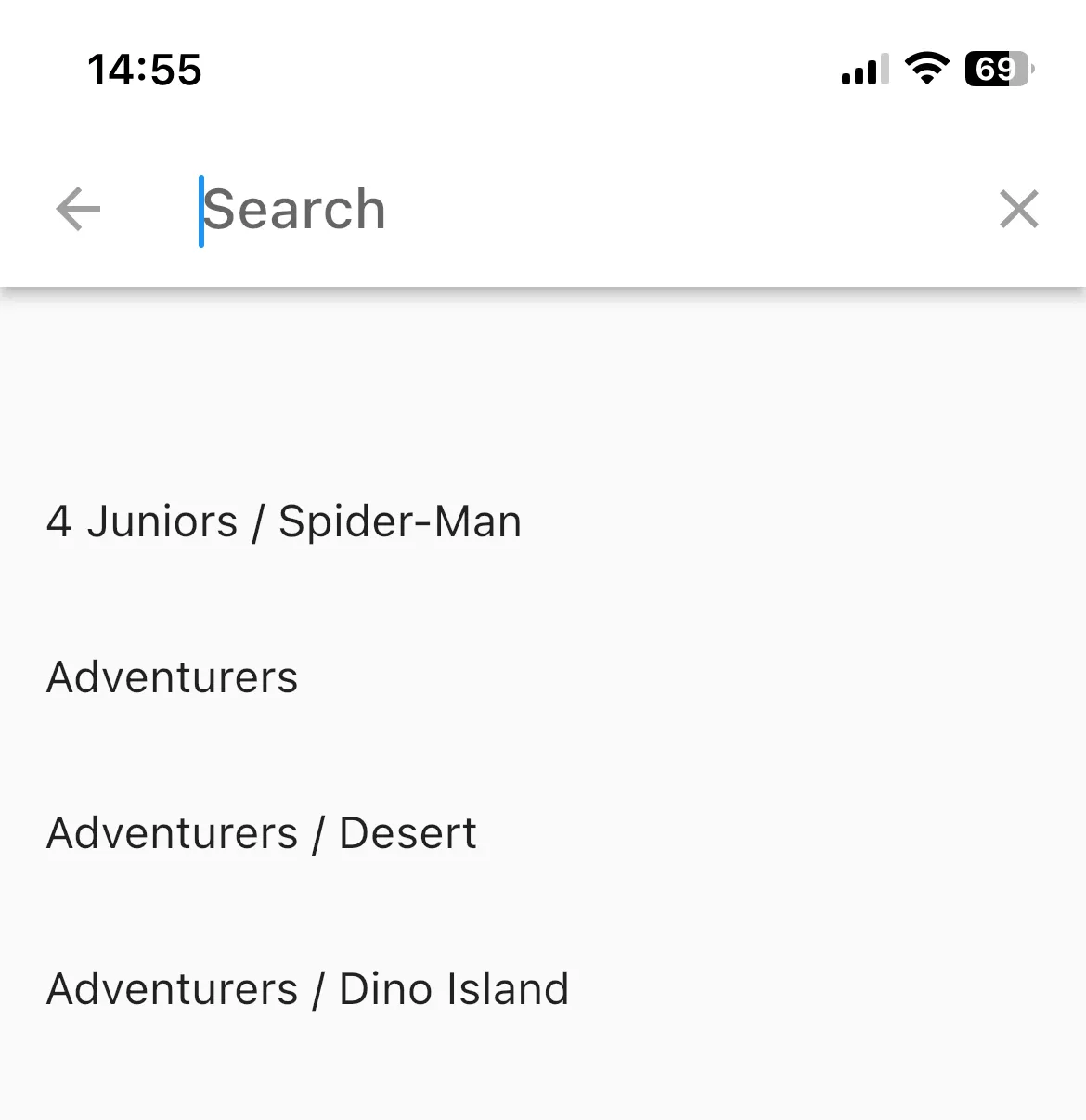
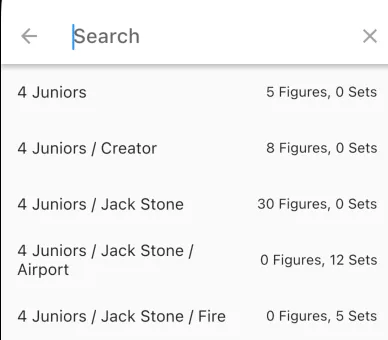
Show number of figures and sets beside the themes in the search screen
Old version
New version
- Pressing the “More” → “Feedback” button now displays a message that prompts the user to send an email. This makes handling feedback easier for us and we can respond more directly.
- Change the “Turn Smart Build On/Off” button to a toggle button to make the behavior more obvious
- “Smart Build” On/Off is now persisted so that users can keep their favorite settings. It should speed up inventorying assemblies (torsos + arms + hands) by avoiding button presses.
- Now you can adjust the color of the parts.
- If you click on a question mark icon now, it won’t show a bottom sheet but will send you to a better-formatted and more helpful webpage.