Export Collection
💡 If you have any recommendations for this page, please share them with us!
Our app allows you to export your scans as an XML or CSV file, which can then be imported into bricklink.com, Excel, BrickStore, Bricqer, or BrickTrac.
How to export your collection:
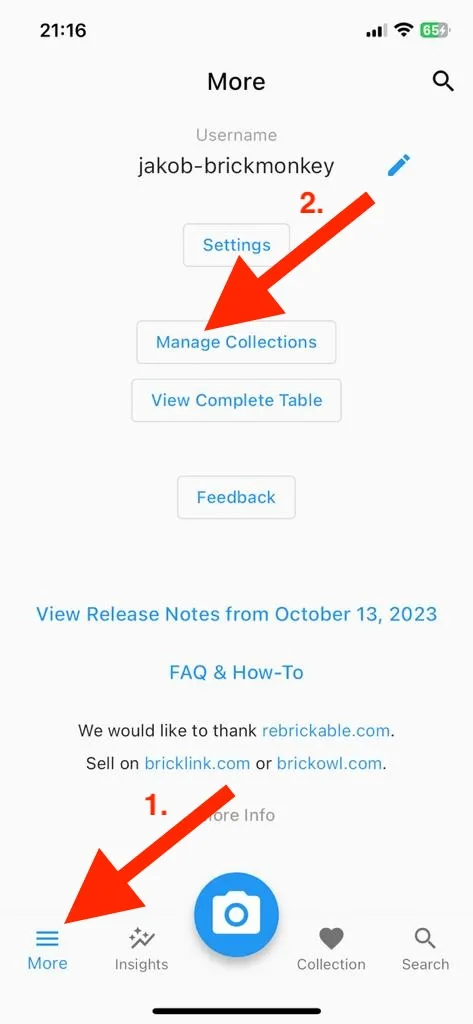
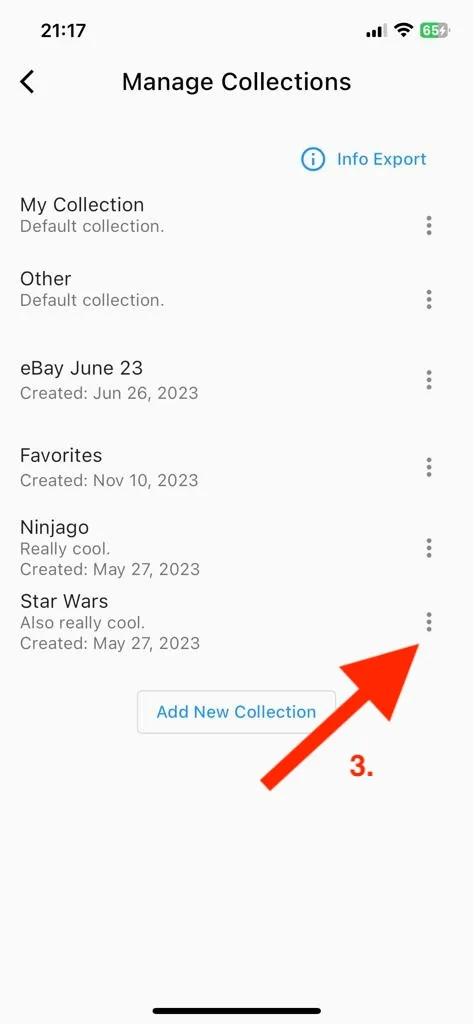
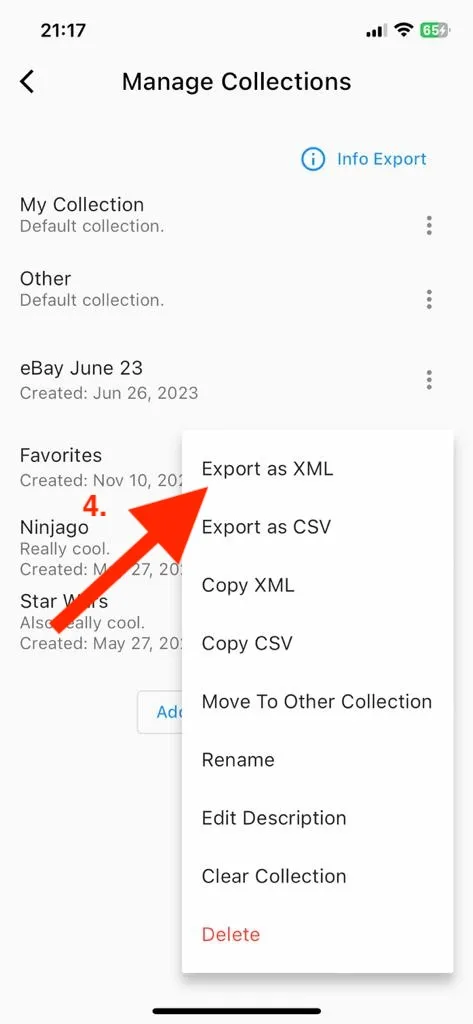
To view your collection in Excel or Google Sheets, choose CSV; for everything else, select XML.
How to Import into BrickStore
Here’s a step-by-step guide on how to export your collection and import the resulting XML file into BrickStore, a popular choice among LEGO resellers:
-
Export an XML file as explained above.
-
Transfer the XML file from your phone to your computer using a method such as AirDrop, WhatsApp, or Facebook Messenger.
-
In BrickStore, click the “Import” button and select “Bricklink XML…” to import the XML file.
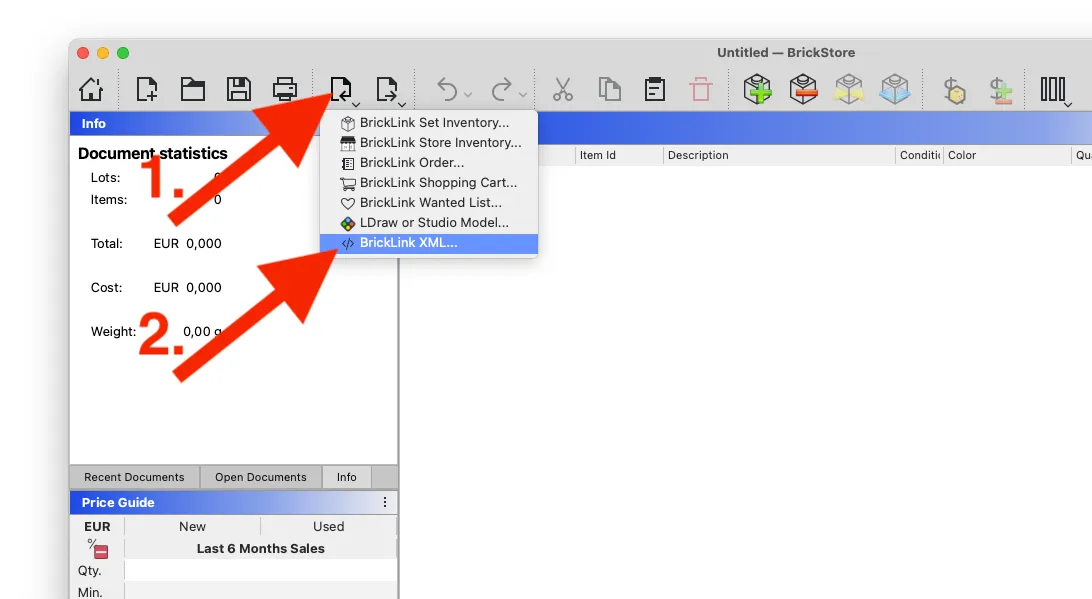
-
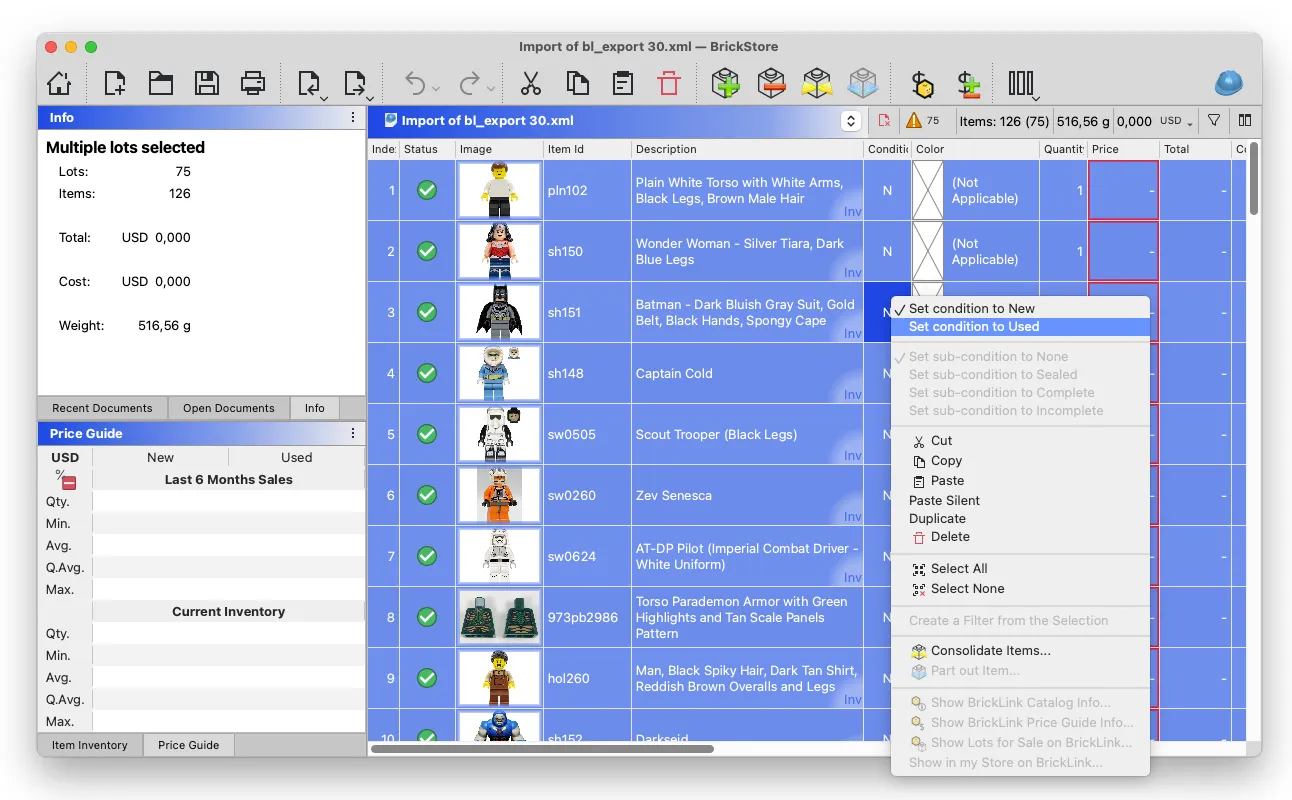
Once imported, you can adjust the item condition (NEW or USED), set prices, and ultimately upload your inventory to BrickLink.
Bulk Updating Item Condition in BrickStore
- Select all items (Mac: Cmd + A, Windows: Ctrl + A)
- Right-click on any item’s condition
- Choose “Set condition to New/Used”
This action will update the condition for all selected items at once.